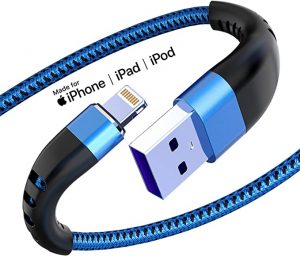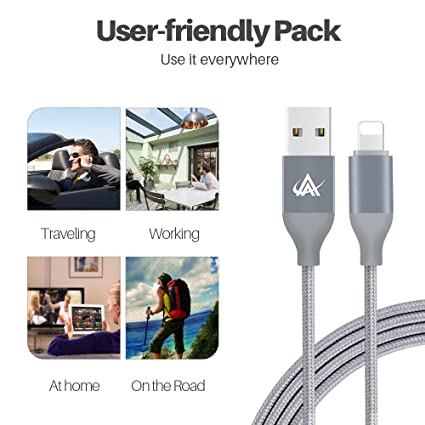
Apphone iPhone Charger- Usb to Lightning cable For iPhone/iPad/iPod

Usb to Lightning cable For iPhone

How To Make iPhone Cables Last Longer

If you have ever bought a new iPhone charging cable and then watched it break after only a few months, you are definitely not alone. Many people deal with frayed wires, loose connectors, slow charging, or cables that suddenly stop working. The good news is that most iPhone cable damage can actually be prevented with a few simple habits.

In this detailed guide, we will explain how to make iPhone cables last longer, what causes charging cables to fail, and the best ways to protect your cables from daily damage. This article is written in simple language so anyone can understand it.

Whether you use a USB-C to Lightning cable, a standard Lightning cable, or even a USB-C fast charging cable, these tips can help extend the life of your charging accessories and save money.

Why Do iPhone Cables Break So Easily?

Before learning how to protect your cable, it helps to understand why cables fail in the first place.

Most iPhone charging cables get damaged because of repeated stress. Every day people bend, twist, pull, fold, step on, or tightly wrap their cables without realizing it. Over time, the internal wires become weak.

Here are the most common reasons cables stop working:

Constant bending near the connector

Pulling the cable instead of the plug

Cheap low-quality materials

Heat damage

Tangled cable storage

Using the cable while sleeping

Excessive twisting

Water or moisture exposure

Dirt buildup inside the connector

The weakest part of most cables is usually near the connector head because this area bends the most during daily use.

1. Never Pull Your iPhone Cable by the Wire

One of the biggest mistakes people make is pulling the charging cable directly from the wire.

This slowly damages the inside of the cable. The internal copper wires can loosen or even break completely.

Instead, always hold the connector head firmly when unplugging your cable.

Wrong Way

Pulling the cable itself

Yanking the wire quickly

Swinging the phone while charging

Correct Way

Grip the plastic or metal connector

Pull gently and straight

Avoid sudden force

This simple habit alone can dramatically increase the lifespan of your iPhone charging cable.

2. Avoid Sharp Bends Near the Connector

If you look closely at damaged iPhone cables, you will usually see cracking or fraying near the ends.

That is because this area experiences the most pressure.

How To Prevent This Problem

Do not bend the cable sharply

Avoid folding the cable tightly

Keep the connector area straight when possible

Leave a small curve instead of a hard angle

Many people use their phones while charging in bed. This often causes the cable to bend sharply under pillows or blankets for hours.

Over time, this weakens the internal structure.

If possible, place your phone on a flat surface while charging.

3. Use Cable Protectors

A very affordable way to make your cable last longer is by using cable protectors.

These small accessories help reduce stress near the connector.

Popular Cable Protection Options

Silicone cable protectors

Spring protectors

Heat shrink tubing

Reinforced sleeves

These products are especially useful for people who frequently travel or carry cables inside backpacks.

A protected cable is much less likely to crack or split.

4. Do Not Wrap the Cable Too Tightly

Many people wrap charging cables tightly around chargers, power banks, or their hands.

This creates constant pressure inside the cable.

Eventually, the internal wires begin to weaken.

Better Cable Storage Methods

Use loose loops

Store cables in a pouch

Avoid knotting the wire

Keep cables untangled

The best way is to create large soft loops instead of tight circles.

Think of the cable like a garden hose. Tight twisting always causes damage faster.

5. Keep Your Cable Away From Heat

Heat is another major reason charging cables fail.

High temperatures can soften plastic, weaken protective coatings, and damage the internal insulation.

Avoid These Situations

Leaving cables inside hot cars

Placing cables near heaters

Charging under blankets

Using low-quality fast chargers that overheat

If your cable feels extremely hot during charging, something may be wrong.

A good quality USB-C to Lightning cable should stay only slightly warm during normal charging.

6. Keep Connectors Clean

Dust and dirt can slowly build up inside charging connectors.

This can cause:

Poor charging connection

Slow charging

Charging interruptions

Connector damage

How To Clean iPhone Cable Connectors Safely

Use a soft dry brush

Use compressed air carefully

Avoid metal tools

Never clean while connected to power

Keeping connectors clean helps maintain stable charging performance.

7. Buy High-Quality Certified Cables

Not all charging cables are made equally.

Cheap cables often use lower quality copper, thinner insulation, and weak connectors.

This makes them fail much faster.

When buying a new cable, look for:

Important Features

MFi Certified iPhone Cable

Reinforced connector design

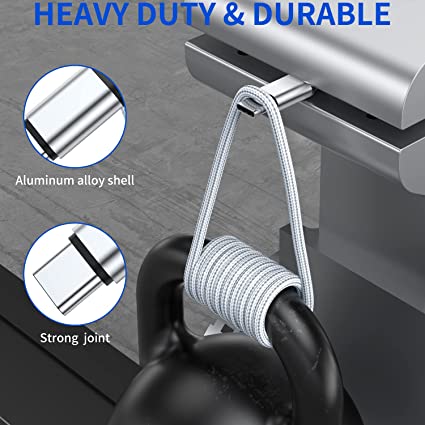
Braided cable protection

High-quality copper core

Durable strain relief

Fast charging support

A quality cable may cost slightly more at first, but it usually lasts much longer.

That means you actually save money over time.

8. Avoid Using Your Phone Aggressively While Charging

Many people scroll social media, play games, or watch videos while charging.

This constantly moves the cable around.

Heavy movement creates stress near the connector.

Safer Charging Habits

Place the phone on a table

Avoid pulling the cable sideways

Do not swing the phone while connected

Limit gaming during charging

The less movement your cable experiences, the longer it will survive.

9. Protect Your Cable During Travel

Travel is one of the biggest causes of cable damage.

People throw cables into backpacks, pockets, suitcases, and car compartments without protection.

The cable then becomes crushed, bent, or tangled.

Travel Cable Tips

Use a cable organizer

Store cables separately

Avoid placing heavy objects on cables

Use shorter cables for travel

A simple travel pouch can make a huge difference.

10. Replace Damaged Cables Immediately

If your cable already shows serious damage, stop using it.

Warning Signs

Exposed wires

Burn marks

Loose connectors

Charging interruptions

Overheating

Bent connector tips

Damaged cables can become dangerous.

In severe cases, they may cause overheating, electrical shorts, or device damage.

Using a safe, high-quality replacement is always the better option.

Are Braided iPhone Cables Better?

Yes, in many cases braided cables are more durable than standard plastic cables.

Benefits of Braided Charging Cables

Better resistance to bending

Reduced tangling

Improved durability

More professional appearance

Better protection during travel

However, even braided cables still need proper care.

No cable is completely indestructible.

How Long Should an iPhone Cable Last?

A high-quality cable that is used carefully can often last several years.

But low-quality cables or poor usage habits may cause failure within only a few months.

Average cable lifespan depends on:

Usage frequency

Storage habits

Cable quality

Charging environment

Travel conditions

Treating your cable carefully can double or even triple its lifespan.

Best Habits To Make iPhone Cables Last Longer

Here is a simple summary:

Daily Cable Care Checklist

Hold the connector when unplugging

Avoid sharp bending

Store cables loosely

Keep connectors clean

Avoid overheating

Use certified high-quality cables

Protect cables during travel

Replace damaged cables immediately

Avoid excessive twisting

Use cable protectors

Final Thoughts

Learning how to make iPhone cables last longer is actually very simple. Most cable damage comes from everyday habits that people usually do without thinking.

By changing a few small habits, you can greatly extend the lifespan of your iPhone charging cable, reduce replacement costs, and improve charging safety.

Whether you are using a standard Lightning cable or a modern USB-C to Lightning cable, proper care makes a huge difference.

If you want the best long-term experience, always choose high-quality certified cables and treat them carefully.

A good cable should not only charge your phone fast — it should also survive daily life without breaking after a few months.

USB cable.

Picture this: You’re sitting at your desk, engrossed in a project

Where Can I Buy a High-Quality Pd Fast Charging Cable?

FAQ

USB-C cables certainly.

Share This Artcle:

Fast delivery

Fast delivery

Fastest delivery within 22 days

Quick proofing

Quick proofing

Fastest 3-day proofing cycle

After-sale protection

After-sale protection

24-month long warranty

1V1Customer Service

1V1Customer Service

Professional customer service follow-up

Lorem ipsum dolor sit amet, consectetur adipiscing elit. Ut elit tellus, luctus nec ullamcorper mattis, pulvinar dapibus leo.

Scroll to Top