
Are All USB-C Cables the Same? A Complete Guide for Buyers and Electronics Businesses
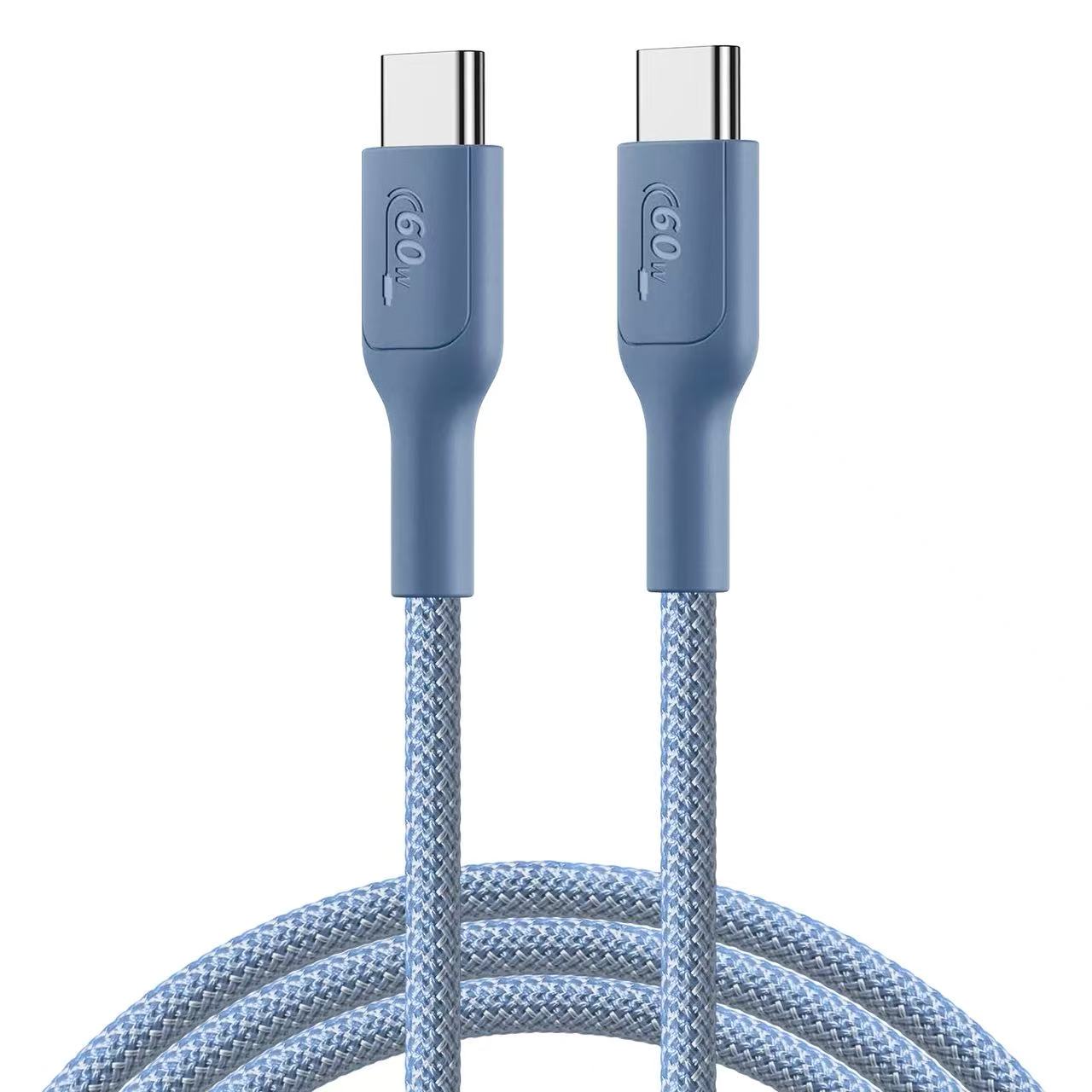
No, all USB-C cables are not the same. They may look identical externally, but they can differ significantly in charging power, data transfer speed, internal wiring, materials, certifications, and support for protocols such as USB PD 3.0.
Are All USB-C Cables the Same?
Why Do Different USB-C Cables Look Similar but Perform Differently?
Many consumers and businesses assume that every USB-C cable has the same performance because the connectors look identical. However, USB-C only describes the connector shape, not the cable’s complete specifications.
A USB-C cable can have different capabilities depending on:
Internal conductor size
Number of wires
Copper quality
Shielding design
E-marker chip availability
USB protocol support
Manufacturing quality
For example:
A basic USB-C charging cable may support only:
5V charging
2A current
USB 2.0 data speed
A premium USB-C PD cable may support:
240W charging
40Gbps data transfer
Video output
USB4 compatibility
For B2B buyers purchasing thousands of cables, understanding these differences is critical to avoid product failures and customer complaints.
What Are the Main Differences Between USB-C Cables?
Do All USB-C Cables Have the Same Charging Speed?
No. Charging capability is one of the biggest differences between USB-C cables.
The charging performance depends on:
Cable current rating
Copper conductor thickness
Power Delivery support
E-marker chip configuration
The following table shows common USB-C cable differences:
| USB-C Cable Type | Maximum Power | Data Speed | Typical Application |
|---|---|---|---|
| Basic USB-C Cable | 15W–60W | USB 2.0 (480Mbps) | Phones, tablets |
| USB-C PD Cable | Up to 100W | USB 2.0/USB 3.x | Laptops, fast charging |
| USB-C 3.2 Cable | Up to 100W | Up to 20Gbps | SSDs, monitors |
| USB4 Cable | Up to 240W | Up to 40Gbps | Professional devices |
A cable that charges a smartphone correctly may not be suitable for charging a laptop.
Are All USB-C Cables Capable of Fast Charging?
Why Do Some USB-C Cables Charge Faster Than Others?
Fast charging requires the cable to handle higher electrical current.
For example:
60W charging typically requires 20V/3A support
100W charging requires 20V/5A support
240W charging requires USB PD 3.1 EPR support
Higher current creates more heat, so manufacturers must use:
Thicker copper conductors
Better insulation materials
Improved connector design
A cheap cable may physically connect a laptop charger but fail to deliver the expected charging speed.
How Does Wire Size Affect USB-C Cable Performance?
What Does AWG Mean in USB-C Cables?
AWG (American Wire Gauge) measures conductor thickness.
A lower AWG number means a thicker wire.
Thicker copper wires provide:
Lower resistance
Less heat generation
Better charging efficiency
Common USB-C cable wire specifications:
| Application | Typical AWG | Performance |
|---|---|---|
| Standard charging cable | 28AWG | Basic charging |
| Fast charging cable | 26AWG | Medium current |
| USB-C PD 60W cable | 24AWG–26AWG | Up to 3A |
| USB-C PD 100W cable | 22AWG–24AWG | Up to 5A |
| High-power USB-C cable | 20AWG–22AWG | Higher current |
For professional USB-C cable manufacturing, using the correct AWG size is essential.
Reducing copper thickness is one common way low-cost suppliers lower production costs, but it can cause:
Voltage drop
Slow charging
Excessive heat
Shorter lifespan
Are All USB-C Cables the Same for Data Transfer?
Can Every USB-C Cable Transfer Files at High Speed?
No.
USB-C cables have different data capabilities.
A cable may support:
USB 2.0: 480Mbps
USB 3.2 Gen 1: 5Gbps
USB 3.2 Gen 2: 10Gbps
USB 3.2 Gen 2×2: 20Gbps
USB4: up to 40Gbps
Many low-cost USB-C cables are designed mainly for charging and only include basic data wires.
For example:
A customer connecting an external SSD may expect high-speed transfer but receive only USB 2.0 speeds because the cable does not contain SuperSpeed signal pairs.
What Is the Difference Between USB-C Cables With and Without E-Marker Chips?
Why Do Some USB-C Cables Need E-Marker Chips?
An E-marker chip is a small electronic component inside certain USB-C cables.
It communicates cable information to devices, including:
Maximum current capability
Cable power rating
USB specification
Manufacturer information
E-marker chips are usually required for:
5A charging cables
100W USB PD cables
240W USB PD 3.1 EPR cables
Without an E-marker chip, many USB-C cables are limited to:
3A current
Lower power levels
How Do USB PD 3.0 and USB PD 3.1 Affect USB-C Cable Performance?
What Is USB Power Delivery in USB-C Cables?
USB Power Delivery (USB PD) is a charging communication protocol that allows devices and chargers to negotiate power safely.
USB PD 3.0 supports:
Intelligent power negotiation
Multiple voltage levels
Fast charging management
USB PD 3.1 extends power capability up to:
240W maximum power
Common applications:
| Protocol | Maximum Power | Example Devices |
|---|---|---|
| USB PD 2.0 | 100W | Tablets, laptops |
| USB PD 3.0 | 100W | Smartphones, notebooks |
| USB PD 3.1 EPR | 240W | Gaming laptops, monitors |
For manufacturers, producing PD cables requires:
Proper E-marker programming
PD testing equipment
Stable connector assembly
Are Expensive USB-C Cables Always Better?
Does Higher Price Mean Higher Quality?
Not always.
A higher-priced cable should provide better specifications, but buyers should verify the actual construction.
Important quality factors include:
Copper material
AWG specification
Connector quality
Certification
Test reports
Production control
A cheap cable may reduce costs by using:
Copper-clad aluminum (CCA)
Smaller wires
Poor shielding
Low-quality connectors
What Materials Are Used in High-Quality USB-C Cables?
Is Pure Copper Better Than Copper-Clad Aluminum?
Yes.
Professional USB-C charging cables usually use pure copper conductors.
| Material | Advantages | Disadvantages |
|---|---|---|
| Pure Copper | Low resistance, better conductivity, longer lifespan | Higher cost |
| CCA | Lower price, lighter weight | Higher resistance, weaker charging performance |
For high-power USB-C cables, pure copper is the preferred choice.
How Do Professional USB-C Cable Manufacturers Control Quality?
What Certifications Should a USB-C Cable Factory Have?
A reliable USB-C cable manufacturer should have a structured quality management system.
Important certifications include:
ISO9001 Quality Management System
ISO9001 controls:
Production procedures
Material tracking
Inspection processes
Corrective actions
A professional factory should operate:
IQC (Incoming Quality Control)
IPQC (In-Process Quality Control)
OQC (Outgoing Quality Control)
Are UL and RoHS Certifications Important for USB-C Cables?
Yes.
Common certifications include:
| Certification | Purpose |
|---|---|
| RoHS | Restricts hazardous substances such as lead |
| REACH | Controls chemical substances |
| UL Certification | Improves electrical safety acceptance |
| ISO9001 | Quality management system |
| USB-IF Testing | USB specification verification |
For international B2B sales, compliance documentation reduces market risks.
What Solder Process Is Used in USB-C Cable Production?
Why Does Lead-Free Solder Matter?
Professional USB-C cable factories use lead-free solder to comply with environmental regulations.
A common solder material is SAC305.
SAC305 composition:
Tin (Sn): 96.5%
Silver (Ag): 3.0%
Copper (Cu): 0.5%
Advantages:
RoHS compliant
Strong mechanical connection
Stable electrical performance
Because SAC305 requires higher temperatures:
Melting point: approximately 217°C
Typical process temperature: 240–260°C
Factories need accurate temperature control to prevent solder defects.
Quality Inspector’s Advice:
“Do not judge a USB-C cable only by appearance. Two cables can have the same connector shape but completely different internal designs. Always verify conductor size, charging tests, certification documents, and production quality records.”
How Should Businesses Choose the Right USB-C Cable Supplier?
What Questions Should Buyers Ask Before Ordering?
Before purchasing USB-C cables, professional buyers should confirm:
Technical Capability
Does the supplier support USB PD 3.0?
Can they manufacture 100W or 240W cables?
Do they offer E-marker cable solutions?
Material Quality
What AWG wire sizes are available?
Are conductors pure copper?
What shielding materials are used?
Manufacturing Control
Does the factory have ISO9001?
Are cables tested before shipment?
Can they provide RoHS and UL documentation?
Conclusion: USB-C Cables Are Not All the Same
Although all USB-C cables share the same connector design, their internal technology can be completely different.
The most important differences include:
Charging power capability
Data transfer speed
AWG wire size
Copper quality
E-marker chip support
USB PD protocol compatibility
Manufacturing standards
For businesses buying USB-C cables in bulk, choosing the right manufacturer is more important than simply choosing the lowest price.
A reliable USB-C cable supplier should provide strong engineering support, consistent quality control, and verified product performance.
FAQ About USB-C Cable Differences
1. Are all USB-C cables interchangeable?
No. While USB-C connectors may physically fit the same ports, cables can have different charging limits, data speeds, and device compatibility.
2. Can a cheap USB-C cable damage devices?
A low-quality USB-C cable may cause charging instability, overheating, or poor performance. Certified cables with proper materials provide better safety.
3. How can I know if a USB-C cable supports fast charging?
Check the cable specifications for power rating, current capability, USB PD support, and whether it includes an E-marker chip for high-power charging.
4. What is the best USB-C cable for business purchasing?
The best cable depends on the application. For professional use, buyers should select cables with suitable AWG wire size, verified certifications, reliable materials, and factory quality control.
USB cable.
Picture this: You’re sitting at your desk, engrossed in a project
Where Can I Buy a High-Quality Pd Fast Charging Cable?
FAQ
1 cable
USB-C cables certainly.
Share This Artcle:

Fast delivery
Fastest delivery within 22 days

Quick proofing
Fastest 3-day proofing cycle

After-sale protection
24-month long warranty

1V1Customer Service
Professional customer service follow-up
Lorem ipsum dolor sit amet, consectetur adipiscing elit. Ut elit tellus, luctus nec ullamcorper mattis, pulvinar dapibus leo.