
What Does a USB-C Cable Look Like? A Complete Visual and Technical Guide for Buyers
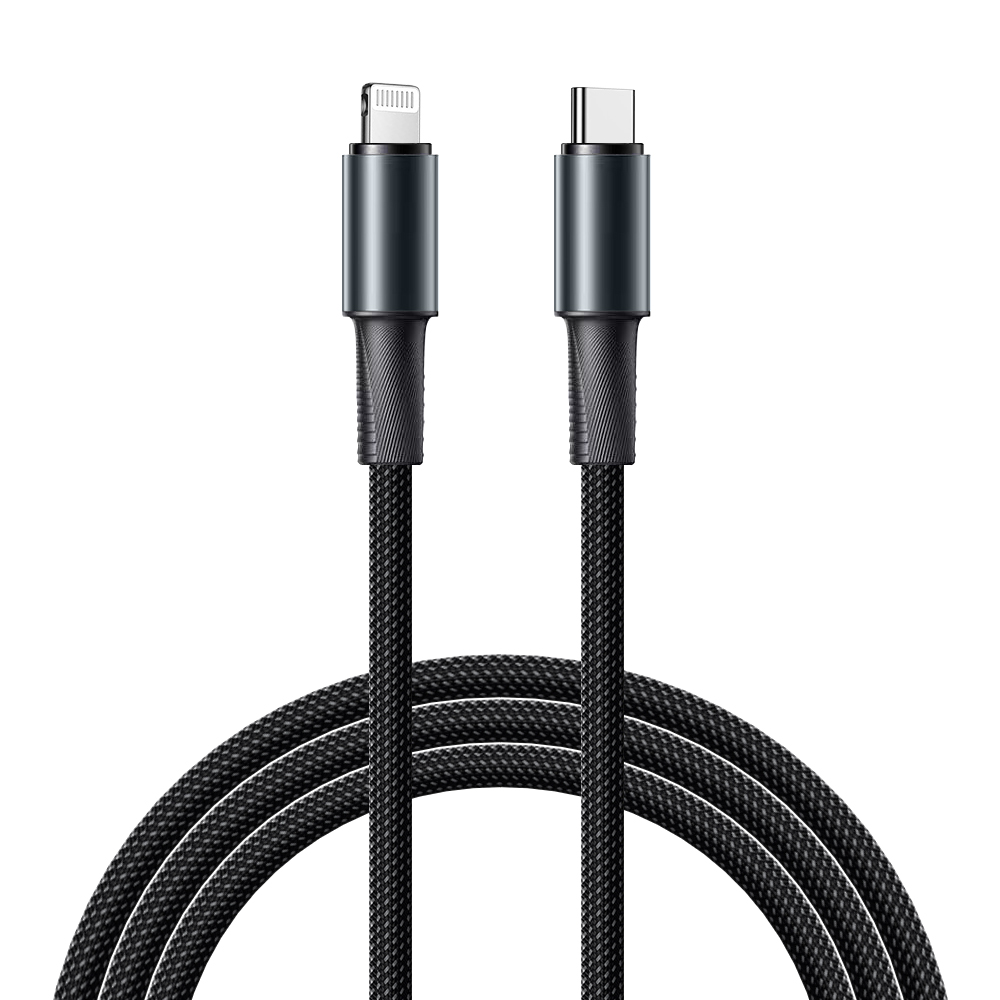
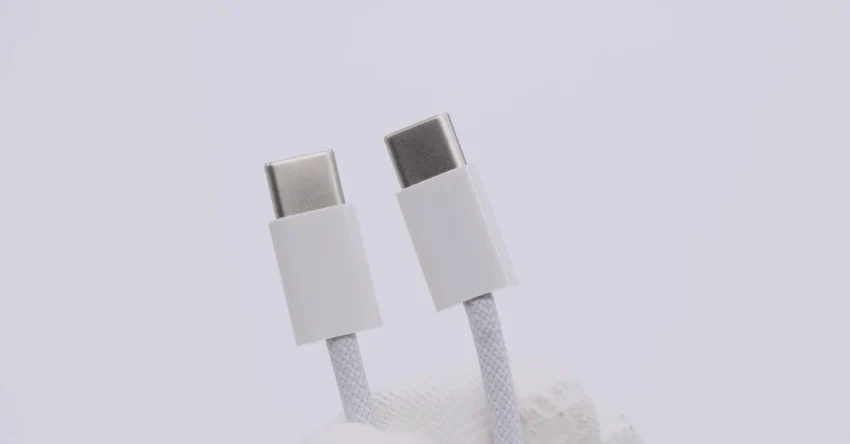
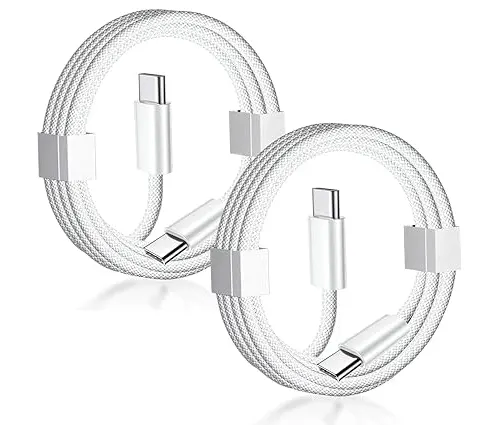
USB-C cable looks like a slim cable with a small oval-shaped, reversible USB Type-C connector on one or both ends. It usually has a symmetrical metal plug, a protective outer jacket, and may include different internal components depending on charging and data requirements.
What Does a USB-C Cable Look Like Physically?
How Can You Identify a USB-C Cable by Appearance?
A USB-C cable is easy to recognize because of its unique connector shape.
The main visual characteristics include:
Oval-shaped connector design
Symmetrical plug opening
Same plug orientation on both sides
Rounded edges compared with USB-A
Compact metal connector shell
Unlike older USB Type-A connectors, which have a rectangular shape and can only be inserted one way, USB-C connectors are reversible.
A typical USB-C cable may look like:
USB-C to USB-C cable → USB-C connector on both ends
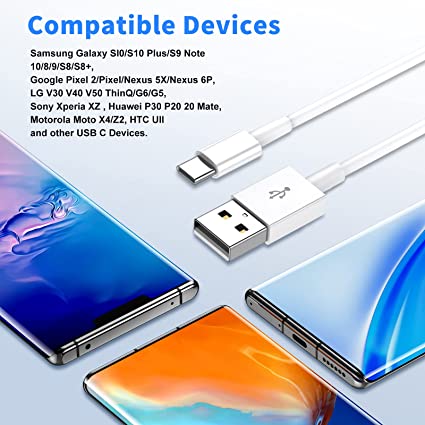
USB-A to USB-C cable → USB-C connector on one end and USB-A connector on the other
USB-C to Lightning cable → USB-C connector on one end and Apple Lightning connector on the other
What Are the Different Types of USB-C Cable Designs?
Do All USB-C Cables Look the Same?
No. Although the USB-C connector shape is standardized, the overall cable design can vary based on application.
Common USB-C cable types include:
| USB-C Cable Type | Connector Appearance | Typical Application |
|---|---|---|
| USB-C to USB-C Cable | USB-C connector on both ends | Laptops, tablets, phones, monitors |
| USB-A to USB-C Cable | USB-A rectangular plug + USB-C oval plug | Older chargers and computers |
| USB-C to Lightning Cable | USB-C plug + Lightning connector | iPhone charging |
| USB-C PD Cable | Usually USB-C to USB-C with thicker cable body | Fast charging laptops |
| USB4 Cable | USB-C connectors with higher specification design | High-speed data devices |
For B2B buyers, the external appearance alone does not show the actual performance level. Two USB-C cables may look identical but support completely different charging speeds and data rates.
How Does the USB-C Connector Look Compared With Other USB Connectors?
What Is the Visual Difference Between USB-C and USB-A?
The biggest difference is the connector shape.
| Connector Type | Appearance | Plug Direction | Common Usage |
|---|---|---|---|
| USB Type-A | Large rectangular connector | One direction only | Computers, chargers |
| Micro USB | Small trapezoid shape | One direction only | Older Android devices |
| USB-C | Small oval symmetrical connector | Reversible | Modern electronics |
| Lightning | Small flat connector | Reversible | Apple devices |
USB-C is designed for easier connection and higher performance.
What Does the Inside of a USB-C Cable Look Like?
What Components Are Hidden Inside a USB-C Cable?
Although the outside looks simple, a professional USB-C cable contains multiple internal layers.
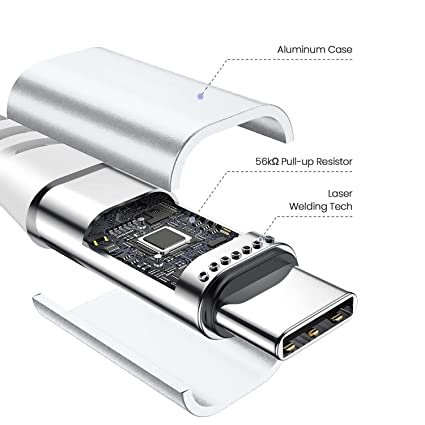
A typical USB-C cable structure includes:
- Outer PVC, TPE, or nylon braided jacket
- Shielding layer
- Copper power wires
- Data transmission wires
- Ground wires
- Drain wire
- Connector terminals
- E-marker chip (for high-power cables)
The internal design determines:
Charging speed
Heat control
Data transfer performance
Product lifespan
How Many Wires Are Inside a USB-C Cable?
The number of internal wires depends on the cable specification.
A basic USB-C charging cable may include:
VBUS power wires
Ground wires
USB 2.0 data wires
A high-performance USB-C cable may include:
USB 3.x SuperSpeed pairs
TX/RX signal lines
CC communication lines
SBU lines
E-marker chip communication
A full USB Type-C connector contains up to 24 pins, allowing advanced charging and data functions.
What Makes a USB-C Cable Look Thicker or Higher Quality?
Why Are Some USB-C Cables Thicker Than Others?
The thickness of a USB-C cable usually depends on:
Copper wire size
Number of internal conductors
Shielding materials
Power rating
Outer jacket material
For example:
A basic 15W charging cable may use smaller conductors, while a 100W USB-C PD cable requires thicker copper wires.
Does AWG Wire Size Affect the Appearance of a USB-C Cable?
Yes.
AWG (American Wire Gauge) indicates conductor thickness.
A lower AWG number means a thicker copper conductor.
Common USB-C cable wire sizes:
| Cable Application | Typical AWG Size | Visual Difference |
|---|---|---|
| Basic charging cable | 28AWG | Thinner and lighter |
| Fast charging cable | 24AWG–26AWG | Medium thickness |
| USB-C PD 100W cable | 22AWG–24AWG | Thicker cable body |
| High-power USB-C cable | 20AWG–22AWG | Thick and rigid |
A thicker cable does not automatically mean better quality, but high-power USB-C cables usually require stronger internal construction.
How Does a USB-C Cable Support Fast Charging?
Can You Tell Charging Power by Looking at a USB-C Cable?
Usually, no.
The appearance of a cable does not reveal whether it supports:
60W charging
100W charging
140W charging
240W charging
The cable specification depends on internal components.
For high-power charging, manufacturers use:
Larger copper conductors
Better heat resistance materials
E-marker chips
What Does a USB-C PD Cable Look Like?
A USB-C PD cable often looks similar to a standard USB-C cable, but internally it has additional components.
A PD cable may include:
Thicker copper wires
Higher temperature-resistant insulation
E-marker chip
Improved connector assembly
USB PD 3.0 allows devices to communicate and negotiate the correct power level.
Typical power ratings:
| USB-C Standard | Maximum Power | Common Device |
|---|---|---|
| USB PD 3.0 | Up to 100W | Tablets, laptops |
| USB PD 3.1 SPR | Up to 100W | Consumer electronics |
| USB PD 3.1 EPR | Up to 240W | Gaming laptops, high-power devices |
How Do Manufacturers Ensure USB-C Cable Appearance and Quality?
What Quality Standards Should a USB-C Cable Factory Follow?
A professional USB-C cable manufacturer controls both appearance and internal quality.
Important manufacturing standards include:
ISO9001 Quality Management System
ISO9001 helps factories manage:
Production processes
Supplier control
Inspection procedures
Customer complaints
Continuous improvement
A qualified factory normally uses:
IQC (Incoming Quality Control)
IPQC (Production Inspection)
OQC (Final Inspection)
What Materials Are Used to Make USB-C Connectors?
A USB-C connector usually contains:
Metal shell
Plastic insulation
Copper alloy contacts
Nickel/gold plating
Good connectors often use:
Strong metal shielding
Proper plating thickness
Accurate pin alignment
Poor-quality connectors may cause:
Loose connection
Charging interruption
Poor durability
What Solder Process Is Used Inside USB-C Cable Connectors?
Do USB-C Cable Manufacturers Use Lead-Free Solder?
Professional manufacturers normally use lead-free solder to meet environmental requirements.
A common material is SAC305 solder.
SAC305 composition:
Tin (Sn): 96.5%
Silver (Ag): 3.0%
Copper (Cu): 0.5%
Advantages:
RoHS compliant
Strong solder joints
Reliable electrical connection
Because SAC305 requires higher processing temperatures:
Melting point: approximately 217°C
Typical soldering temperature: 240–260°C
Factories must carefully control temperature to avoid connector damage.
Quality Inspector’s Advice:
“A USB-C cable can look perfect from the outside but fail internally. Always check conductor size, solder quality, connector strength, and test records. Visual inspection is only the first step of quality control.”
What Certifications Should a USB-C Cable Manufacturer Provide?
Are UL and RoHS Certifications Important for USB-C Cables?
Yes. Certifications help prove that the cable meets safety and environmental requirements.
Important certifications include:
| Certification | Purpose |
|---|---|
| RoHS | Controls hazardous substances such as lead |
| REACH | Controls chemical materials |
| UL Certification | Improves safety acceptance in North America |
| ISO9001 | Confirms quality management system |
| USB-IF Testing | Verifies USB specification compliance |
B2B buyers should request:
Certification documents
Test reports
Material declarations
Factory quality records
How Should Buyers Evaluate a USB-C Cable Manufacturer?
What Questions Should You Ask Before Buying USB-C Cables?
A professional buyer should ask:
Product Questions
What USB-C specifications do you support?
Do you produce USB PD cables?
What power ratings are available?
Do you support OEM customization?
Manufacturing Questions
Do you use pure copper conductors?
What AWG sizes are available?
Do you perform 100% electrical testing?
Can you provide RoHS reports?
Quality Questions
Do you have ISO9001 certification?
How do you control raw materials?
What is your failure rate?
Why Does USB-C Cable Appearance Matter for Brands?
How Does Cable Design Affect Consumer Purchasing Decisions?
For consumer electronics brands, appearance affects:
Product perception
Customer trust
Retail value
Common customization options include:
Cable color
Logo printing
Packaging design
Braided nylon jacket
Connector shell design
Cable length
However, appearance should always match technical requirements.
A beautiful cable with poor internal materials will create customer complaints.
Conclusion: Understanding What a USB-C Cable Looks Like
A USB-C cable is identified by its small oval, reversible connector, but its real performance depends on internal construction, materials, and manufacturing quality.
For B2B buyers, evaluating a USB-C cable should include:
Connector design
Cable structure
AWG wire size
USB PD capability
E-marker support
RoHS compliance
ISO9001 manufacturing control
Electrical testing standards
The best USB-C cable manufacturers combine reliable appearance, strong engineering, and strict quality management.
FAQ About What a USB-C Cable Looks Like
1. What shape is a USB-C cable connector?
A USB-C connector has a small oval shape with rounded edges. It is symmetrical and can be inserted in either direction.
2. How can I tell if a USB-C cable is high quality?
You cannot judge quality only by appearance. Check wire gauge, copper material, certifications, charging capability, connector strength, and manufacturer testing records.
3. Are thicker USB-C cables always better?
Not always. Thickness can indicate stronger construction, but actual quality depends on conductor materials, design, and manufacturing standards.
4. Do all USB-C cables support fast charging?
No. Some USB-C cables only support basic charging. Fast charging requires proper cable design, suitable AWG wires, and support for standards such as USB PD 3.0.
USB cable.
Picture this: You’re sitting at your desk, engrossed in a project
Where Can I Buy a High-Quality Pd Fast Charging Cable?
FAQ
1 cable
USB-C cables certainly.
Share This Artcle:


Fast delivery
Fastest delivery within 22 days

Quick proofing
Fastest 3-day proofing cycle

After-sale protection
24-month long warranty

1V1Customer Service
Professional customer service follow-up
Lorem ipsum dolor sit amet, consectetur adipiscing elit. Ut elit tellus, luctus nec ullamcorper mattis, pulvinar dapibus leo.