USB Type C Cable Types- Apphone Type C Cable Adapter supplier
Have you ever touched your USB-C charging cable and noticed that it feels unusually warm?
Maybe your phone is charging normally, but the cable itself becomes hot after just a few minutes.
Or perhaps both the cable and charger feel hotter than expected.
If you’ve ever wondered:
Why does my USB-C cable get hot while charging?
you’re not alone.
This is one of the most common concerns among smartphone, tablet, and laptop users.
The good news is that a slightly warm USB-C cable is usually normal.
However, excessive heat can indicate underlying problems that may affect charging performance, cable lifespan, or even device safety.
In this guide, we’ll explain exactly why USB-C cables overheat during charging, what causes excessive heat, how dangerous it can be, and how to prevent it.
Is It Normal for a USB-C Cable to Get Warm?
The short answer is:
Yes, a small amount of heat is normal.
Whenever electricity flows through a conductor, some energy is naturally converted into heat.
This phenomenon is known as:
Electrical Resistance
Even high-quality charging cables generate some heat during operation.
For example:
20W phone charging
45W tablet charging
100W laptop charging
240W USB-C Power Delivery
all generate varying levels of heat.
A slightly warm cable is generally nothing to worry about.
When Is a USB-C Cable Too Hot?
A cable may be overheating if:
It feels uncomfortable to touch
The connector becomes very hot
Charging speed suddenly decreases
The cable emits a burning smell
The cable changes color
Charging repeatedly disconnects
These symptoms usually indicate an abnormal condition.
1. High Charging Power Generates More Heat
One of the most common causes is simply:
High Power Charging
Modern USB-C technology supports:
30W charging
45W charging
65W charging
100W charging
140W charging
240W charging
The higher the power level, the more current flows through the cable.
More current means more heat.
For example:
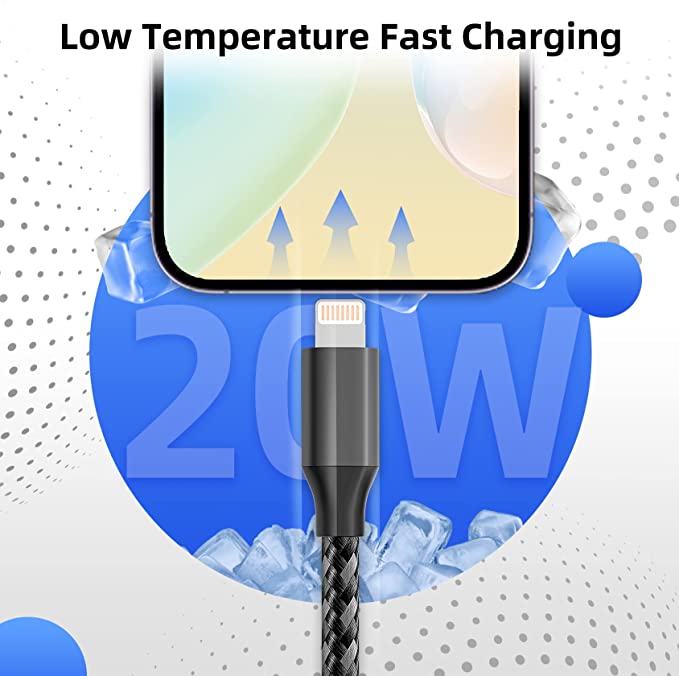
20W Charging = Lower Heat
100W Charging = More Heat
240W Charging = Significantly More Heat
This is completely normal if the cable is properly designed.
2. Low-Quality USB-C Cables Create Excessive Resistance
Not all USB-C cables are manufactured to the same standard.
Cheap cables often use:
Thin conductors
Low-purity copper
Poor soldering
Weak connector designs
These issues increase:
Electrical Resistance
Higher resistance causes more energy to be lost as heat.
As a result:
Charging becomes slower
The cable becomes hotter
Energy efficiency decreases
3. Thin Wire Cores Cannot Handle High Current
Inside every USB-C cable are:
VCC and GND Power Conductors
These wires carry charging current.
If the wire gauge is too small:
Resistance increases
Voltage drops
Heat builds up
This is why high-quality 100W and 240W cables usually feel thicker.
They contain larger conductors designed to carry more current safely.
4. Poor Connector Pins Can Cause Overheating
The connector pins are the physical contact points between the cable and device.
Premium cables typically use:
Gold-Plated Phosphor Bronze Pins
These provide:
Lower resistance
Better conductivity
Stable connections
Low-quality connectors may develop:
Loose contacts
Oxidation
Poor conductivity
When contact resistance increases, heat concentrates around the connector.
This is why many overheating problems occur near the USB-C plug itself.
5. Dirt and Dust Inside the Charging Port
A dirty charging port is one of the most overlooked causes of overheating.
Common contaminants include:
Pocket lint
Dust
Fabric fibers
Debris
These materials interfere with proper electrical contact.
Poor contact creates:
Localized Resistance
which generates heat at the connector.
6. Fast Charging Generates More Heat
Modern charging technologies such as:
USB Power Delivery (PD)
PPS Fast Charging
Quick Charge
allow devices to charge much faster.
However, faster charging requires:
Higher voltage
Higher current
More power transfer
Naturally, more power means more heat.
This is one reason your cable feels warmer during fast charging than standard charging.
7. Charging While Using the Device
Many people:
Watch videos
Play games
Browse social media
while charging.
This creates a double heat source:
- The battery is charging.
- The device is consuming power.
The additional workload increases overall system temperature, making the cable feel hotter.
8. Overheating Caused by Damaged Internal Wires
Repeated bending can damage internal conductors.
Over time:
Copper strands may break
Solder joints may weaken
Resistance increases
Damaged conductors often create “hot spots” inside the cable.
Common signs include:
Charging interruptions
Uneven heating
Random disconnects
9. Environmental Temperature Matters
External temperatures also affect charging heat.
Examples include:
Charging inside a car
Direct sunlight exposure
Hot summer weather
Poor ventilation
When the surrounding temperature rises, cables have a harder time dissipating heat.
This causes overall temperatures to increase.
10. Incompatible Chargers May Cause Excessive Heat
Using low-quality or incompatible chargers can create:
Voltage instability
Excessive current flow
Communication failures
These issues often increase cable temperature.
For best results, use certified chargers that support your device’s charging protocol.
Can an Overheating USB-C Cable Damage My Device?
In extreme cases:
Yes
Excessive heat may:
Damage connector pins
Degrade insulation materials
Reduce charging efficiency
Shorten battery lifespan
Reduce cable lifespan
Fortunately, modern devices include safety systems that often reduce charging speed when temperatures become too high.
How to Prevent USB-C Cable Overheating
Here are several simple ways to reduce charging temperatures.
Use High-Quality USB-C Cables
Choose cables with:
Thick copper conductors
Gold-plated connector pins
Proper shielding
Certified fast-charging support
Keep Charging Ports Clean
Regularly remove:
Dust
Lint
Debris
to maintain good electrical contact.
Avoid Charging Under Pillows or Blankets
Soft surfaces trap heat and reduce airflow.
Always charge in a well-ventilated area.
Avoid Using Your Device Heavily While Charging
Gaming and video streaming generate additional heat.
Whenever possible, allow the device to charge without heavy use.
Replace Damaged Cables
If you notice:
Frayed insulation
Bent connectors
Excessive heating
Charging interruptions
replace the cable immediately.
How Long Should a USB-C Cable Last?
A premium USB-C cable can typically last:
2 to 5 years
Thousands of insertion cycles
Hundreds of charging sessions
Proper care significantly extends lifespan.
Conclusion
If you’re asking:
Why Does My USB-C Cable Get Hot While Charging?
the answer is usually one or more of the following:
High charging power
Fast charging technology
Thin conductors
Low-quality cable construction
Dirty charging ports
Damaged internal wires
Poor connector contacts
Hot environments
Incompatible chargers
A slightly warm cable is normal.
However, excessive heat should never be ignored.
By choosing a high-quality USB-C charging cable, keeping connectors clean, and avoiding extreme charging conditions, you can improve charging performance, increase safety, and extend the lifespan of both your cable and device.
USB cable.
Picture this: You’re sitting at your desk, engrossed in a project
Where Can I Buy a High-Quality Pd Fast Charging Cable?
1 cable
USB-C cables certainly.
Share This Artcle:

Fast delivery
Fastest delivery within 22 days

Quick proofing
Fastest 3-day proofing cycle

After-sale protection
24-month long warranty

1V1Customer Service
Professional customer service follow-up
Lorem ipsum dolor sit amet, consectetur adipiscing elit. Ut elit tellus, luctus nec ullamcorper mattis, pulvinar dapibus leo.