
What Is a USB-C to Lightning Cable Used For?
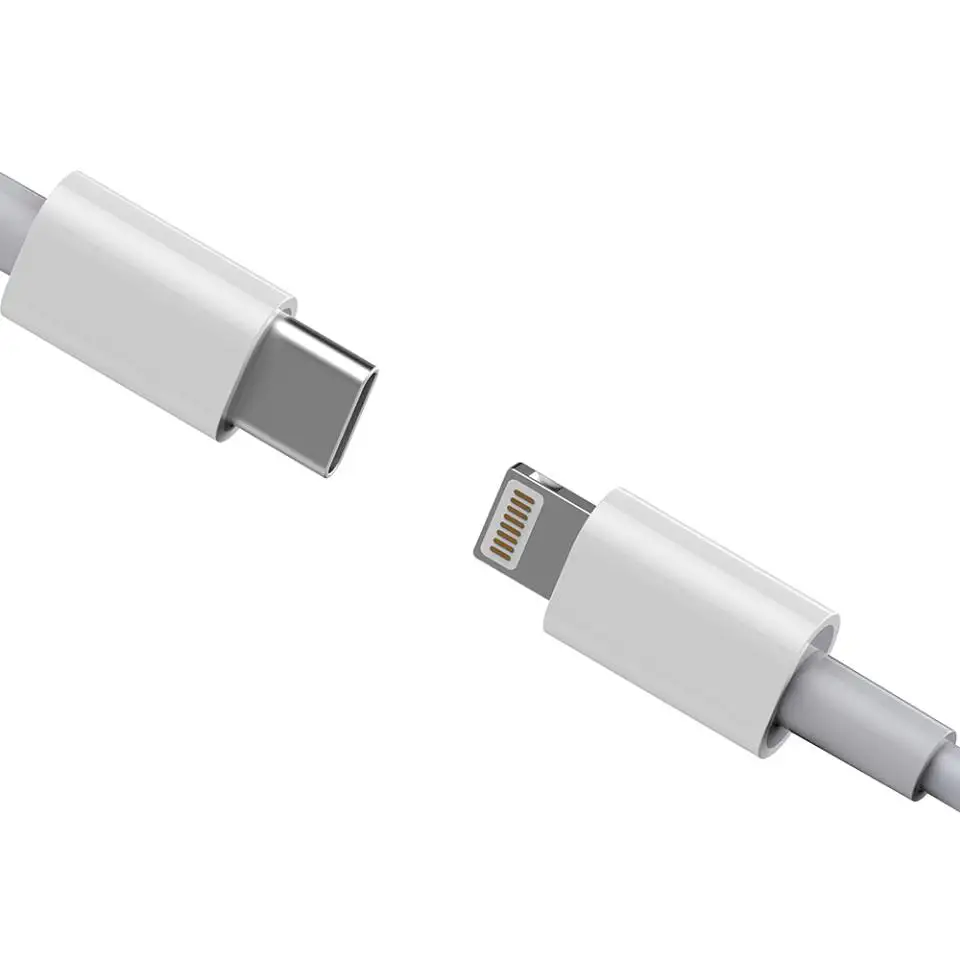
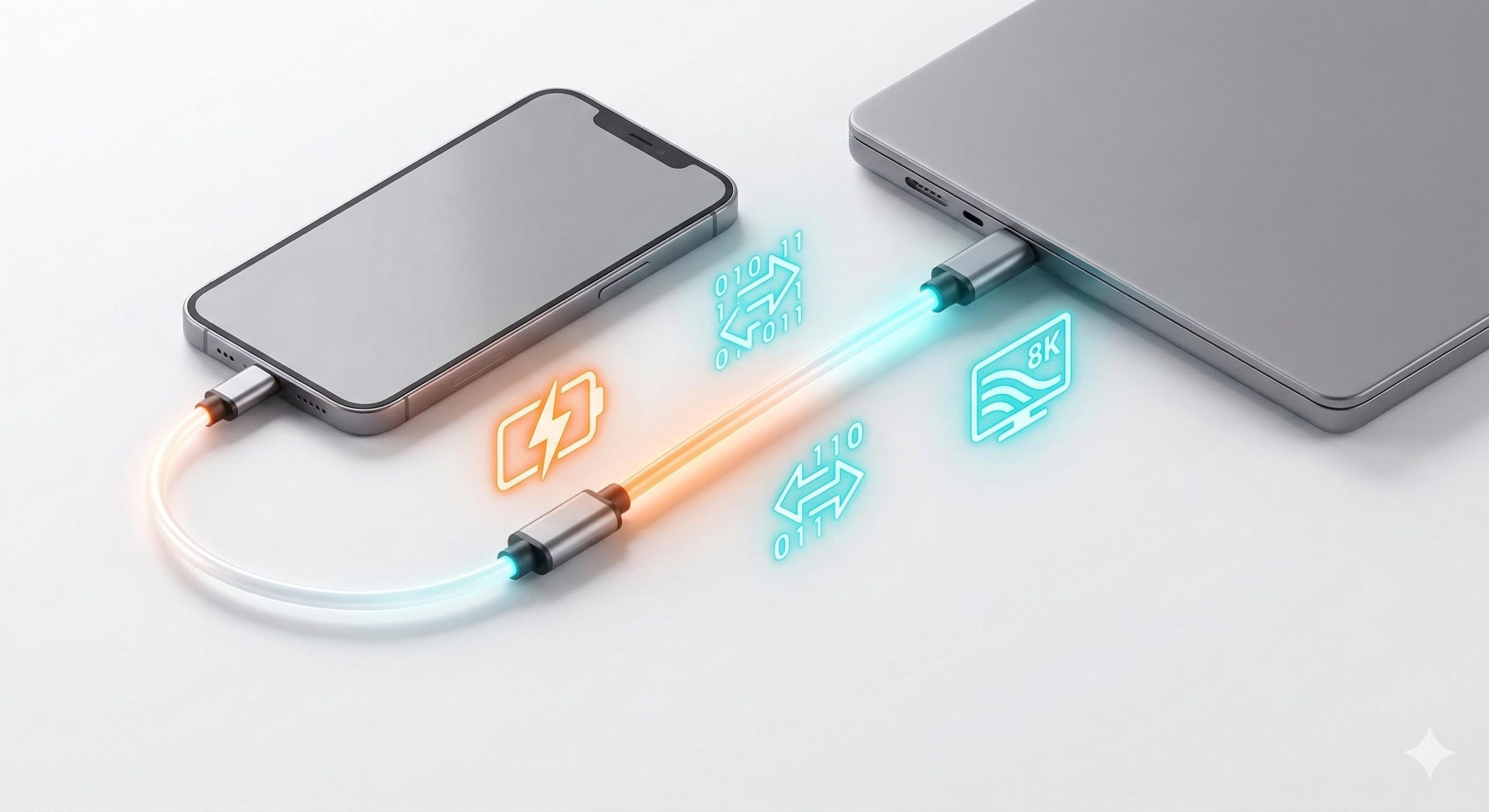
A USB-C to Lightning cable is mainly used to charge and sync older Apple devices with Lightning ports from a USB-C power adapter, computer, power bank, or other USB-C host, and it can support fast charging on compatible iPhone models.
What is a USB-C to Lightning cable used for?
A USB-C to Lightning cable connects a device with an Apple Lightning port to a USB-C port.
Its most common applications include:
Charging iPhones with Lightning ports
Charging iPads with Lightning ports
Charging AirPods and other Lightning accessories
Connecting Lightning devices to USB-C computers
Syncing data between compatible Apple devices and computers
Fast charging compatible iPhone models
Connecting Lightning devices to USB-C power banks and chargers
The key difference from a USB-A to Lightning cable is the connector on the host side.
A USB-C to Lightning cable uses USB-C on one end and Lightning on the other, making it suitable for newer USB-C chargers and computers while still supporting older Apple devices with Lightning connectors.
For B2B buyers, this cable category remains relevant because many Apple devices and accessories in the installed base still use Lightning.
Why do people use USB-C to Lightning instead of USB-A to Lightning?
The main reason is compatibility with modern USB-C charging equipment.
USB-C has become common on:
Wall chargers
GaN chargers
Power banks
Laptops
Desktop computers
Car chargers
Charging hubs
Multi-port charging stations
A USB-C to Lightning cable allows a Lightning device to connect directly to these newer USB-C power sources.
Is USB-C to Lightning faster than USB-A to Lightning?
It can be, particularly for iPhone fast charging, but the cable alone does not determine charging speed.
The actual charging performance depends on the complete system:
Charger + cable + Apple device + charging protocol
For example, a compatible USB-C Power Delivery charger can provide substantially more power than the traditional 5V USB-A charging configuration.
However, the iPhone controls how much power it actually accepts.
A cable rated for a certain power level does not force the device to consume that amount.
What devices use a USB-C to Lightning cable?
USB-C to Lightning cables were designed primarily for Apple products with Lightning ports.
Typical applications include:
| Device/application | Lightning port | USB-C to Lightning application |
|---|---|---|
| Older iPhone models | Yes | Charging and data sync |
| Lightning iPad models | Yes | Charging and data sync |
| AirPods charging cases | Some models | Charging |
| Magic accessories with Lightning | Some models | Charging |
| USB-C charger to Lightning iPhone | Yes | Fast charging |
| USB-C computer to Lightning device | Yes | Data transfer/sync |
| USB-C power bank to Lightning device | Yes | Portable charging |
| Car USB-C charging port | Depends on vehicle | Charging |
The exact supported functions depend on the Apple device and its Lightning implementation.
B2B buyers should therefore identify the target device range before defining the cable specification.
Can a USB-C to Lightning cable fast charge an iPhone?
Yes, compatible USB-C to Lightning cables can support fast charging on compatible Lightning iPhones when paired with a suitable USB Power Delivery charger.
This is one of the main reasons USB-C to Lightning became important in the Apple accessory market.
A typical fast-charging setup is:
USB-C PD wall charger → USB-C to Lightning cable → compatible iPhone
The charger negotiates an appropriate power profile with the device, and the iPhone determines its actual charging requirements.
Does a 100W USB-C charger make an iPhone charge at 100W?
No.
A 100W charger does not mean the iPhone will receive 100W.
The charger’s maximum output and the device’s charging acceptance are different specifications.
For B2B product development, it is better to describe the cable as supporting the required charging system rather than claiming that the cable itself “charges at 100W.”
Does a USB-C to Lightning cable support data transfer?
Yes.
A USB-C to Lightning cable can be used for data synchronization and device connectivity on compatible Apple devices.
Typical applications include:
iPhone-to-computer synchronization
Importing photos
Backing up device data
Transferring compatible files
Connecting Lightning accessories
Device management
However, USB-C to Lightning should not be confused with modern USB-C-to-USB-C high-speed cables.
Lightning has a different interface architecture and does not provide the same high-speed data capabilities as modern USB-C implementations such as USB 3.2 or USB4.
Is USB-C to Lightning a high-speed data cable?
Not necessarily.
This is an important distinction for B2B buyers.
A USB-C to Lightning cable can support charging and data synchronization, but its data-transfer performance depends on the Lightning device and cable implementation.
For product specifications, suppliers should state the actual supported data function rather than using vague terms such as:
High-speed Apple data cable
A better specification identifies the tested data capability and compatible devices.
What is the difference between USB-C to Lightning and USB-C to USB-C?
The two cables look similar on the USB-C side but are designed for different device ecosystems.
| Parameter | USB-C to Lightning | USB-C to USB-C |
|---|---|---|
| Connector 1 | USB-C | USB-C |
| Connector 2 | Lightning | USB-C |
| Main applications | Older Apple devices | Modern USB-C devices |
| iPhone compatibility | Lightning iPhones | USB-C iPhones |
| Power Delivery | Supported in compatible configurations | Broad USB PD support |
| Data performance | Limited by Lightning implementation | Can support USB 2.0, USB 3.x, USB4, etc. |
| Display capability | Device-dependent and limited | Can support DP Alt Mode/USB4 on compatible systems |
| E-Marker applications | Depends on cable design | Common for higher-power USB-C cables |
| Typical market | Apple legacy/accessory ecosystem | Cross-platform USB-C ecosystem |
| OEM complexity | Apple-specific requirements | Broader USB-C specification range |
The most important commercial difference is the target device.
USB-C to Lightning is primarily an Apple Lightning accessory cable, while USB-C to USB-C is a general-purpose modern USB-C cable category.
Does USB-C to Lightning support Apple fast charging?
Compatible cables can support Apple’s fast-charging ecosystem when paired with the appropriate charger and device.
For B2B sourcing, fast charging should be treated as a system-level specification.
A proper validation setup should include:
- The target iPhone model
- The target USB-C PD charger
- The production cable
- The required charging protocol
- Charging voltage and current measurement
- Temperature monitoring
For example, a factory can validate:
USB-C PD charger → production USB-C to Lightning cable → target iPhone
and record charging behavior over a defined period.
This is much more useful than simply checking cable continuity.
Does a USB-C to Lightning cable need MFi certification?
For products intended to work as Apple Lightning accessories, Apple’s MFi Program is an important consideration.
MFi, or Made for iPhone/iPad, is Apple’s licensing and accessory ecosystem program.
For B2B manufacturers, MFi requirements should be treated separately from general USB specifications.
A cable can have:
A USB-C connector
Good electrical construction
USB Power Delivery compatibility
and still require Apple-specific accessory compliance considerations for Lightning functionality.
Why does MFi matter for OEM USB-C to Lightning cables?
The Lightning connector is part of Apple’s proprietary accessory ecosystem.
For a commercial private-label product, buyers should verify:
MFi licensing status
Approved Lightning connector components
Required identification/authentication components
Apple accessory compatibility
Packaging and labeling requirements
Relevant production documentation
Manufacturers should not simply describe a Lightning cable as “Apple certified” without being able to provide appropriate documentation.
What is inside a USB-C to Lightning cable?
A USB-C to Lightning cable is more complex than a basic two-wire charging cable.
Depending on the product design, the cable assembly may include:
Copper conductors
Power conductors
Data conductors
Shielding
Drain wire
Lightning connector assembly
USB-C connector assembly
Controller/authentication components where required
ESD protection components
Insulation
Jacket
Strain relief
Connector overmolding
The exact internal architecture depends on the intended charging, data, and compliance requirements.
What conductor size should a USB-C to Lightning cable use?
The appropriate AWG depends on cable length, current requirements, voltage drop, temperature rise, flexibility, and target cost.
For example:
28 AWG conductors are common in compact data-oriented constructions.
26 AWG or 24 AWG power conductors can reduce resistance in some higher-current designs.
A lower AWG number generally indicates a larger conductor diameter and lower resistance under comparable materials.
However, AWG should never be used as the only evidence of cable quality.
A professional specification should also consider:
DC resistance
Voltage drop
Conductor material
Copper purity
Cable length
Temperature rise
Connector contact resistance
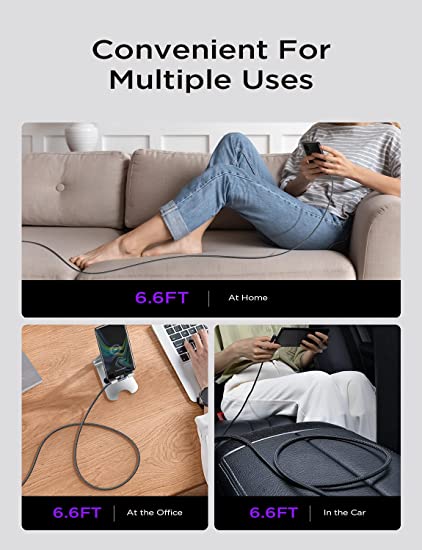
What cable length is suitable for USB-C to Lightning?
Common commercial lengths include:
0.5 m
1 m
1.2 m
1.5 m
2 m
3 m
1 m is a common general-purpose configuration because it balances portability, charging convenience, and manufacturing cost.
Longer cables can be useful for:
Bedside charging
Office use
Vehicle charging
Retail charging stations
Desktop setups
However, longer cable assemblies introduce additional electrical resistance and can affect charging performance.
For OEM production, the cable should be validated at the final production length rather than assuming that a shorter sample represents a longer version.
Does cable material affect USB-C to Lightning performance?
Yes.
The most common jacket materials include:
Is TPE suitable for USB-C to Lightning cables?
TPE provides:
Good flexibility
Soft touch
Good bend performance
Relatively simple processing
Competitive cost
It is commonly used for standard consumer charging cables.
Is nylon braiding better?
A nylon-braided cable adds a textile outer layer over the inner jacket.
Potential advantages include:
Improved abrasion resistance
Premium appearance
Better mechanical protection
Greater perceived product value
However, braided construction does not automatically mean better electrical performance.
The internal conductor, shielding, connector, and assembly quality still determine the electrical characteristics.
Is PVC still used?
Yes.
PVC remains common for cost-sensitive cable products because it provides:
Low material cost
Good flexibility
Easy extrusion
Wide processing availability
For premium OEM products, TPE and braided constructions are often selected for appearance and mechanical performance.
How important is strain relief on a USB-C to Lightning cable?
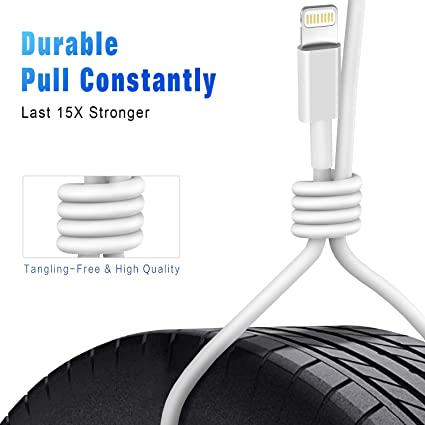
Strain relief is critical because the connector transition is one of the areas most exposed to repeated bending.
A poorly designed strain relief can cause:
Conductor fatigue
Jacket cracking
Intermittent charging
Data disconnection
Connector separation
A production-quality cable should be evaluated through mechanical testing such as:
Bend testing
Flex testing
Pull testing
Connector retention testing
The exact test conditions should be based on the customer’s product specification and applicable standards.
For B2B buyers, it is useful to request the factory’s cable flex-test specification and production QC records before mass production.
Callout Box — Quality Inspector’s Advice
“Do not judge a USB-C to Lightning cable by charging speed alone. Check the Lightning connector assembly, authentication/compliance requirements, conductor resistance, connector contact quality, strain relief, bend performance, and charging stability. A cable that works for five minutes is not necessarily a production-quality cable.”
What quality tests should a USB-C to Lightning cable manufacturer perform?
A professional production line should use multiple levels of testing.
What electrical tests are required?
Typical production tests can include:
Continuity testing
Short-circuit testing
DC resistance
Contact resistance
Insulation resistance
Hi-Pot testing where applicable
Charging-current testing
Voltage-drop testing
Automated cable testers are commonly used for 100% production continuity and short-circuit checks.
What mechanical tests are important?
Mechanical validation may include:
Connector pull test
Swing/bend test
Cable flex test
Plug insertion/withdrawal testing
Strain-relief testing
Jacket abrasion testing
The actual number of cycles should be defined by the product specification or applicable test standard.
What environmental tests are useful?
For higher-quality OEM products, buyers may also request:
High-temperature testing
Low-temperature testing
Temperature cycling
Humidity testing
Salt spray testing for applicable metal parts
UV aging for selected jacket materials
The exact test package should match the intended application and market.
What certifications and compliance documents should buyers request?
B2B buyers should separate product compliance, material compliance, and Apple accessory requirements.
Common documentation may include:
ISO 9001
ISO 9001 demonstrates that the manufacturer operates a quality management system.
It does not mean that every cable automatically meets a particular performance or safety requirement.
RoHS
RoHS controls restricted substances in electrical and electronic equipment and materials.
For cable manufacturing, buyers may request:
RoHS declaration
Material test reports
Supplier declarations
Third-party laboratory reports where required
REACH
REACH addresses chemical substances, registration, restrictions, and SVHC requirements in the European market.
Because the REACH Candidate List can change, manufacturers should maintain current compliance documentation rather than relying on an old declaration.
Apple MFi
For Lightning accessories, buyers should separately verify the applicable MFi licensing and accessory requirements.
This should not be replaced with a generic statement such as:
CE certified Apple cable
CE, RoHS, REACH, and MFi address different compliance areas.
What should B2B buyers include in a USB-C to Lightning cable RFQ?
A good RFQ should define the product before asking suppliers for pricing.
A practical specification can include:
| RFQ item | Example specification |
|---|---|
| Cable type | USB-C to Lightning |
| Main function | Charging + data synchronization |
| Target devices | Specified Lightning iPhone/iPad models |
| Charging | Compatible USB-C PD charging |
| Length | 1 m |
| Power conductors | 24–28 AWG, according to engineering design |
| Conductor material | Copper / tinned copper |
| Jacket | TPE / PVC / nylon braided |
| Shielding | Foil / braid as required |
| Connector | USB-C + Lightning |
| Strain relief | Molded TPE |
| MFi | Required where applicable |
| RoHS | Required |
| REACH | Required |
| Quality system | ISO 9001 preferred |
| Bend testing | Defined customer specification |
| Packaging | OEM/private label |
| Logo | Custom |
| Color | Custom Pantone/RAL or approved sample |
This gives the factory enough information to quote the same product specification rather than quoting a generic “Apple charging cable.”
What are the common quality problems with USB-C to Lightning cables?
Several problems repeatedly appear in low-cost cable production.
Why does the cable charge slowly?
Potential causes include:
High conductor resistance
Poor connector contact
Inadequate charging design
Unsupported charger/device combination
Excessive cable length
Poor-quality connector components
Why does the iPhone show an accessory warning?
Possible causes include:
Lightning connector problems
Authentication/compliance issues
Poor connector contact
Damaged components
Incompatible accessory design
The exact cause needs to be diagnosed using the target device and production sample.
Why does the cable stop working after repeated bending?
Common causes include:
Weak strain relief
Poor conductor fatigue performance
Inadequate overmolding
Poor solder/crimp construction
Excessive mechanical stress at the connector transition
This is why mechanical testing is important for OEM production.
Is USB-C to Lightning still useful for B2B buyers?
Yes, but its market position is different from USB-C to USB-C.
As more Apple devices transition to USB-C, USB-C to Lightning is increasingly associated with the existing Lightning-device installed base and legacy accessory market.
This creates several B2B opportunities:
Replacement charging cables
Retail accessory packs
Travel charging kits
Vehicle charging cables
Power-bank accessories
Existing iPhone accessory bundles
OEM/private-label charging products
Corporate and hospitality charging solutions
For distributors, the key is to match the product to the correct device generation and clearly distinguish Lightning from USB-C products.
How should a manufacturer position USB-C to Lightning cables?
For B2B sales, avoid relying only on phrases such as:
Fast charging cable
A stronger product specification communicates measurable characteristics:
USB-C to Lightning Cable
USB-C input connector
Lightning device connector
Charging + synchronization
Compatible with specified Lightning devices
USB-C PD charging compatibility where applicable
Available in 1 m / 1.5 m / 2 m
TPE or nylon-braided construction
Reinforced strain relief
RoHS / REACH compliance
MFi requirements addressed where applicable
OEM logo and packaging available
This makes the product easier for importers, distributors, and private-label customers to evaluate.
FAQ: What Is a USB-C to Lightning Cable Used For?
1. What is a USB-C to Lightning cable mainly used for?
It is mainly used to charge and synchronize Apple devices with Lightning ports from USB-C chargers, computers, power banks, and other compatible USB-C sources.
2. Can a USB-C to Lightning cable fast charge an iPhone?
Yes, compatible USB-C to Lightning cables can support fast charging on compatible Lightning iPhones when paired with a suitable USB-C Power Delivery charger. Actual charging power depends on the charger, cable, device, and charging protocol.
3. Is USB-C to Lightning the same as USB-C to USB-C?
No. USB-C to Lightning is designed for devices with Apple’s Lightning connector, while USB-C to USB-C connects two USB-C interfaces and can support a much broader range of modern USB data, power, and display technologies.
4. What should I check when buying USB-C to Lightning cables in bulk?
Check the target Apple devices, charging performance, data capability, Lightning connector compliance/MFi requirements, conductor construction, cable length, strain relief, bend testing, RoHS/REACH documentation, quality-control procedures, and OEM packaging options before placing a bulk order.
Conclusion
A USB-C to Lightning cable is primarily a charging and synchronization accessory for Apple devices that use the Lightning connector. Its main B2B value is connecting this existing device ecosystem with modern USB-C chargers, computers, power banks, and charging stations.
For OEM and wholesale buyers, the most important factors are not simply connector appearance or advertised charging speed. Connector quality, electrical resistance, charging compatibility, Lightning accessory requirements, mechanical durability, material compliance, and production testing all need to be considered together.
A well-defined RFQ allows buyers to compare factories on the actual product specification rather than comparing prices for different cable constructions.
USB cable.
Picture this: You’re sitting at your desk, engrossed in a project
Where Can I Buy a High-Quality Pd Fast Charging Cable?
FAQ
1 cable
USB-C cables certainly.
Share This Artcle:

Fast delivery
Fastest delivery within 22 days

Quick proofing
Fastest 3-day proofing cycle

After-sale protection
24-month long warranty

1V1Customer Service
Professional customer service follow-up
Lorem ipsum dolor sit amet, consectetur adipiscing elit. Ut elit tellus, luctus nec ullamcorper mattis, pulvinar dapibus leo.