
What Is the Maximum Length of a USB-C Cable?
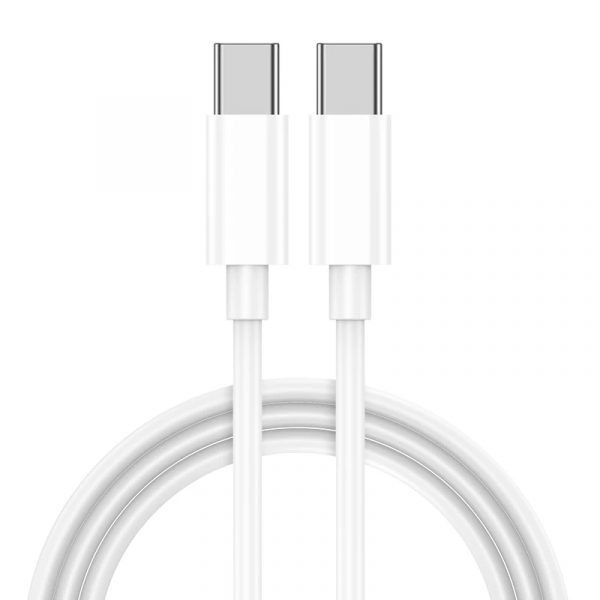
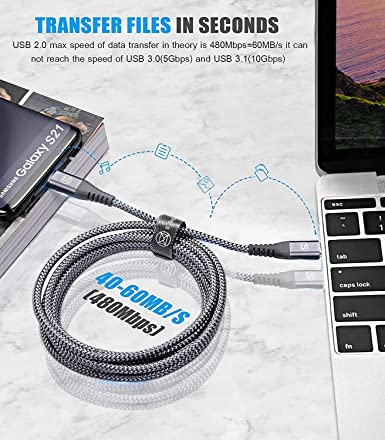
The maximum practical length of a USB-C cable depends on its USB speed and construction: USB 2.0 Type-C cables can reach about 4 m under the standard cable definitions, while higher-speed USB 3.2 and USB4 cables are typically much shorter.
What is the maximum length of a USB-C cable?
There is no single maximum length for every USB-C cable.
The practical maximum depends mainly on:
USB protocol
Data rate
Passive or active construction
Cable conductor design
Signal attenuation
Impedance control
Connector quality
Power requirements
Video requirements
Cable testing and compliance requirements
For example, the USB Type-C specification lists practical cable lengths of up to 4 m for USB 2.0 Type-C-to-Type-C cables, while USB 3.2/USB4 implementations use much shorter cable lengths as data rates increase. The specification lists up to 2 m for USB 3.2 Gen 1/USB4 Gen 2, 1 m for USB 3.2 Gen 2/USB4 Gen 2, and about 0.8 m for USB4 Gen 3 in its standard cable-assembly table. These values are tied to the performance requirements of the specified cable types. (USB-IF)
This leads to an important B2B sourcing rule:
The faster the USB-C cable, the more difficult it becomes to maintain signal integrity over long distances.
Why does USB-C cable length matter?
A USB cable is not simply a piece of copper wire.
As the cable becomes longer, the electrical signal must travel farther through the transmission line. This increases the engineering challenges associated with:
Insertion loss
Return loss
Signal attenuation
Crosstalk
Impedance discontinuity
Propagation delay
Pair-to-pair skew
Electromagnetic interference
At low data rates, these effects are easier to control.
At high data rates such as 10 Gbps, 20 Gbps, 40 Gbps, and 80 Gbps, the margin becomes much smaller.
USB4 is particularly demanding because it uses high-speed differential signaling and can carry multiple protocols, including display traffic. USB-IF states that USB4 can operate at up to 80 Gbps over 80 Gbps-certified cables under the applicable USB4 implementation. (USB-IF)
How long can a USB-C cable be at different USB speeds?
The following table is useful when designing products or preparing an OEM RFQ.
| USB-C cable type | Typical/practical length | Data capability | Main application |
|---|---|---|---|
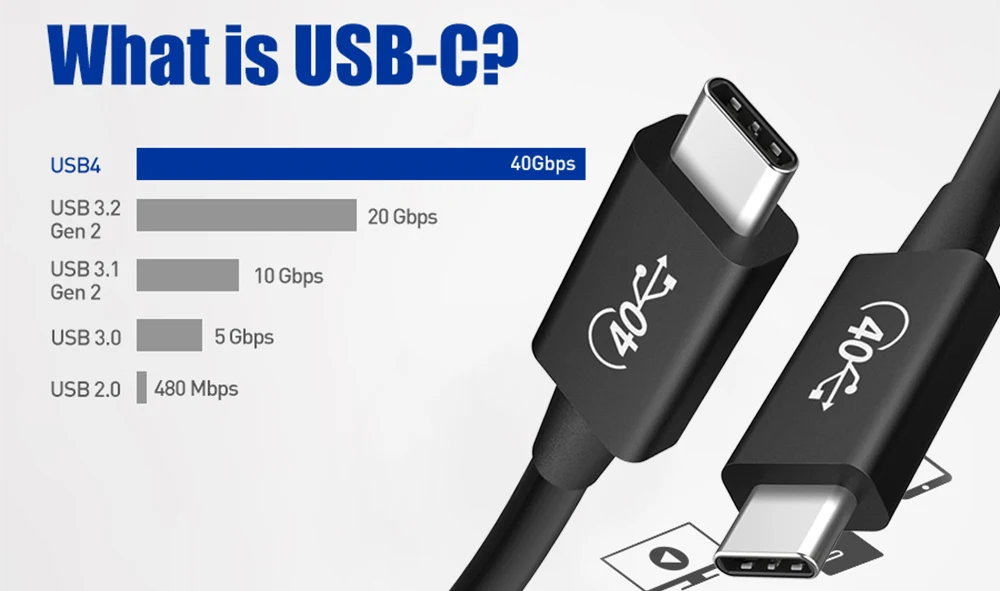
| USB 2.0 Type-C to C | Up to about 4 m | 480 Mbps | Charging + basic data |
| USB 3.2 Gen 1 | Up to about 2 m in standard Type-C cable definitions | 5 Gbps | Data + peripherals |
| USB 3.2 Gen 2 | Up to about 1 m in standard Type-C cable definitions | 10 Gbps | SSDs, docking, high-speed data |
| USB4 Gen 2 | Up to about 1–2 m depending on implementation | Up to 20/40 Gbps class | High-speed data + displays |
| USB4 Gen 3 | Around 0.8 m in the standard cable table | Up to 40 Gbps class | Premium high-speed applications |
| USB4 80Gbps | Depends on certified cable design | Up to 80 Gbps | Advanced displays, storage, docking |
| Active USB-C cable | Can extend beyond typical passive lengths | Depends on active design | Long-distance high-speed applications |
The first five values above come from the USB Type-C specification’s standard cable-assembly table; they should be treated as specification-based practical lengths, not a universal physical limit. Newer USB4 generations and active cable architectures can use different engineering approaches. (USB-IF)
Can a USB-C cable be 5 meters long?
Yes, but a 5-meter USB-C cable cannot be treated as a normal high-speed passive USB-C cable.
A 5 m cable may be practical for lower-speed USB applications, depending on the applicable specification and implementation.
However, a manufacturer should not assume that a passive 5 m cable will provide the same performance as a short 0.5 m or 1 m cable at 10 Gbps, 20 Gbps, 40 Gbps, or 80 Gbps.
For longer high-speed applications, manufacturers may use:
Active signal conditioning
Redrivers
Retimers
Optical technology
Specialized cable constructions
The actual design depends on the target USB generation and required bandwidth.
Can a USB-C cable be 10 meters long?
A 10 m USB-C cable is possible for some applications, but it is not a normal passive USB-C high-speed data cable.
At this length, the engineering challenge becomes much greater.
For example, a 10 m cable designed primarily for charging is a very different product from a 10 m cable intended to maintain high-speed USB4 communication.
For B2B buyers, the first question should therefore be:
What performance must the cable maintain over 10 meters?
Possible requirements include:
Charging only
USB 2.0 data
USB 3.2 data
DisplayPort video
USB4
USB4 + display
Docking
External storage
Each application requires a different engineering approach.
What is the maximum length for a USB-C charging cable?
Charging-only USB-C cables can generally be designed much longer than high-speed data cables because they do not need to maintain a multi-gigabit data signal.
However, longer charging cables introduce voltage drop.
The main factors are:
Conductor resistance
Wire gauge
Cable length
Current
Connector contact resistance
Temperature
A simple engineering relationship is:
Voltage drop = Current × Resistance
As cable length increases, total conductor resistance also increases.
For example, if the round-trip resistance of a power path is 0.20 Ω and the charging current is 3 A:
Voltage drop = 3 A × 0.20 Ω = 0.60 V
That can be significant in a low-voltage charging system.
This is why a long charging cable may need larger conductors.
Does a longer USB-C cable charge slower?
It can.
A longer cable does not automatically mean slow charging, but increased resistance can cause:
Higher voltage drop
Greater cable heating
Lower voltage at the device
Reduced charging efficiency
This is particularly important when the cable carries several amperes.
For example, under otherwise comparable conditions, a 24 AWG copper conductor generally has lower resistance than a 28 AWG conductor.
However, actual cable resistance depends on:
Copper material
Conductor diameter
Stranding
Length
Temperature
Contact resistance
Therefore, B2B buyers should ask for the actual DC resistance specification, not simply the AWG number.
What is the maximum length for a USB-C 100W cable?
There is no universal answer such as “100W USB-C cables can only be 2 meters.”
A 100W cable is a power-capability specification, while cable length is a mechanical and electrical design parameter.
For a high-power cable, the manufacturer needs to consider:
Conductor resistance
Voltage drop
Current capability
Temperature rise
Connector resistance
E-Marker implementation
Cable construction
Power Delivery requirements
USB Type-C specifications define electronically marked cable requirements for certain cable categories, including full-featured cables and cables rated above 3 A in the referenced specification. (USB-IF)
For an OEM product, a factory should validate the complete cable at the intended length and rated current rather than assuming that a short sample automatically represents a longer version.
Does USB-C cable length affect 4K or 8K video?
Yes.
High-resolution video can be particularly sensitive to cable signal integrity.
A USB-C video cable may carry DisplayPort signals through the USB-C interface. Depending on the system architecture, the cable may also need to carry USB data simultaneously.
As cable length increases, signal attenuation and other transmission-line effects can reduce the available margin.
Potential symptoms include:
No image
Intermittent image
Screen flickering
Random black screens
Reduced resolution
Reduced refresh rate
USB disconnects
Display reconnecting repeatedly
This is why a cable that works perfectly at 0.5 m should not automatically be assumed to work at 3 m under the same video configuration.
Can a long USB-C cable support 4K 60Hz?
It can, but the answer depends on the complete system.
The required factors include:
DisplayPort implementation
USB-C Alt Mode configuration
Number of high-speed lanes
Display resolution
Refresh rate
Color depth
Compression
Cable construction
Passive or active architecture
Source device
Monitor
A manufacturer claiming:
4K 60Hz USB-C cable
should be able to explain the exact test configuration.
For B2B procurement, a more useful specification is:
USB-C to USB-C, DisplayPort Alt Mode, 4K @ 60Hz, 1.5 m, tested with specified host and monitor configurations.
This is much more meaningful than simply saying “8K compatible.”
Why are high-speed USB-C cables shorter?
High-speed USB-C cables have a much smaller signal-integrity margin.
Consider the difference between:
480 Mbps
and
40 Gbps
The latter operates at dramatically higher signaling rates and requires much tighter control of the electrical path.
The cable manufacturer must control:
Differential impedance
Conductor geometry
Pair balance
Pair skew
Dielectric properties
Shielding
Connector geometry
Termination quality
At very high data rates, even small manufacturing variations can affect signal performance.
USB-IF’s current documentation distinguishes USB-C products by supported data rates, including 5, 10, 20, 40, and 80 Gbps performance levels. (USB-IF)
What is the difference between passive and active USB-C cables?
What is a passive USB-C cable?
A passive cable contains no active signal-conditioning electronics in the high-speed data path.
Its main advantages are:
Lower cost
Lower power consumption
Simpler construction
High reliability when properly designed
Easier manufacturing
Its main limitation is that high-speed signal performance becomes increasingly difficult as length increases.
What is an active USB-C cable?
An active cable contains electronic components in the signal path.
These components can help compensate for signal loss and extend usable distance for certain applications.
Possible components include:
Redrivers
Retimers
Signal conditioners
Optical conversion electronics
Active cables are generally more expensive and require more engineering and testing.
USB-IF’s document library currently includes specific USB Type-C active cable test matrices, reflecting the additional compliance considerations associated with active architectures. (USB-IF)
Is a 2-meter USB-C cable too long?
Not necessarily.
A 2 m USB-C cable can be completely appropriate for some applications.
The key question is its USB specification.
For example:
2 m USB 2.0 cable → relatively straightforward
2 m USB 3.2 Gen 1 → possible within appropriate specification/design
2 m USB 3.2 Gen 2 → requires more careful design
2 m USB4 → depends heavily on generation, certification, and active/passive architecture
2 m high-bandwidth video cable → requires system-level validation
The USB Type-C specification specifically lists up to 2 m for the referenced USB 3.2 Gen 1 / USB4 Gen 2 cable category, illustrating why “2 m USB-C cable” by itself is not enough information. (USB-IF)
Is a 3-meter USB-C cable good for B2B products?
It depends on the application.
A 3 m cable can be useful for:
Charging stations
Desktop charging
Bedside charging
Vehicle applications
Conference rooms
Retail displays
But if the product also requires high-speed data or video, the engineering requirements become much more demanding.
For a B2B product, specify the required function first:
Charging only → 3 m may be relatively straightforward
USB 2.0 → 3 m can be practical
USB 3.2 high-speed data → requires careful validation
USB4 → short or active architecture may be required
This prevents purchasing teams from asking a factory for “the longest USB-C cable” without defining the actual performance requirement.
Callout Box — Quality Inspector’s Advice
“Never approve a long USB-C cable because it passes a simple charging test. Test the cable at its final production length and at the claimed data rate, power level, and video configuration. A 3-meter cable that charges a phone is not automatically a 3-meter high-speed USB-C cable.”
What tests should a long USB-C cable manufacturer perform?
Long cables require more than a continuity check.
What electrical tests should be performed?
Depending on the product:
DC resistance
Contact resistance
Voltage drop
Insulation resistance
Hi-Pot
Continuity
Shield continuity
Current/temperature-rise testing
What high-speed tests are important?
For USB 3.2 and USB4 cables, appropriate validation may include:
Differential impedance
Insertion loss
Return loss
Crosstalk
Eye diagram
Bit error performance
Signal integrity
Compliance testing
USB-IF currently publishes dedicated electrical compliance specifications for USB 3.2 and USB4, including USB4 Version 2 electrical compliance testing. (USB-IF)
What mechanical tests matter?
Longer cables also need mechanical validation:
Flex testing
Bend testing
Connector pull testing
Strain-relief testing
Jacket abrasion
Plug insertion/withdrawal
The final test plan should match the customer’s target market and product specification.
How does cable construction affect maximum length?
Cable length capability is strongly influenced by construction quality.
Does AWG affect maximum USB-C cable length?
Yes, but indirectly.
Larger conductors can reduce resistance and voltage drop, which is particularly important for power delivery.
However, larger power conductors do not automatically improve high-speed data performance.
High-speed performance depends heavily on:
Differential pair geometry
Impedance
Dielectric material
Shielding
Pair balance
Connector design
Therefore, a cable with thick power conductors can still perform poorly at high data rates if the high-speed pairs are poorly designed.
Does shielding affect long USB-C cables?
Yes.
Common shielding structures include:
Aluminum foil
Braided copper
Individual pair shielding
Overall shielding
Foil + braid combinations
Shielding helps manage electromagnetic interference and crosstalk.
As the data rate increases, shielding and pair construction become increasingly important to signal integrity.
What cable length should a B2B buyer specify?
Instead of asking:
“What is your longest USB-C cable?”
Ask:
“What is the required USB protocol, data rate, power level, video capability, cable length, and target device configuration?”
A professional RFQ should include:
| Specification | Example |
|---|---|
| Cable type | USB-C to USB-C |
| Length | 2 m |
| USB version | USB 3.2 Gen 1 |
| Data rate | 5 Gbps |
| Power | 100W PD |
| E-Marker | If required |
| Conductor | Copper / tinned copper |
| Power wire | 24 AWG |
| High-speed pairs | Controlled impedance |
| Shielding | Foil + braid |
| Jacket | TPE / PVC / nylon braided |
| Video | DP Alt Mode if required |
| Connector | Full-featured USB-C |
| Compliance | RoHS / REACH |
| Quality system | ISO 9001 |
| Testing | Electrical + high-speed validation |
| Packaging | OEM/private label |
This makes supplier quotations much easier to compare.
What is the best USB-C cable length for different B2B applications?
There is no single best length.
What length is suitable for phone charging?
1–2 m is commonly practical for consumer charging.
A 1 m cable is compact and economical, while 1.5–2 m provides more flexibility.
What length is suitable for laptops?
1–2 m is often useful for desktop and office applications.
Higher-power laptop charging requires attention to conductor resistance and thermal performance.
What length is suitable for USB-C monitors?
For high-speed video, shorter cables generally provide more signal margin.
If the application requires longer distances, an active or purpose-designed cable may be preferable.
What length is suitable for USB-C docking stations?
For high-speed docks, the cable should be selected according to the dock’s USB generation and display requirements.
A USB4 dock should not be paired with a generic long USB-C charging cable simply because both use USB-C connectors.
Does USB-C cable length affect USB4 performance?
Yes.
USB4 places significantly higher demands on the cable than USB 2.0.
USB-IF describes USB4 as supporting multiple simultaneous data and display protocols and, in USB4 Version 2 implementations, up to 80 Gbps operation over 80 Gbps-certified cables. (USB-IF)
This is why USB4 cables should be treated as precision high-speed components rather than simply longer versions of ordinary charging cables.
For B2B buyers, the important questions are:
What USB4 speed is supported?
Is the cable passive or active?
What is the certified length?
Does it support the required display configuration?
What compliance testing has been performed?
Is the cable certified for the claimed performance?
What should a USB-C cable manufacturer provide for long cable projects?
For OEM or private-label production, ask the factory for:
- Cable construction drawing
- Conductor specifications
- High-speed pair specifications
- Impedance requirements
- Shielding construction
- DC resistance
- Voltage-drop data
- High-speed test results
- USB compliance information where applicable
- Cable length tolerance
- Connector specifications
- Bend/flex test results
- RoHS documentation
- REACH documentation
- Production QC procedures
- Sample validation at final length
A manufacturer should validate the actual production design, not simply provide a test report from a shorter or different cable.
What are the most common mistakes when buying long USB-C cables?
Mistake 1: Assuming all USB-C cables have the same length limit
They do not.
USB-C is the connector system; the cable’s USB generation and electrical architecture determine the practical performance.
Mistake 2: Buying by AWG alone
A 24 AWG cable is not automatically a high-speed cable.
AWG mainly tells you about conductor size. It does not describe high-speed impedance, insertion loss, crosstalk, or USB compliance.
Mistake 3: Buying a 3 m charging cable for a USB4 application
A charging cable may contain only the conductors needed for power and USB 2.0 data.
USB-IF explicitly notes that a USB 2.0 Type-C cable cannot support USB 3.2 or USB4 signals. (USB-IF)
Mistake 4: Testing only charging
A cable can pass a charging test and fail:
USB 10 Gbps
USB 20 Gbps
USB4
DisplayPort video
Testing must match the product claim.
Mistake 5: Ignoring the final cable length
A 1 m sample and a 3 m production cable should not be treated as electrically identical products.
The final production length should be validated before mass production.
FAQ: What Is the Maximum Length of a USB-C Cable?
1. What is the longest USB-C cable you can use?
There is no single maximum length for all USB-C cables. USB 2.0 Type-C cables can be defined up to about 4 m, while higher-speed USB 3.2 and USB4 cables generally require shorter passive lengths or specialized active designs. (USB-IF)
2. Can a USB-C cable be 10 meters long?
Yes, a 10 m USB-C cable can be designed for certain applications, particularly lower-speed or charging applications. However, maintaining high-speed USB 3.2, USB4, or high-bandwidth video over 10 m normally requires specialized active or optical technology rather than a standard passive cable.
3. Does a longer USB-C cable reduce charging speed?
It can. Longer cables have greater conductor resistance, which can increase voltage drop and heat generation. Larger conductors and proper cable construction can help reduce these effects, but the final performance should be validated at the cable’s rated length and current.
4. What is the best USB-C cable length for B2B products?
The appropriate length depends on the application. 1–2 m is common for general charging and many data applications, while high-speed USB4 and video applications often require shorter or specially engineered active cables. B2B buyers should specify the required data rate, power, video capability, and final cable length together.
Conclusion
The answer to “what is the maximum length of a USB-C cable?” depends on what the cable needs to do.
A relatively long USB-C cable can be practical for charging or USB 2.0 data, while high-speed USB 3.2, USB4, and video applications require much tighter control of signal integrity.
For B2B buyers, the most important specification is therefore not simply cable length. The correct approach is to define:
Length + USB speed + power + video + cable architecture + testing
before requesting an OEM quotation.
USB-IF’s specifications illustrate this clearly: standard Type-C cable lengths become shorter as the supported high-speed USB generation increases, while newer active architectures can provide additional options when longer distances are required. (USB-IF)
For manufacturers, this distinction is critical. A 3 m charging cable, a 3 m USB 2.0 cable, and a 3 m high-speed USB4 cable are not simply three lengths of the same product—they are different engineering products with different electrical, mechanical, and compliance requirements.
USB cable.
Picture this: You’re sitting at your desk, engrossed in a project
Where Can I Buy a High-Quality Pd Fast Charging Cable?
FAQ
1 cable
USB-C cables certainly.
Share This Artcle:

Fast delivery
Fastest delivery within 22 days

Quick proofing
Fastest 3-day proofing cycle

After-sale protection
24-month long warranty

1V1Customer Service
Professional customer service follow-up
Lorem ipsum dolor sit amet, consectetur adipiscing elit. Ut elit tellus, luctus nec ullamcorper mattis, pulvinar dapibus leo.