
USB 2.0 vs USB 3.2 vs USB4: Understanding Data Transfer Rates and DP Alt Mode for B2B Sourcing
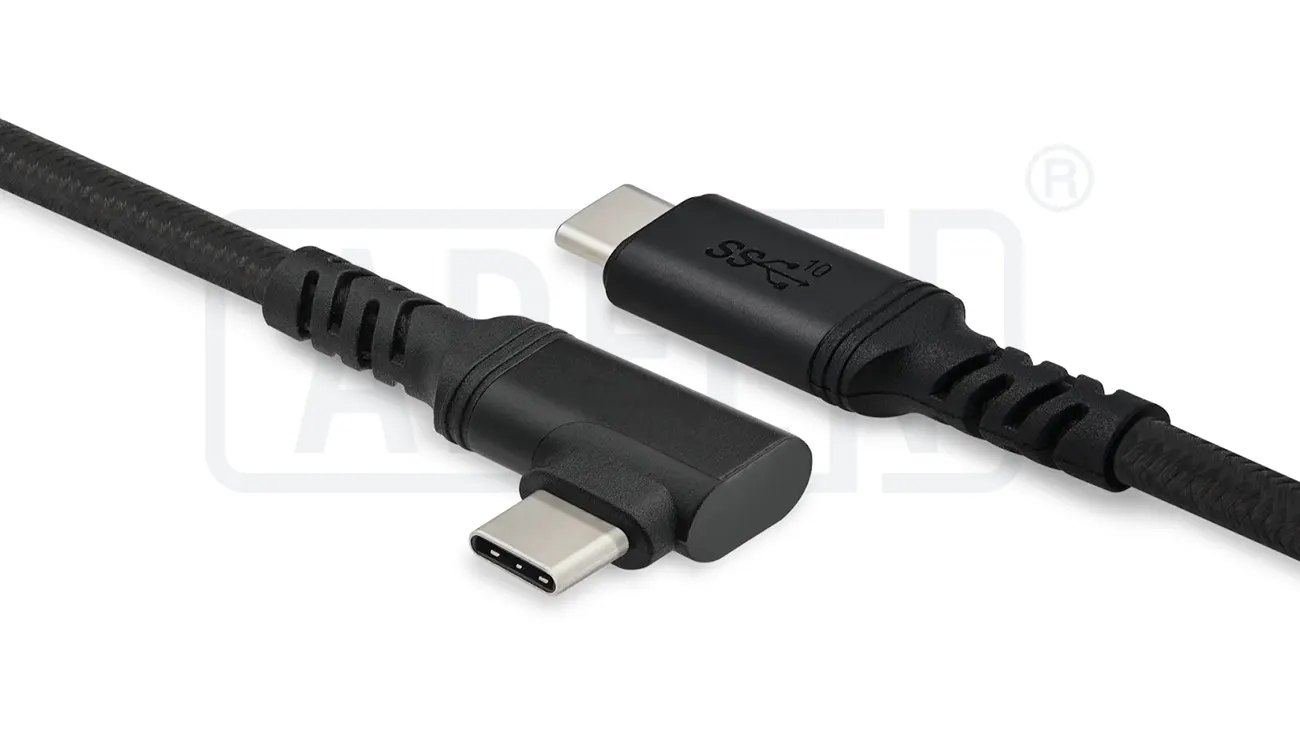
USB 2.0, USB 3.2, and USB4 differ in data transfer speed, bandwidth, video output capability, and cable construction. For B2B sourcing, selecting the correct USB standard depends on your product’s charging requirements, data performance, DisplayPort (DP) Alt Mode support, and manufacturing quality.
Why Should B2B Buyers Understand USB Standards?
Why Are USB 2.0, USB 3.2, and USB4 Not the Same?
Many USB-C cables look identical from the outside, but their internal construction and supported protocols are very different.
A USB-C connector only defines the physical interface. The cable’s performance depends on:
USB protocol version
Internal conductor design
Number of signal pairs
Shielding structure
E-Marker IC (where required)
Manufacturing quality
Choosing the wrong cable can result in:
Slow file transfers
Limited charging performance
No external display support
Device compatibility issues
Higher warranty and return rates
For OEM brands and distributors, understanding these differences is essential before sourcing USB cables in volume.
What Are the Main Differences Between USB 2.0, USB 3.2, and USB4?
How Do These USB Standards Compare?
Each USB generation improves bandwidth, functionality, and compatibility.
| Feature | USB 2.0 | USB 3.2 | USB4 |
|---|---|---|---|
| Maximum Data Rate | 480 Mbps | Up to 20 Gbps* | Up to 40 Gbps |
| Typical File Transfer Speed | ~35–40 MB/s | Up to ~2,000 MB/s (Gen 2×2) | Up to ~5,000 MB/s |
| Charging Support | Yes | Yes | Yes |
| USB Power Delivery | Supported | Supported | Supported |
| DisplayPort Alt Mode | No | Supported (device-dependent) | Supported |
| Thunderbolt Compatibility | No | No | USB4 v1 supports Thunderbolt 3 compatibility (optional); USB4 v2 expands bandwidth capability |
| Typical Applications | Charging, keyboards, mice | External SSDs, docking stations | High-performance laptops, monitors, storage devices |
USB 3.2 includes multiple versions, including Gen 1 (5 Gbps), Gen 2 (10 Gbps), and Gen 2×2 (20 Gbps).
What Is USB 2.0 Best Used For?
Is USB 2.0 Still Suitable for Modern Products?
Yes.
USB 2.0 remains widely used for products that do not require high-speed data transmission.
Typical applications include:
Charging cables
Bluetooth accessories
Keyboards
Computer mice
Printers
Barcode scanners
IoT devices
Advantages include:
Lower manufacturing cost
Simpler cable construction
Excellent compatibility
Lower power consumption
For many OEM charging cables, USB 2.0 is still sufficient because charging performance is largely determined by the power conductors rather than data bandwidth.
What Advantages Does USB 3.2 Offer?
When Should Buyers Choose USB 3.2?
USB 3.2 significantly improves data performance compared with USB 2.0.
Depending on the version, USB 3.2 supports:
| USB 3.2 Version | Maximum Speed |
|---|---|
| Gen 1 | 5 Gbps |
| Gen 2 | 10 Gbps |
| Gen 2×2 | 20 Gbps |
USB 3.2 is commonly used for:
External SSDs
High-speed flash drives
Professional cameras
Docking stations
Industrial data equipment
Compared with USB 2.0, USB 3.2 cables contain additional high-speed differential signal pairs and more complex shielding to maintain signal integrity.
What Makes USB4 Different?
Why Is USB4 Becoming the Preferred Standard?
USB4 combines high-speed data, charging, and display connectivity into a single cable solution.
Key advantages include:
Up to 40 Gbps bandwidth (USB4 Version 1.0)
Dynamic bandwidth allocation
USB Power Delivery support
DisplayPort Alt Mode support
Compatibility with many Thunderbolt 3 devices
Simplified cable ecosystem
USB4 is designed for demanding applications such as:
High-resolution displays
External GPUs
Professional workstations
High-speed storage
Multi-monitor docking stations
Although USB4 cables cost more to manufacture, they offer greater flexibility for premium consumer and commercial electronics.
What Is DisplayPort Alt Mode?
How Does DP Alt Mode Work?
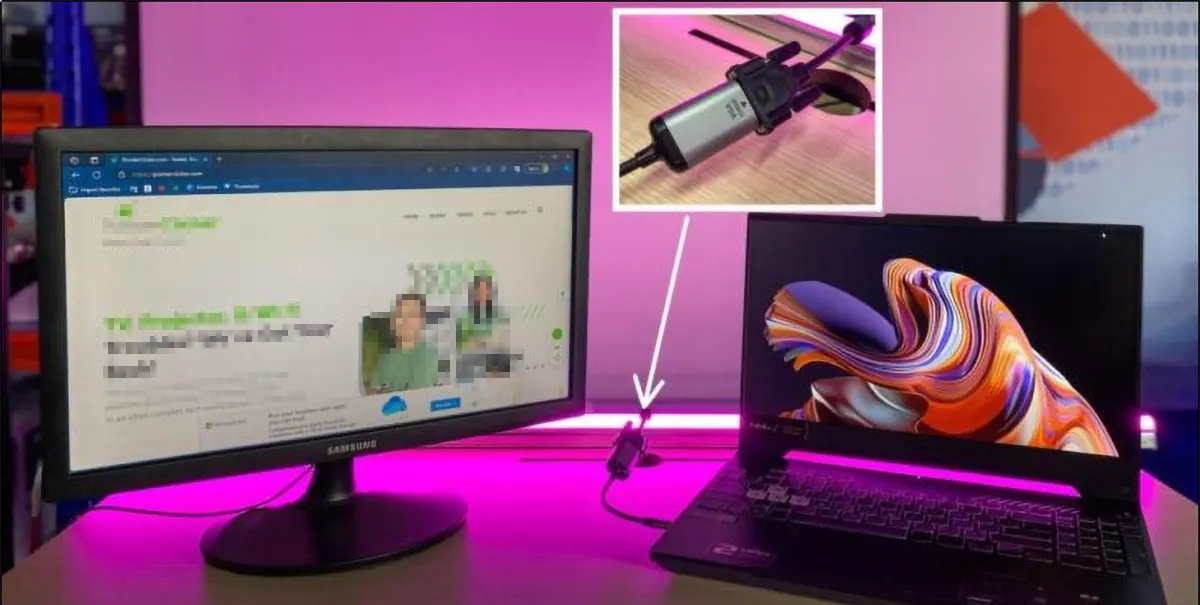
DisplayPort Alternate Mode (DP Alt Mode) allows USB-C connectors to carry DisplayPort video signals without requiring a separate video connector.
Instead of using dedicated video ports, the USB-C connector temporarily reassigns certain high-speed data lanes for video transmission.
DP Alt Mode supports applications such as:
External monitors
Business docking stations
Conference room displays
Digital signage
Portable monitors
Not every USB-C cable supports DP Alt Mode.
The cable must be designed with the appropriate high-speed conductors and shielding.
Which USB Standards Support DP Alt Mode?
Can Every USB-C Cable Output Video?
No.
The connector may be USB-C, but video capability depends on both the cable and the connected devices.
| USB Standard | DP Alt Mode Support |
|---|---|
| USB 2.0 | No |
| USB 3.2 | Yes (if supported by cable and devices) |
| USB4 | Yes |
For OEM projects involving external displays or docking stations, buyers should clearly specify DP Alt Mode compatibility in product requirements.
How Does Cable Construction Affect Performance?
Why Do High-Speed USB Cables Require Better Materials?
Higher bandwidth requires improved signal integrity.
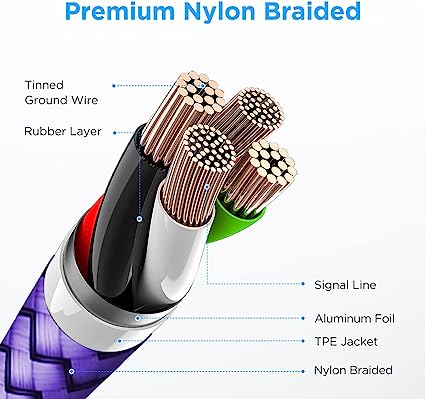
Professional USB 3.2 and USB4 cables typically include:
Multiple high-speed differential pairs
Individually shielded conductors
Braided shielding
Aluminum foil shielding
Controlled impedance design
High-quality connector terminals
For charging performance, power conductors commonly use:
| Cable Type | Typical Power Wire Gauge |
|---|---|
| USB 2.0 Charging Cable | 26–28 AWG |
| USB PD 60W Cable | 24–26 AWG |
| USB PD 100W Cable | 22–24 AWG |
| USB PD 3.1 240W Cable | 20–22 AWG |
Lower AWG numbers indicate thicker conductors with lower resistance, reducing voltage drop during high-current charging.
Does USB4 Require an E-Marker IC?
When Is an E-Marker Chip Necessary?
Many USB4 cables designed for high-speed data and high-power charging include an E-Marker IC.
The chip communicates:
Maximum current rating
Supported USB standard
Cable identity
Data capability
USB Power Delivery information
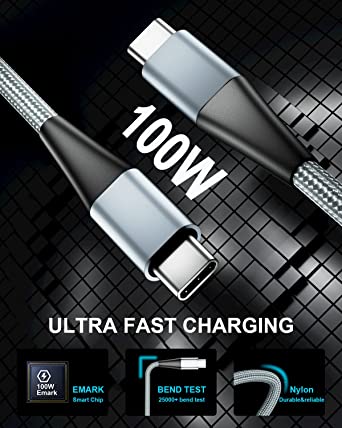
An E-Marker is generally required for cables rated at 5A, including most 100W and 240W USB-C cables.
Without proper E-Marker programming, chargers may reduce output power as a safety precaution.
What Manufacturing Standards Should USB Cable Suppliers Follow?
How Can Buyers Evaluate Manufacturing Quality?
A professional cable manufacturer should operate under documented quality management systems.
ISO9001 Quality Management System
ISO9001 helps ensure:
Process consistency
Material traceability
Supplier qualification
Production control
Corrective action management
Factories typically implement:
IQC (Incoming Quality Control)
IPQC (In-Process Quality Control)
OQC (Outgoing Quality Control)
These systems reduce production variation and improve product reliability.
Why Is Lead-Free Solder Important?
What Is SAC305?
Professional USB cable manufacturers commonly use SAC305 lead-free solder.
Typical composition:
Tin (Sn): 96.5%
Silver (Ag): 3.0%
Copper (Cu): 0.5%
Typical processing conditions:
Melting point: approximately 217°C
Reflow temperature: 240–260°C
Using high-quality solder helps maintain stable electrical connections and improves long-term reliability.
What Certifications Should B2B Buyers Request?
Which Compliance Documents Are Important?
Before sourcing USB cables, buyers should verify that the supplier can provide appropriate certifications.
| Certification | Purpose |
|---|---|
| ISO9001 | Quality management system |
| RoHS | Restricts hazardous substances |
| REACH | Chemical compliance |
| UL Recognized Components / UL Cable Certification | Electrical safety |
| USB-IF Compliance | USB specification verification |
For USB4 and USB 3.2 products, buyers should also request:
High-speed electrical test reports
Signal integrity reports
USB Power Delivery compatibility reports
E-Marker verification (where applicable)
Quality Inspector’s Advice:
“Never assume every USB-C cable supports high-speed data or video output. Verify the USB version, conductor design, shielding structure, E-Marker programming, and electrical test reports before approving mass production.”
How Should Businesses Choose the Right USB Cable for OEM Projects?
What Questions Should Buyers Ask Suppliers?
Before selecting a supplier, ask:
Product Capability
Which USB versions are supported?
Does the cable support DP Alt Mode?
Is USB Power Delivery available?
Does the cable include an E-Marker IC?
Engineering Capability
What AWG conductors are used?
What shielding design is implemented?
Can the factory produce USB4-certified designs?
Manufacturing Quality
Is the factory ISO9001 certified?
Are high-speed electrical tests performed?
Can signal integrity reports be provided?
Selecting the appropriate USB standard at the design stage helps avoid compatibility issues, reduces warranty claims, and ensures consistent performance across large production volumes.
Conclusion
Although USB 2.0, USB 3.2, and USB4 all use the familiar USB-C connector, they differ significantly in data transfer speed, video capability, cable construction, and manufacturing complexity.
USB 2.0 is suitable for charging and low-speed peripherals.
USB 3.2 provides higher data rates and supports many high-performance accessories.
USB4 delivers the highest bandwidth, supports DisplayPort Alt Mode, works with USB Power Delivery, and is designed for premium computing applications.
For B2B sourcing, buyers should evaluate not only the USB version but also conductor size, shielding quality, E-Marker implementation, manufacturing standards, and certification to ensure long-term product performance.
FAQ
1. What is the biggest difference between USB 2.0, USB 3.2, and USB4?
The main differences are data transfer speed, video support, bandwidth, and cable construction. USB4 provides the highest performance, while USB 2.0 is mainly intended for charging and basic data transfer.
2. Does every USB-C cable support DisplayPort Alt Mode?
No. DP Alt Mode requires compatible devices and a cable designed for high-speed video transmission. A USB-C connector alone does not guarantee video output capability.
3. Is USB4 always better than USB 3.2?
USB4 offers higher bandwidth and more advanced features, but USB 3.2 may be sufficient for many applications at a lower cost. The best choice depends on the product’s performance requirements.
4. What should OEM buyers verify before sourcing USB cables?
Buyers should confirm the supported USB standard, charging capability, DP Alt Mode support, AWG conductor size, E-Marker implementation (if required), ISO9001 certification, compliance documents, and electrical test reports before placing bulk orders.
USB cable.
Picture this: You’re sitting at your desk, engrossed in a project
Where Can I Buy a High-Quality Pd Fast Charging Cable?
FAQ
1 cable
USB-C cables certainly.
Share This Artcle:

Fast delivery
Fastest delivery within 22 days

Quick proofing
Fastest 3-day proofing cycle

After-sale protection
24-month long warranty

1V1Customer Service
Professional customer service follow-up
Lorem ipsum dolor sit amet, consectetur adipiscing elit. Ut elit tellus, luctus nec ullamcorper mattis, pulvinar dapibus leo.