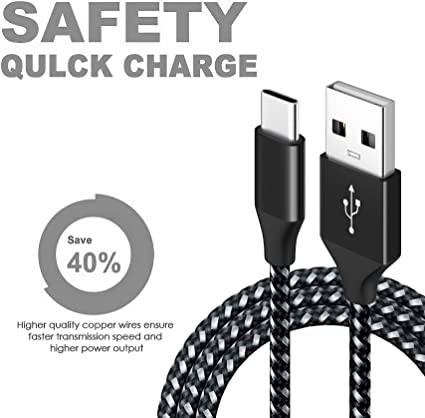
The Best USB-C Cables for Your Phone Apphone Type c cable Supplier
There is a clear distinction between data cables and charging cables. Although they look very similar—and I’m sure many of you often confuse them—they serve very different purposes. Simply put, charging cables are used to charge phones and tablets, while data cables are used to transfer photos and videos from your phone to a computer.
I. What Is a Data Cable? What Is a Charging Cable?
Many of you might say, “Hey, don’t they all look the same?” We need to understand a core concept: all “data cables” can charge devices, but not all “charging cables” can transfer data.
Data Cable: It’s like an “all-rounder.” Inside, it contains not only wires for power transmission (positive and negative terminals) but also wires for signal transmission (data packets). It can fully charge your phone and allow you to transfer photos and videos back and forth between your computer and phone, or even flash your phone’s firmware.
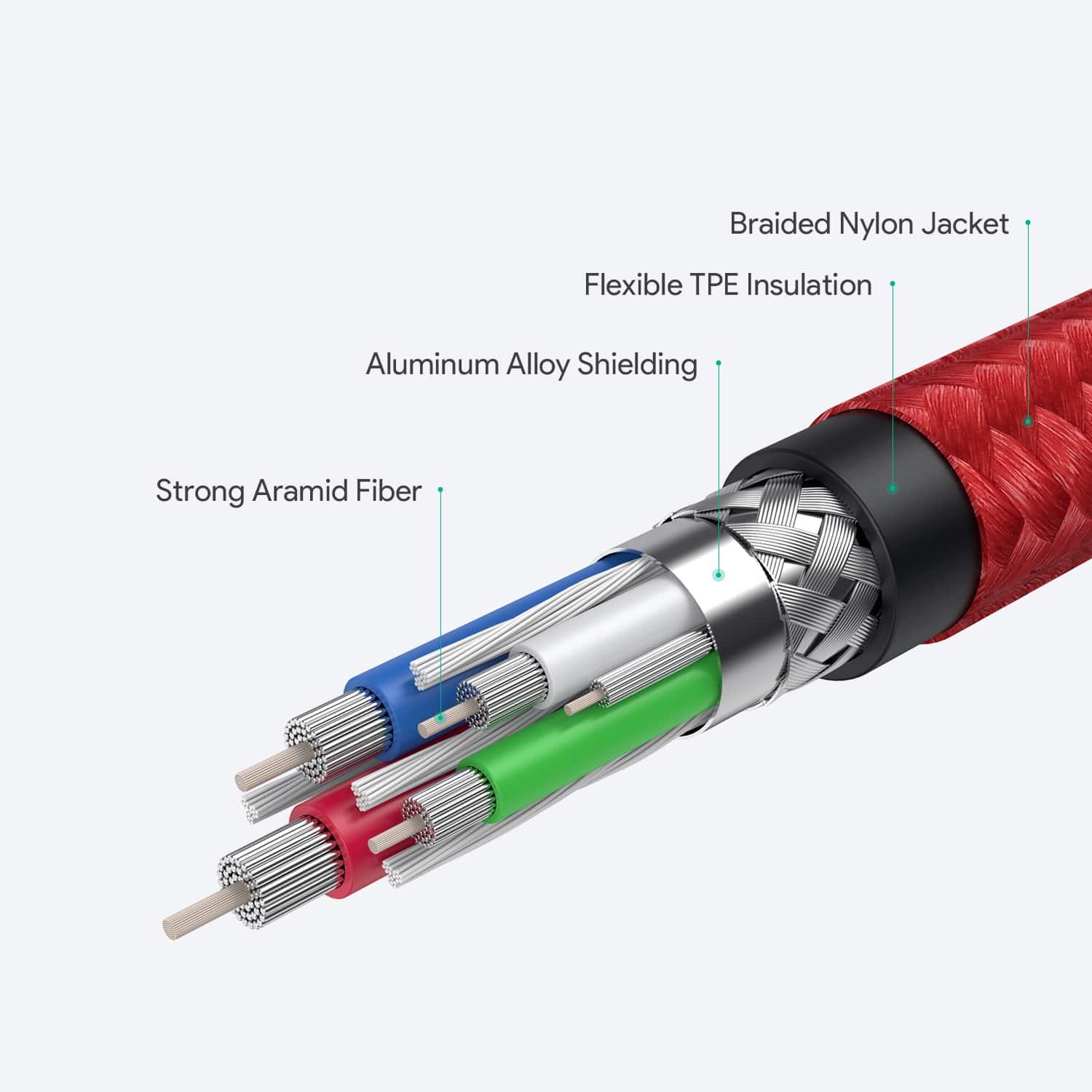
Charging cable: It’s more like a “one-way carrier.” To cut costs, manufacturers “remove” the two internal wires responsible for data transmission during production, leaving only the wires for power. Its sole purpose is charging. When you plug it into a computer’s USB port, the computer will display a “device not recognized” message or simply not respond at all, because it has no “mouth” to communicate with the computer.
II. Functions, Interfaces, and Transfer Speeds
1. Comparison Criteria Charging-only cable (charging cable) Full-function data cable
2. Primary Functions Only recharges devices Charging + File transfer + Driver communication
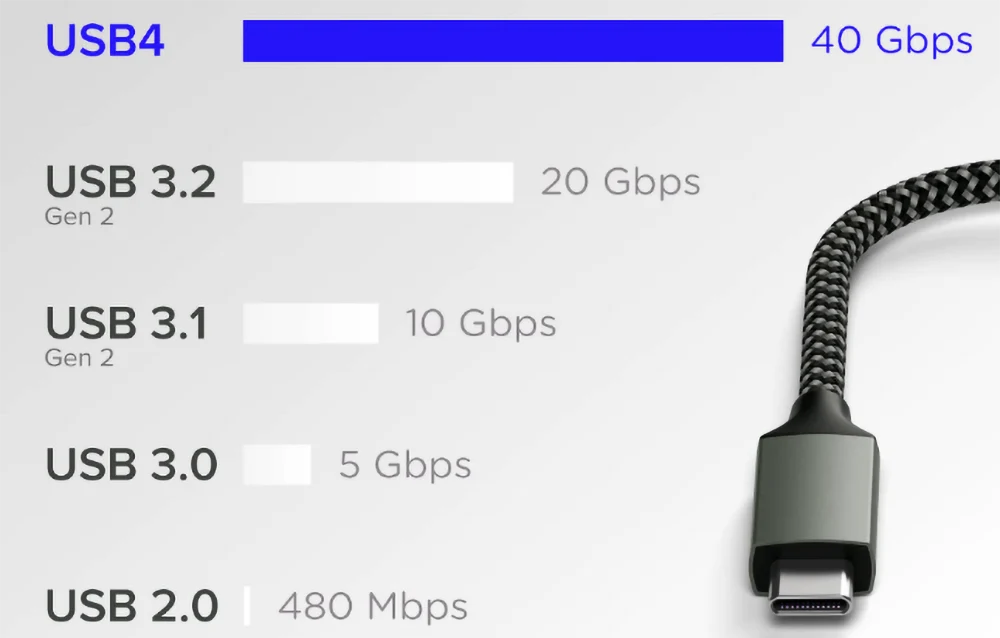
3. Transfer Speed 0 Mbps (Cannot transfer) 480 Mbps (USB 2.0) to 40 Gbps (USB 4)
4. Connector Appearance Hard to tell the difference by appearance; internal construction may be subpar Standard connectors with more robust construction
5. Internal Wires 2 wires (power + ground) 4 or more wires (includes signal lines)
III. Common Misconceptions:
Many sellers make exaggerated claims: The thicker the cable, the faster the charging!
The truth is: Cable thickness does indeed relate to current-carrying capacity. Just like water pipes—a thick pipe will definitely deliver more water than a thin one. However, two other core factors determine how fast charging is:
1. Fast Charging Protocol: Your phone may support 66W fast charging, but if the cable lacks the corresponding identification chip (for example, current PD 100W cables all contain E-Marker chips), no matter how thick the cable is, the current won’t flow through it.
2. Copper Core Purity: High-quality cables use multi-strand oxygen-free copper cores, while low-quality ones may use aluminum wires coated with copper paint—or even iron wires. Even if such a low-quality cable is as thick as a finger, it will suffer from significant current loss, resulting in slow charging and overheating.
IV. How to Tell the Difference Between a Charging Cable and a Data Cable
Check the external markings
If it has a USB logo resembling a “trident,” it is usually a data cable. If it only has a “small lightning bolt” symbol, it is a charging cable.
Test by plugging it into a computer
This is the most accurate method. Connect the phone to the computer; if the computer displays “New Hardware Detected” or the phone prompts “Allow File Transfer,” it is a data cable. If only the battery icon in the top-right corner shows a charging icon and there is no other response, it is a charging cable.
Count the Contacts
Data cables generally have 5 contacts, while simple charging cables may have only 2, or they might have 5 slots but with the middle one empty.
Price Assessment
Typically, a qualified USB 3.0 or fast-charging data cable has a certain cost associated with it. If you find listings on e-commerce platforms like “5 cables for 9.9 yuan with free shipping,” over 90% of them are simply low-quality charging cables.
V. The Era of USB-C Cables
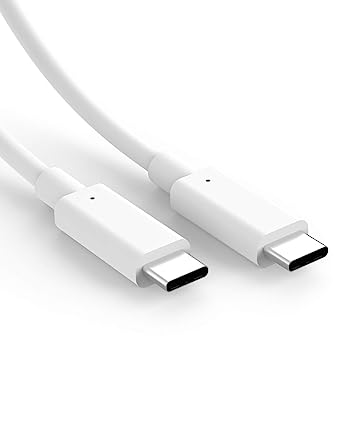
Nowadays, both iPhones and Android phones use USB-C ports, commonly known as Type-C. In the USB-C era, some C-to-C cables (with round connectors on both ends) may look identical, but some can only charge at 60W, while others support 100W or even 240W.
This is why, sometimes, when you use a tablet cable to charge a laptop, the laptop displays a “slow charging” warning. This has nothing to do with whether it’s a “data cable” or a “charging cable,” but rather with a chip inside called an E-marker. High-end, full-featured data cables always include this chip to signal to the device: “I’m certified—you can safely deliver full power!” In contrast, simple, cheap charging cables often omit this chip entirely.
VI. Safety Hazards
Why do we go to such lengths to distinguish between data cables and charging cables, and why do we recommend buying higher-quality ones? It’s not just about the speed of file transfers—it’s also about the safety of your phone and yourself.
1. Overload and Spontaneous Combustion: Many low-quality charging cables have very thin internal copper wires, resulting in high electrical resistance. When you use them to charge a phone that supports fast charging, heat builds up rapidly. If the cable’s insulation is made from recycled plastic, it can easily melt, potentially causing a fire.
2. Instant Phone Damage: High-quality data cables have protection mechanisms that kick in during abnormal current conditions. Poor-quality cables, however, may have shoddy construction that causes direct short circuits between the positive and negative terminals, or unstable voltage that can burn through your phone’s motherboard. This isn’t just about saving a few dozen yuan on a cable—it’s about spending thousands on phone repairs.
VII. Buying Guide
1. If there’s no label on the connector, it’s probably just for charging.
2. If your computer doesn’t recognize it, don’t take it even if it’s free.
3. For fast charging, look for a cable with a protocol chip.
4. Better to spend 30 yuan on a brand-name cable than 3 yuan on a headache.
As ordinary consumers, we don’t need to be tech experts, but understanding these basics can help us avoid overpaying when faced with a sea of options on the shelves. In an era where smartphones have become our “extended limbs,” choosing a healthy, efficient, and safe data cable is the best way to care for them.
I hope this article helps you completely resolve any confusion regarding “data cables” and “charging cables.” If you find the content useful, feel free to share it with family and friends so they can avoid charging pitfalls too!
VIII. Summary: A Quick Guide to Avoiding Pitfalls
1. Data cable = charging + data transfer; charging cable = charging only.
2. Data cables contain 4 wires (or more), while charging cables usually have only 2.
3. In the USB-C era, pay attention to the E-marker chip, which determines whether the cable can support high-current fast charging.
4. Don’t be tempted by low prices: Poor-quality cables not only fail to charge your device but can also burn out the motherboard or even cause a fire.
USB cable.
Picture this: You’re sitting at your desk, engrossed in a project
Where Can I Buy a High-Quality Pd Fast Charging Cable?
1 cable
USB-C cables certainly.
Share This Artcle:

Fast delivery
Fastest delivery within 22 days

Quick proofing
Fastest 3-day proofing cycle

After-sale protection
24-month long warranty

1V1Customer Service
Professional customer service follow-up
Lorem ipsum dolor sit amet, consectetur adipiscing elit. Ut elit tellus, luctus nec ullamcorper mattis, pulvinar dapibus leo.