
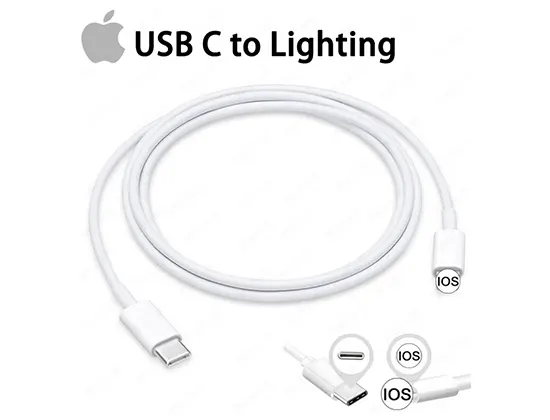
In the world of electronics, the USB cable is often treated as an afterthought. People think, “It’s just a cord, right?” But if you are a wholesaler, a brand owner, or a procurement manager, you know that a “simple” cord can be the difference between a five-star product review and a massive product recall.
When you are looking for a USB cable factory, you aren’t just looking for a supplier; you are looking for a partner that understands the delicate balance between cost, safety, and performance. In this guide, we are going to pull back the curtain on how high-quality cables are made, what separates the premium brands like APFEN from the “cheap” alternatives, and how to navigate the complex world of USB cable manufacturing.

1. Why the “Cheapest” USB Cable is Actually the Most Expensive
We have all seen them—cables sold for pennies on the dollar. While they look fine on the outside, the “guts” of the cable are where the danger lies. For a professional buyer, sourcing from a low-end USB cable factory often leads to “Hidden Costs”:
Voltage Drop: Cheap cables use thin copper (or worse, copper-clad aluminum). This leads to slow charging speeds, which frustrates the end-user.
Safety Hazards: Poor insulation can lead to short circuits. In the worst-case scenario, a bad cable can fry a $1,000 smartphone or even start a fire.
Brand Damage: If your brand is attached to a cable that breaks after two weeks, you lose the customer’s trust forever.
At APFEN, the focus is on long-term reliability. A high-quality USB cable manufacturer invests in better raw materials because it’s cheaper than dealing with a 10% return rate.
2. Understanding the Anatomy of a Premium USB Cable
To dominate the market, you need to understand what happens inside the USB cable factory during production. A cable isn’t just a wire; it’s a multi-layered piece of engineering.
The Internal Conductors (The Heart)
Most standard cables use 28 AWG (American Wire Gauge) for data and 24 AWG for power. However, a custom USB cable built for fast charging will often use thicker 20 AWG or 22 AWG copper wires. This reduces resistance and allows more current to flow.
Shielding (The Shield)
Ever wonder why some cables interfere with Wi-Fi or Bluetooth? It’s because they lack proper shielding. A professional USB cable factory uses a combination of aluminum foil and braided copper mesh to protect the signal from “noise.”
The Outer Jacket (The Skin)
This is what the user feels. While PVC is common, many premium brands, including APFEN, utilize TPE (Thermoplastic Elastomer) or Nylon Braiding.
Nylon Braided USB Cables are incredibly popular right now because they offer superior “tangle-free” properties and a premium tactile feel that consumers love.
3. The Manufacturing Process: From Copper to Finished Product
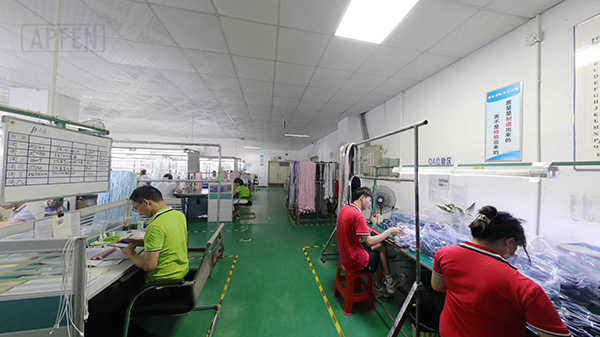
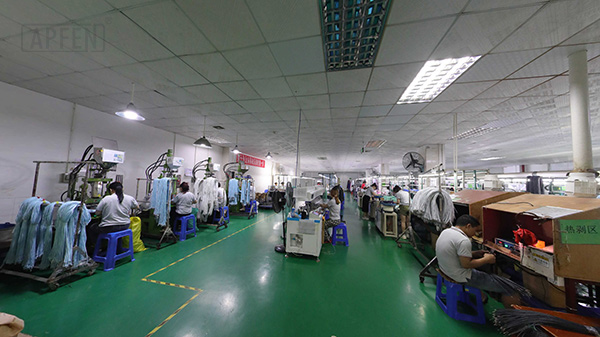
If you were to walk through a top-tier USB cable factory, you would see a highly synchronized dance of machines and quality control stations.
Wire Drawing and Stranding: Raw copper is pulled through dies to the correct thickness and then twisted together.
Insulation Extrusion: A machine coats the copper in a protective plastic layer.
Soldering and Assembly: This is a critical step. High-end USB cable manufacturers use automated soldering machines to ensure that the connection between the wire and the connector (USB-C, Lightning, or Micro-USB) is flawless.
Overmolding: This is where the “head” of the cable is formed. A double-molding process ensures that the cable can withstand thousands of bends without snapping at the neck.
For a brand like APFEN, the focus during assembly is on structural integrity. We don’t just glue pieces together; we fuse them to ensure they survive the “real world.”
4. Why USB-C is the King of the Modern Era
If you are sourcing from a USB cable factory today, 80% of your focus should be on USB-C cables. With the European Union mandating USB-C for all mobile devices, the demand has shifted entirely.
But not all USB-C cables are created equal. A “True” USB-C cable should ideally support:
Power Delivery (PD): Allowing for laptop charging (up to 100W or even 240W).
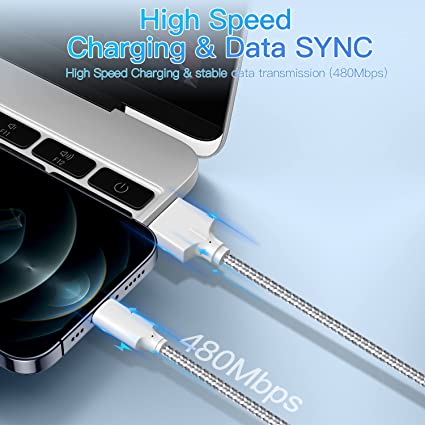
Data Transfer Speeds: From 480Mbps (USB 2.0) up to 40Gbps (USB4).
E-Marker Chips: Premium cables require an internal chip to communicate with the charger and the device to safely manage high power.
When vetting a USB cable manufacturer, ask them specifically about their USB-C Power Delivery testing protocols. If they don’t have a clear answer, they aren’t ready for the modern market.
5. Quality Control: The Difference Between “Good” and “Great”
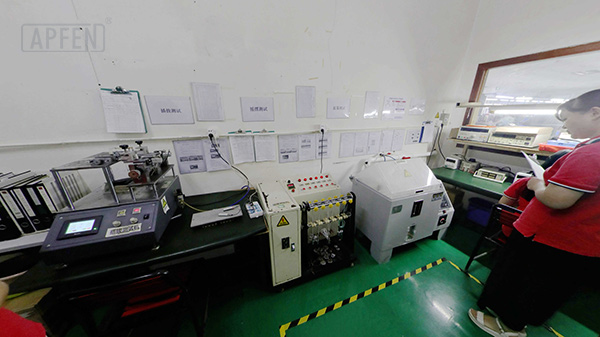
How does APFEN maintain consistency across millions of units? It comes down to a rigorous Quality Management System (QMS). A reputable USB cable factory should perform the following tests on every batch:
The Swing Test (Bend Test)
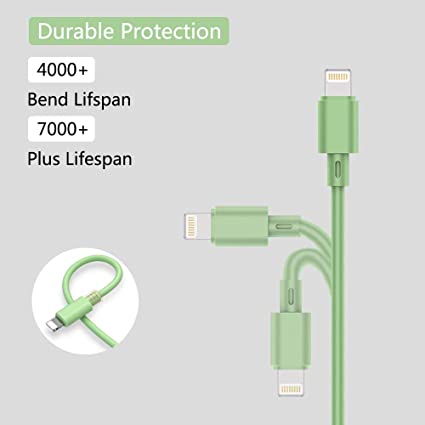
A machine grips the cable and bends it 90 degrees back and forth thousands of times. A standard cable might survive 3,000 bends. A premium USB cable from APFEN is often rated for 10,000 to 30,000 bends.
Salt Spray Testing
This tests the corrosion resistance of the metal connectors. This is vital if your cables are being shipped by sea or used in humid environments.
Plug/Unplug Testing
The “click” you hear when you plug in a cable? That needs to last. We test the connectors to ensure they don’t become loose after 5,000+ uses.
Load Testing
We push the maximum rated current through the cable for extended periods to ensure it doesn’t overheat. Safety is non-negotiable in USB cable manufacturing.
6. Sourcing From China: How to Choose the Right Partner
Most of the world’s cables come from China, specifically from the USB cable factory hubs in Shenzhen and Dongguan. But with thousands of options, how do you choose?
Certifications are Key: Ensure the factory has ISO 9001, CE, RoHS, and FCC certifications. If you are selling Apple-compatible products, MFi Certification is a must.
R&D Capabilities: Does the factory just copy designs, or can they help you with OEM/ODM USB cable projects? APFEN prides itself on being able to customize everything from the cable length to the housing material.
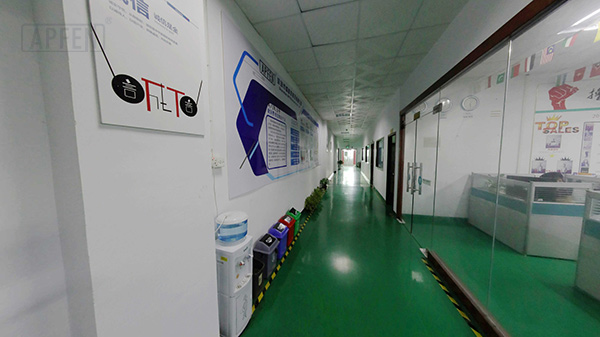
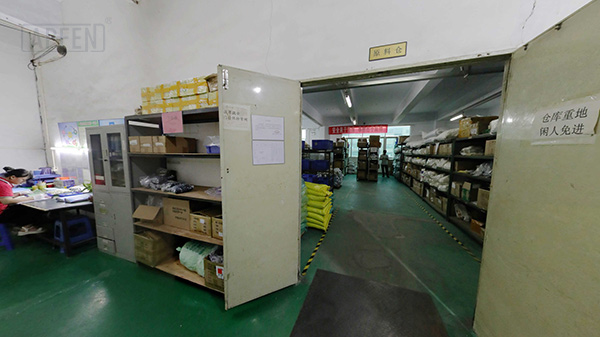
Transparency: A good partner will show you their production line (even via video call) and provide detailed material reports.
7. The Rise of Eco-Friendly Materials in Cable Production
The “Green Revolution” has reached the USB cable factory. Consumers are increasingly looking for sustainable options.
Recycled Plastics: Using PCR (Post-Consumer Recycled) plastic for the jackets.
Biodegradable Packaging: Moving away from plastic polybags to FSC-certified cardboard.
TPE over PVC: TPE is more recyclable and less toxic to produce than traditional PVC.
As a forward-thinking USB cable manufacturer, APFEN is constantly exploring ways to reduce the environmental footprint of our products without sacrificing the “toughness” our customers expect.
8. Customization: Making Your Brand Stand Out
In a crowded market, a “plain black cable” is hard to sell. This is where custom USB cable options come in. When you work with a versatile USB cable factory, you can customize:
Color Matching: Match the cable to your brand’s specific Pantone colors.
LED Indicators: Adding a light to show when charging is active.
Laser Engraving: Putting your logo directly on the metal connector housing.
Specialty Lengths: Offering 0.2m for power banks or 3m for living room use.
By leveraging the customization options at APFEN, you can turn a commodity into a branded experience.

9. Common Myths About USB Cables
To be a smart buyer, you need to ignore the marketing fluff. Let’s debunk some common myths often heard in the USB cable manufacturing industry:
Myth 1: “Gold-plated connectors make it charge faster.”
Truth: Gold plating helps with corrosion resistance, but it has almost zero impact on charging speed. It looks nice, but the internal copper quality matters more.
Myth 2: “A thicker cable is always better.”
Truth: While thicker wires help, sometimes a cable is thick just because it has cheap, bulky insulation. You want a high “copper-to-plastic” ratio.
Myth 3: “All USB-C cables are the same.”
Truth: As discussed, the difference between a 5W cable and a 100W PD cable is massive.
10. The Future of Charging: What’s Next?
The USB cable factory of tomorrow is already preparing for the next big shifts:
Higher Power: We are moving toward 240W standards, allowing USB cables to power heavy-duty gaming laptops and even electric tools.
Wireless Co-existence: While wireless charging is growing, the need for “Fast Recovery” (wired charging) remains dominant because it is more efficient.
Smart Cables: Cables with built-in displays that show the real-time wattage being delivered.
APFEN remains at the forefront of these trends, ensuring that our partners always have access to the latest technology in the USB cable manufacturing space.
11. How to Place an Order with a USB Cable Factory
If you are ready to start sourcing, here is the standard workflow:
Specification Sheet: Provide the factory with your requirements (Length, Connector types, Current/Voltage, Material).
Sample Phase: Never skip this. Request samples from APFEN to test in your own lab.
Deposit and Production: Standard terms are usually a 30% deposit to start mass production.
Inspection: Hire a third-party inspector or request a detailed QC report before the final 70% payment.
Shipping: Choose between Sea Freight (cheaper) or Air Freight (faster) depending on your inventory needs.
Conclusion: Partnering for Success
Selecting a USB cable factory is one of the most important decisions for any electronics business. It’s about more than just a price list; it’s about finding a manufacturer that values quality as much as you do.
At APFEN, we have spent years refining our USB cable manufacturing process to ensure that every product leaving our floor is a testament to durability and performance. Whether you need standard charging solutions or a complex custom USB cable, we have the expertise to bring your vision to life.
Don’t settle for “cheap” when you can have “quality.” Choose a partner that understands the science of the connection. Choose APFEN.

Fast delivery
Fastest delivery within 22 days

Quick proofing
Fastest 3-day proofing cycle

After-sale protection
24-month long warranty

1V1Customer Service
Professional customer service follow-up