
A to C USB Cable: Complete Guide for B2B Buyers, Manufacturers, and Electronics Brands
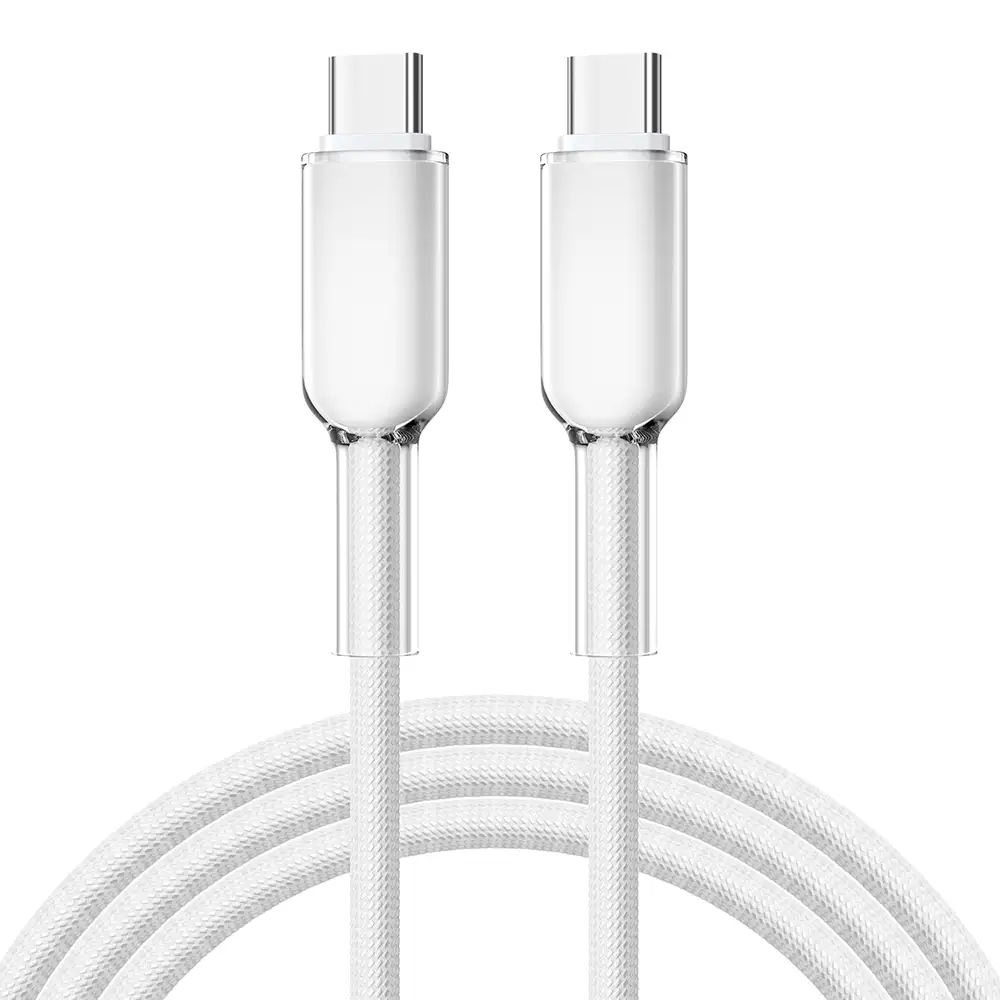
An A to C USB cable is a USB cable with a traditional USB Type-A connector on one end and a USB Type-C connector on the other end, mainly used for charging and data transfer between older USB ports and modern Type-C devices.
What Is an A to C USB Cable?
How Does an A to C USB Cable Work?
An A to C USB cable connects a device with a USB Type-A port to a device with a USB Type-C port.
The cable structure includes:
USB Type-A connector → usually connects to computers, chargers, power adapters, or hubs
USB Type-C connector → connects to smartphones, tablets, headphones, power banks, and other modern devices
Common applications include:
Charging Android smartphones
Connecting USB-C accessories to computers
Data transfer between devices
Connecting keyboards, mice, and USB-C peripherals
For B2B buyers, an A to C USB cable is still an important product category because many existing computers, chargers, and industrial devices continue to use USB-A ports.
Why Is the A to C USB Cable Still Popular?
Why Do Companies Still Need USB-A to USB-C Cables?
Although USB-C to USB-C cables are becoming more common, USB-A ports remain widely used.
Many devices still include USB-A ports:
Desktop computers
Older laptops
Car chargers
Wall chargers
USB hubs
Industrial equipment
The A to C USB cable provides compatibility between older USB systems and newer Type-C devices.
For manufacturers and distributors, A to C cables remain a high-volume product because they support a large installed base of USB-A devices.
What Does an A to C USB Cable Look Like?
How Can You Identify an A to C USB Cable?
An A to C USB cable has two different connectors:
USB Type-A Side
The Type-A connector is:
Rectangular shaped
Larger than USB-C
Commonly found on computers and chargers
Inserted in only one direction
USB Type-C Side
The Type-C connector is:
Small and oval shaped
Reversible
Symmetrical
Used in modern electronics
The biggest visual difference is that one side is traditional USB-A while the other side is modern USB-C.
Are All A to C USB Cables the Same?
Why Do Different A to C USB Cables Have Different Performance?
No. A to C USB cables may look similar externally but can have major internal differences.
Performance depends on:
Copper conductor quality
Wire gauge
Data transmission design
Charging capability
Connector quality
Manufacturing standards
A basic A to C cable may support:
5V charging
USB 2.0 data transfer
A higher-quality A to C cable may support:
Fast charging
3A current
Improved durability
Higher data stability
What Are the Main Specifications of A to C USB Cables?
Which A to C USB Cable Should Businesses Choose?
Different applications require different cable specifications.
| A to C USB Cable Type | Charging Capability | Data Speed | Application |
|---|---|---|---|
| Standard A to C Cable | 5V/2A | USB 2.0 480Mbps | Phones, accessories |
| Fast Charging A to C Cable | 5V/3A | USB 2.0 480Mbps | Smartphones, tablets |
| USB 3.0 A to C Cable | Up to 5Gbps | USB 3.0 | Data transfer devices |
| Industrial A to C Cable | Depends on design | Customized | Industrial equipment |
For B2B purchasing, buyers should define:
Required charging current
Data speed requirements
Cable length
Connector type
Application environment
Can an A to C USB Cable Support Fast Charging?
What Determines A to C USB Cable Charging Speed?
Charging performance depends on:
Wire thickness
Copper material
Connector design
Charger output
Device charging protocol
A common fast charging A to C cable supports:
5V/3A current
Around 15W power
Some A to C cables support higher charging technologies depending on the device and charger.
However, compared with USB-C to USB-C cables, A to C cables have limitations because the USB-A connector generally supports lower power levels.
What AWG Wire Size Is Used in A to C USB Cables?
Why Is AWG Important for Cable Performance?
AWG (American Wire Gauge) measures conductor thickness.
A lower AWG number means thicker copper wire.
Common A to C cable conductor sizes:
| Cable Application | AWG Size | Performance |
|---|---|---|
| Basic USB charging cable | 28AWG | Standard charging |
| Better charging cable | 26AWG | Improved current capacity |
| Fast charging cable | 24AWG–26AWG | Up to 3A |
| Heavy-duty cable | 22AWG–24AWG | Higher current applications |
Thicker copper conductors help reduce:
Voltage loss
Heat generation
Charging instability
Low-quality manufacturers may reduce copper thickness to lower costs, resulting in:
Slow charging
Cable overheating
Shorter lifespan
What Materials Are Used in High-Quality A to C USB Cables?
Is Pure Copper Better Than CCA Conductors?
Yes.
Professional A to C USB cables typically use pure copper conductors.
| Material | Advantages | Disadvantages |
|---|---|---|
| Pure Copper | Excellent conductivity, stable charging, longer lifespan | Higher cost |
| Copper-Clad Aluminum (CCA) | Lower material cost | Higher resistance, lower performance |
For reliable charging products, pure copper is recommended.
Does an A to C USB Cable Support USB PD 3.0?
Can USB-A to USB-C Cables Use Power Delivery?
Generally, USB PD 3.0 is mainly designed for USB-C to USB-C connections because PD communication requires USB-C Power Delivery features.
A to C cables usually support:
Standard USB charging
Quick Charge technologies from some manufacturers
Basic power transfer
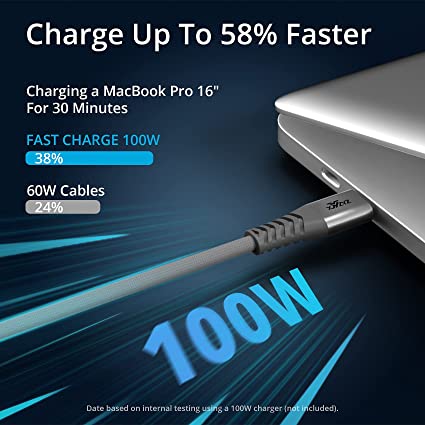
They normally do not support the highest USB PD power levels:
100W
140W
240W
High-power laptop charging usually requires:
USB-C to USB-C cable
USB PD protocol support
How Are A to C USB Cables Manufactured?
What Quality Standards Should a Cable Factory Follow?
A professional A to C USB cable manufacturer should follow controlled production processes.
The most common quality management standard is:
ISO9001 Quality Management System
ISO9001 controls:
Supplier management
Material inspection
Manufacturing procedures
Quality records
Corrective actions
A reliable factory should have:
IQC (Incoming Quality Control)
IPQC (Production Quality Control)
OQC (Outgoing Quality Control)
What Solder Technology Is Used in A to C USB Cable Production?
Why Is Lead-Free Solder Important?
Modern USB cable factories use lead-free solder to comply with environmental regulations.
A common solder material is SAC305.
SAC305 composition:
Tin (Sn): 96.5%
Silver (Ag): 3.0%
Copper (Cu): 0.5%
Advantages:
RoHS compliant
Strong mechanical connection
Reliable electrical performance
Typical processing conditions:
Melting point: approximately 217°C
Soldering temperature: 240–260°C
Poor solder control can lead to:
Broken joints
Charging interruption
Higher electrical resistance
Quality Inspector’s Advice:
“For A to C USB cables, always inspect the internal construction. A good-looking connector does not guarantee good performance. Check copper quality, AWG size, solder process, connector strength, and electrical testing records before mass production.”
What Certifications Should an A to C USB Cable Manufacturer Provide?
Are UL and RoHS Certifications Important?
Yes. International buyers should request compliance documents.
Important certifications include:
| Certification | Purpose |
|---|---|
| RoHS | Restricts hazardous substances such as lead |
| REACH | Controls chemical materials |
| UL Certification | Improves safety acceptance in North America |
| ISO9001 | Quality management system |
| USB Compliance Testing | Confirms USB standards |
A professional supplier should provide:
RoHS reports
Material declarations
Factory certifications
Product test reports
How Should Businesses Choose an A to C USB Cable Supplier?
What Should Buyers Ask Before Ordering Bulk A to C USB Cables?
Before selecting a supplier, check:
Product Capability
What charging current does the cable support?
What AWG wire sizes are available?
Is USB 3.0 data transfer available?
What cable lengths can be customized?
Factory Capability
Does the factory have ISO9001 certification?
Are all cables electrically tested?
Can they provide compliance documents?
Quality Control
Are pure copper conductors used?
Are connectors tested for durability?
Are production records available?
What Are the Advantages of Buying Directly From an A to C USB Cable Manufacturer?
Why Should Brands Work With Experienced Factories?
Direct manufacturer cooperation provides:
Better cost control
Custom product development
Faster engineering support
Stable production quality
Better communication
For businesses selling USB accessories, supplier capability directly affects:
Customer satisfaction
Product returns
Brand reputation
Conclusion: Choosing the Right A to C USB Cable
An A to C USB cable remains an important connection solution between traditional USB-A devices and modern USB-C electronics.
Although these cables look simple, their performance depends on:
Copper conductor quality
AWG wire size
Connector design
Charging capability
Manufacturing standards
Quality testing
For B2B buyers, choosing a reliable A to C USB cable manufacturer is essential for maintaining product quality and customer trust.
FAQ About A to C USB Cables
1. What does A to C USB cable mean?
An A to C USB cable means one end has a USB Type-A connector and the other end has a USB Type-C connector. It connects older USB devices with modern USB-C devices.
2. Can an A to C USB cable fast charge phones?
Yes. Many A to C USB cables support fast charging, especially when using compatible chargers and devices. However, they usually support lower power levels than USB-C to USB-C cables.
3. Is USB-C to USB-C better than A to C USB cable?
For modern high-power charging and high-speed data transfer, USB-C to USB-C cables generally provide better performance. A to C cables are mainly used for compatibility with USB-A ports.
4. How do I choose a reliable A to C USB cable manufacturer?
Choose a manufacturer with ISO9001 certification, proper material control, pure copper conductors, reliable testing procedures, RoHS compliance, and experience producing customized USB cables.
USB cable.
Picture this: You’re sitting at your desk, engrossed in a project
Where Can I Buy a High-Quality Pd Fast Charging Cable?
FAQ
1 cable
USB-C cables certainly.
Share This Artcle:

Fast delivery
Fastest delivery within 22 days

Quick proofing
Fastest 3-day proofing cycle

After-sale protection
24-month long warranty

1V1Customer Service
Professional customer service follow-up
Lorem ipsum dolor sit amet, consectetur adipiscing elit. Ut elit tellus, luctus nec ullamcorper mattis, pulvinar dapibus leo.