
Why Some USB-C Cables Don’t Work: Common Causes, Testing Methods, and B2B Sourcing Guide
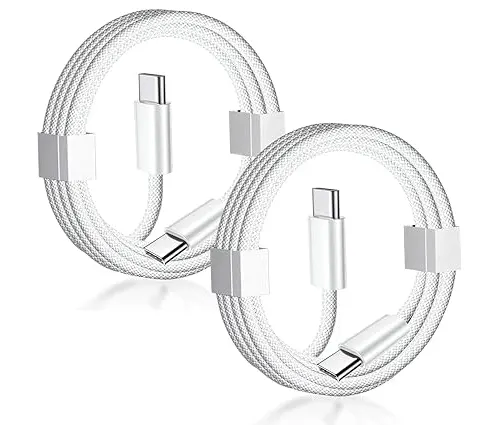
Some USB-C cables don’t work because they may have incorrect wiring, poor-quality components, insufficient power capability, missing protocol support, damaged connectors, or failed manufacturing processes. A USB-C connector does not guarantee charging, data transfer, or video compatibility.
Why Does a USB-C Cable Sometimes Fail?
Why Can a Cable Look Normal but Not Work?
USB-C has become the standard connector for smartphones, laptops, tablets, monitors, and accessories. However, the USB-C connector only defines the physical shape.
The actual performance depends on:
Internal wiring structure
Power conductor quality
Data transmission capability
USB protocol support
E-Marker chip configuration
Connector manufacturing quality
Two cables may look identical externally but perform completely differently internally.
For B2B buyers, this is one of the biggest challenges when sourcing USB-C cables.
What Are the Most Common Reasons USB-C Cables Fail?
Why Does My USB-C Cable Not Charge?
The most common causes include:
| Problem | Possible Cause | Result |
|---|---|---|
| No charging | Broken VBUS/GND wires | Device receives no power |
| Slow charging | Thin conductors or high resistance | Reduced charging speed |
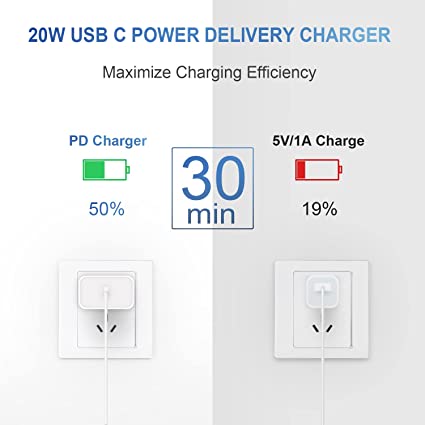
| No fast charging | Missing USB PD support | Charger limits power |
| No data transfer | Data wires missing | Charging only |
| No video output | No DP Alt Mode support | Display does not work |
| Intermittent connection | Poor connector quality | Random disconnects |
A cable must be designed for the specific application. A charging-only cable cannot automatically become a high-speed data or video cable.
Does Every USB-C Cable Support Fast Charging?
Why Do Some USB-C Cables Charge Slowly?
No.
Fast charging depends on multiple factors:
Charger output capability
Device charging protocol
Cable current rating
Conductor size
E-Marker chip
For USB Power Delivery (USB PD), the cable must support proper communication between the charger and device.
Typical charging requirements:
| Charging Level | Current | Recommended Cable Design |
|---|---|---|
| Standard USB Charging | 1A–2A | 28 AWG |
| USB PD 60W | 3A | 24–26 AWG |
| USB PD 100W | 5A | 22–24 AWG + E-Marker |
| USB PD 240W | 5A | 20–22 AWG + E-Marker |
A cable with thin conductors creates higher resistance, causing voltage drop and reduced charging performance.
Why Does Wire Gauge Affect USB-C Cable Performance?
Can Thin Wires Cause USB-C Failure?
Yes.
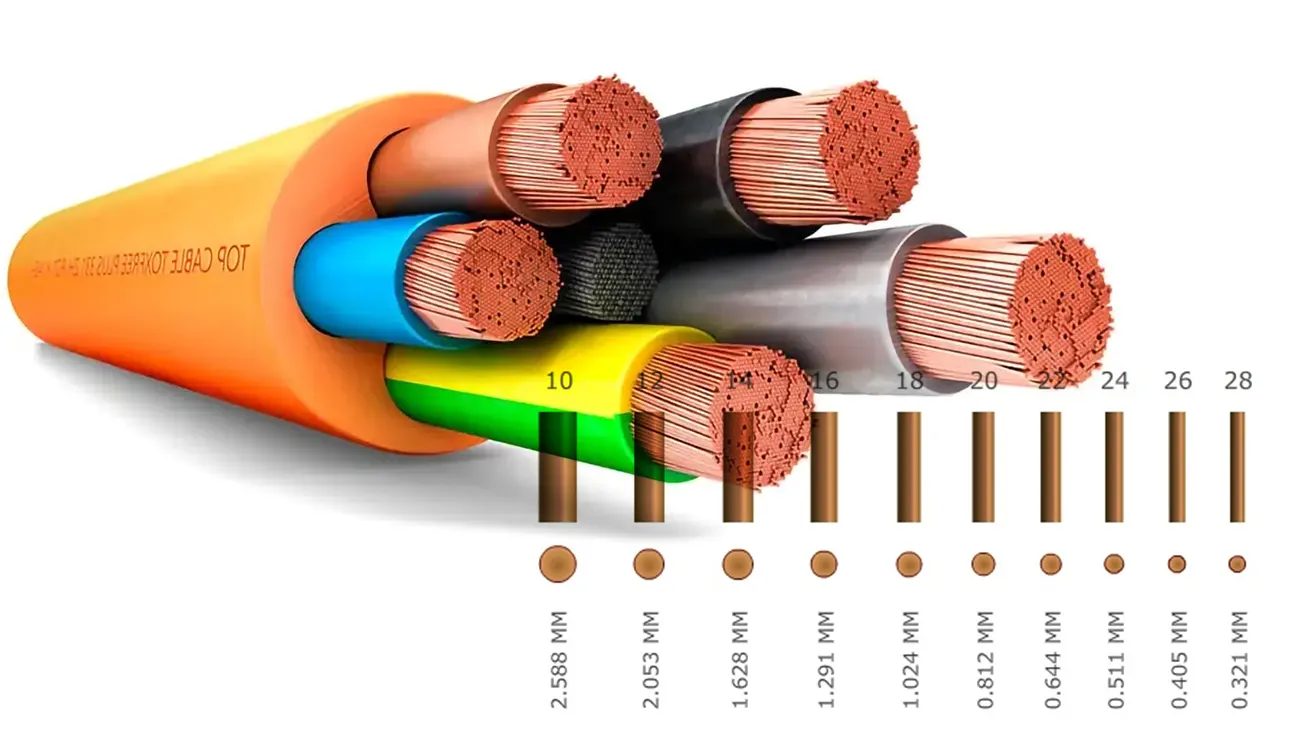
USB cables commonly use AWG (American Wire Gauge) to describe conductor thickness.
The rule is:
Lower AWG number = thicker wire
Higher AWG number = thinner wire
Example:
| Wire Gauge | Approximate Diameter | Typical Use |
|---|---|---|
| 22 AWG | 0.64 mm | High-power charging |
| 24 AWG | 0.51 mm | Fast charging |
| 26 AWG | 0.40 mm | Standard charging |
| 28 AWG | 0.32 mm | Low-power applications |
A 28 AWG cable may work perfectly for a wireless mouse but fail when used for a 100W laptop charger.
Why Does My USB-C Cable Charge but Not Transfer Data?
Are Some USB-C Cables Charging Only?
Yes.
Many low-cost USB-C cables contain only:
VBUS power wires
Ground wires
They do not include:
USB 2.0 D+/D- data lines
SuperSpeed TX/RX pairs
These cables can charge devices but cannot:
Transfer files
Connect external SSDs
Use USB debugging
Connect certain accessories
For example:
| Cable Type | Charging | Data Transfer |
|---|---|---|
| USB-C Charging Cable | Yes | No |
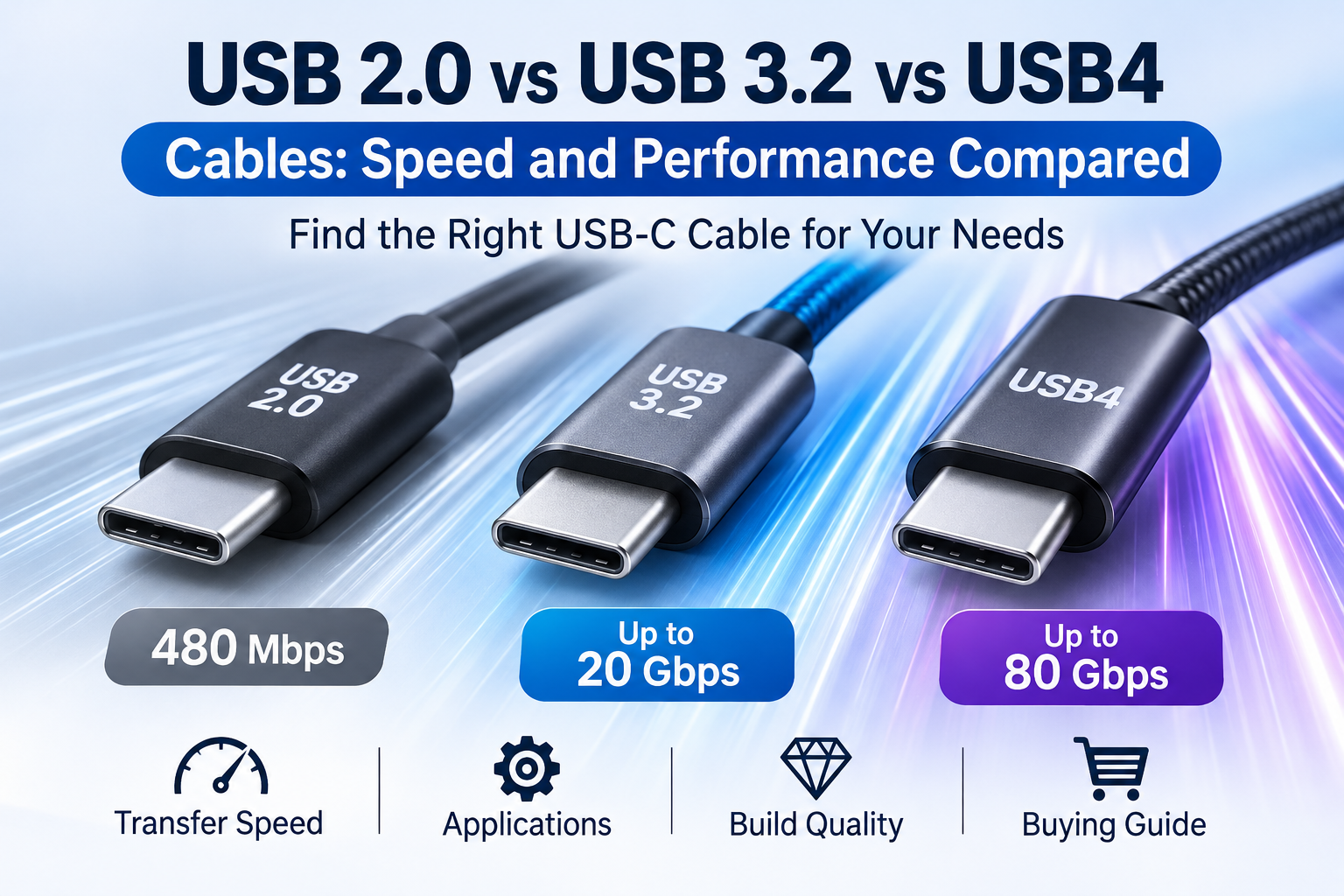
| USB 2.0 USB-C Cable | Yes | 480 Mbps |
| USB 3.2 USB-C Cable | Yes | Up to 20 Gbps |
| USB4 Cable | Yes | Up to 40 Gbps |
Why Does USB-C Video Output Sometimes Not Work?
Why Can’t Some USB-C Cables Connect to Monitors?
USB-C video output requires DisplayPort Alt Mode support.
The cable and device must support:
High-speed signal lanes
Correct pin configuration
Proper shielding
Compatible USB protocol
A normal charging cable will usually not support video transmission.
Common applications requiring DP Alt Mode include:
USB-C monitors
Laptop docking stations
Portable displays
Conference room systems
Why Is an E-Marker Chip Important?
Why Do Some USB-C Cables Need an E-Marker?
An E-Marker IC is a small chip inside many high-performance USB-C cables.
It communicates information such as:
Cable current rating
USB protocol capability
Power delivery support
Cable identification
E-Markers are commonly required for:
5A USB PD cables
Many USB4 cables
Without correct E-Marker communication, chargers may reduce output power for safety reasons.
Can Poor Connector Quality Cause USB-C Failure?
Why Does the USB-C Connector Matter?
The connector is one of the most failure-prone parts of a cable.
Common connector problems include:
Poor contact alignment
Weak terminals
Low-quality plating
Loose housing
Weak strain relief
Premium USB-C connectors often use:
Nickel-plated stainless steel shells
Gold-plated contacts
High-temperature LCP insulation materials
Connector durability testing commonly includes:
10,000–20,000 insertion cycles
Pull-force testing
Cable bending tests
Does Shielding Affect USB-C Cable Reliability?
Why Do High-Speed USB-C Cables Need Shielding?
Higher data rates require stronger protection against electromagnetic interference (EMI).
USB 3.2 and USB4 cables commonly use:
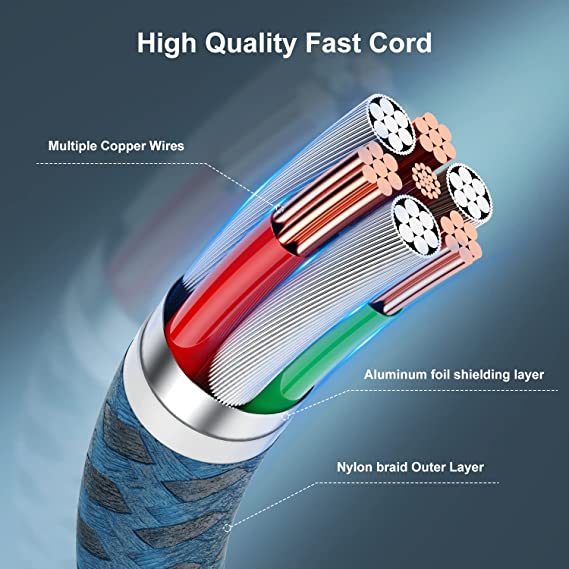
Aluminum foil shielding
Copper braid shielding
Twisted differential pairs
Controlled impedance design
Poor shielding can cause:
Data errors
Reduced speed
Signal instability
Display flickering
Typical shielding coverage:
| Shield Type | Typical Coverage |
|---|---|
| Aluminum Foil | Nearly 100% coverage |
| Copper Braid | 65%–95% coverage |
| Dual Shielding | Foil + Braid combination |
Premium USB-C cables often use dual shielding for better signal integrity.
How Do Manufacturers Test USB-C Cable Quality?
What Quality Tests Should Suppliers Perform?
Professional USB cable factories perform multiple inspections.
Electrical Tests
Including:
Continuity testing
Resistance measurement
High-voltage insulation testing
Current carrying testing
High-Speed Testing
For USB 3.2 and USB4:
Signal integrity testing
Eye diagram analysis
Insertion loss testing
Return loss testing
Mechanical Testing
Including:
Connector insertion testing
Tensile testing
Bend testing
Flexibility testing
These tests help prevent failures after mass production.
What Manufacturing Standards Should USB-C Cable Suppliers Follow?
How Can Buyers Identify Reliable Manufacturers?
A professional USB cable supplier should maintain structured quality management.
ISO9001 Quality Management System
ISO9001 controls:
Raw material inspection
Supplier management
Production processes
Quality documentation
Corrective actions
Factory quality procedures usually include:
IQC (Incoming Quality Control)
IPQC (In-Process Quality Control)
OQC (Outgoing Quality Control)
This ensures product consistency across large orders.
Why Is SAC305 Solder Used in USB-C Cable Production?
Does Solder Quality Affect Cable Reliability?
Yes.
High-quality USB-C cable manufacturers commonly use SAC305 lead-free solder.
Composition:
Tin (Sn): 96.5%
Silver (Ag): 3.0%
Copper (Cu): 0.5%
Typical processing:
Melting point: approximately 217°C
Reflow temperature: 240–260°C
Reliable solder joints reduce:
Contact resistance
Signal instability
Long-term failure rates
What Certifications Should OEM Buyers Request?
Which Documents Prove Cable Quality?
Before purchasing USB-C cables in bulk, buyers should request:
| Certification | Purpose |
|---|---|
| ISO9001 | Manufacturing quality system |
| RoHS | Hazardous substance control |
| REACH | Chemical compliance |
| UL Certification | Electrical safety |
| USB-IF Compliance | USB specification testing |
Additional documents may include:
Electrical test reports
USB PD compatibility reports
E-Marker verification
Material specifications
Quality Inspector’s Advice:
“A USB-C cable failure is rarely caused by the connector shape itself. Always check the internal structure, conductor size, protocol support, shielding design, and production test records before approving a cable for mass production.”
How Should Businesses Choose Reliable USB-C Cables?
What Questions Should OEM Buyers Ask Suppliers?
Before selecting a manufacturer, ask:
Technical Capability
Does the cable support the required USB version?
Is USB PD supported?
Is an E-Marker included?
Does it support DP Alt Mode?
Construction Quality
What AWG conductors are used?
Is pure copper used?
What shielding structure is included?
Manufacturing Control
Is the factory ISO9001 certified?
Are all cables tested before shipment?
Can compliance reports be provided?
Choosing the correct cable specification prevents compatibility issues and reduces customer complaints.
Conclusion
USB-C cables fail for many reasons, including poor construction, incorrect wiring, insufficient power capability, missing protocol support, and low-quality components.
The USB-C connector alone does not determine performance. A reliable cable requires the correct combination of:
Proper conductor size
USB protocol support
E-Marker technology
Shielding design
Connector quality
Manufacturing control
For B2B buyers, working with an experienced USB cable manufacturer that follows ISO9001 standards and provides detailed testing documentation is the best way to ensure product reliability.
FAQ
1. Why does my USB-C cable not work but another one does?
The failed cable may have different internal wiring, lower-quality components, damaged connectors, or may not support the required charging or data protocol.
2. Can a USB-C cable charge but not transfer data?
Yes. Many USB-C cables are designed only for charging and do not include the required data wires.
3. Why does my USB-C cable not support fast charging?
Fast charging requires compatible USB PD support, correct cable current rating, proper conductor size, and sometimes an E-Marker IC. A basic USB-C cable may not support high-power charging.
4. What should OEM buyers check before sourcing USB-C cables?
Buyers should verify USB version, power rating, AWG wire size, conductor material, shielding structure, E-Marker support, ISO9001 certification, compliance documents, and supplier testing procedures before placing bulk orders.
USB cable.
Picture this: You’re sitting at your desk, engrossed in a project
Where Can I Buy a High-Quality Pd Fast Charging Cable?
FAQ
1 cable
USB-C cables certainly.
Share This Artcle:

Fast delivery
Fastest delivery within 22 days

Quick proofing
Fastest 3-day proofing cycle

After-sale protection
24-month long warranty

1V1Customer Service
Professional customer service follow-up
Lorem ipsum dolor sit amet, consectetur adipiscing elit. Ut elit tellus, luctus nec ullamcorper mattis, pulvinar dapibus leo.