
Why Is My USB-C Cable Charging Slowly? 8 Common Causes and Solutions
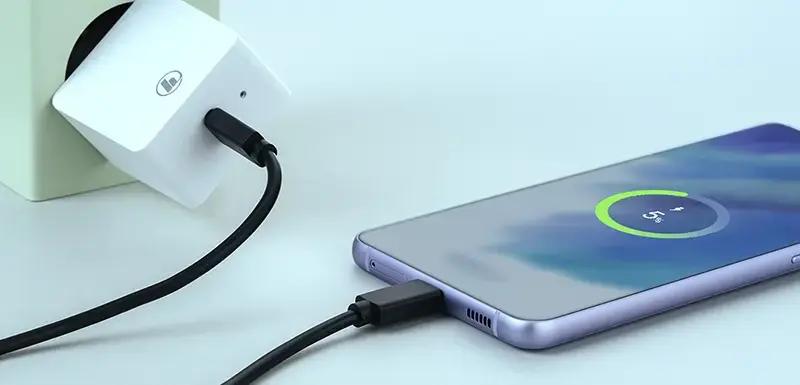
A USB-C cable may charge slowly because it does not support enough power, has high electrical resistance, uses poor-quality conductors, or is incompatible with the charger or device. Other causes include dirty charging ports, damaged connectors, battery temperature, and charging settings. Checking the cable, charger, and device together helps identify the problem.
For smartphone users, slow charging is inconvenient. For importers, wholesalers, and private-label brands, it can also lead to customer complaints, product returns, and negative reviews.
This guide explains the eight most common reasons why USB-C cables charge slowly and how buyers can check cable performance before bulk purchasing.
1. The USB-C Cable Does Not Support Enough Charging Power
One of the most common reasons for slow charging is that the cable’s maximum power capability is lower than the device requires.
USB-C cables come with different power ratings. Some are designed for basic charging, while others support higher-power USB Power Delivery (USB PD) applications.
Common USB-C Cable Power Ratings
| Cable Power Capability | Typical Voltage and Current | Maximum Power | Common Applications |
|---|---|---|---|
| 3A USB-C cable | Up to 20V / 3A | 60W | Smartphones, tablets, compatible laptops |
| Traditional 5A cable | Up to 20V / 5A | 100W | Higher-power laptops and accessories |
| USB PD 3.1 EPR cable | Up to 48V / 5A | 240W | High-performance laptops and compatible devices |
The traditional 100W rating is still commonly used in product descriptions. However, USB-IF’s current USB-C-to-USB-C cable compliance program uses 60W and 240W power markings. Buyers should distinguish commercial 100W claims from current USB-IF certification categories.
Example
Imagine a laptop designed to charge at up to 100W.
If you connect it to a 60W cable, the system may limit charging to the cable’s supported capability. The laptop may charge more slowly, especially while running demanding applications.
How to Fix It
Check the cable’s rated voltage, current, and maximum power.
Confirm that the cable supports the device’s charging requirements.
Use a suitable USB PD charger.
For high-current cables, verify that the required E-Marker identification is present.
B2B buyer tip: Do not select a USB-C cable based only on connector appearance. Confirm its actual power rating and request supporting test information from the manufacturer.
2. The USB-C Cable Has High Electrical Resistance
Electrical resistance is another important factor affecting charging performance.
When current flows through a cable, some electrical energy is lost as heat. A cable with excessive resistance can experience greater voltage drop, reducing the power available to the connected device.
What Causes High Cable Resistance?
Several factors can contribute:
Conductors with insufficient cross-sectional area.
Poor-quality copper or unsuitable conductor materials.
Excessively long cable construction for the intended application.
Poor electrical connections inside the connector.
Inconsistent soldering or assembly quality.
Damaged internal conductors.
Why Does Wire Gauge Matter?
Wire gauge affects the conductor’s cross-sectional area. In the American Wire Gauge (AWG) system, a lower AWG number generally indicates a thicker conductor.
For example:
| Wire Gauge | Relative Conductor Size | Potential Application Consideration |
|---|---|---|
| 24 AWG | Thicker | Can help reduce resistance in suitable cable designs |
| 26 AWG | Medium | Depends on conductor material and cable construction |
| 28 AWG | Thinner | Requires careful evaluation for higher-current applications |
These are general comparisons, not universal USB-C power-rating rules. Actual resistance depends on conductor material, length, construction, and the complete electrical path.
How to Fix It
Choose a cable designed for the required current.
Check conductor material and wire specifications.
Ask the supplier for conductor resistance or voltage-drop test results.
Avoid purchasing high-power cables based only on their outer diameter.
For importers: A thicker-looking cable does not automatically mean better charging performance. Request measurable electrical test results instead of relying on appearance.
3. The USB-C Cable Does Not Have the Required E-Marker
An E-Marker, or electronically marked cable chip, is an identification component used in certain USB-C cable assemblies.
It communicates supported cable capabilities to the connected equipment.
For USB-C cables intended to carry more than 3A, the cable must provide the appropriate E-Marker identification. A 240W cable also needs an EPR-capable E-Marker.
Why Is an E-Marker Important?
A USB PD charger and device need to identify whether the connected cable can safely support the requested operating conditions.
For example:
A standard 3A cable can support up to 60W at 20V.
A traditional 5A cable requires an E-Marker to identify its 5A capability.
A 240W EPR cable requires an E-Marker that identifies its extended power capability.
Without the correct identification, the system may not authorize the higher-current or EPR charging mode.
How to Fix It
Before buying a high-power USB-C cable:
- Confirm whether the cable is designed for 3A or 5A operation.
- Ask whether an E-Marker is installed when required.
- For 240W cables, verify that the E-Marker supports EPR.
- Request relevant identification and electrical test records.
- Check that the production sample matches the approved specification.
A cable containing an E-Marker is not automatically a high-quality cable. The chip, conductor design, connector, insulation, and complete assembly must all meet the intended requirements.
4. The Charger Does Not Provide Enough Power
Sometimes the cable is working correctly, but the charger is the limiting factor.
A USB-C cable cannot increase the maximum power output of a charger.
For example, if a laptop requires 65W but the connected adapter can provide only 20W, charging will be limited by the adapter and the system’s negotiated power level.
Common Charger Problems
Charger wattage is too low.
Charger does not support the required USB PD profile.
Charger uses a different fast-charging protocol.
Multiple connected devices share the adapter’s available power.
The charger or charging port is damaged.
How to Fix It
Check the charger’s rated output.
Confirm that it supports the device’s required charging protocol.
Use a compatible USB PD adapter where required.
Disconnect other devices if the charger shares its power output.
Test with another known-good charger.
Important: A 240W cable connected to a 30W charger will not deliver 240W. The cable, charger, and device must all support the required power level.
5. The Device Does Not Support the Cable’s Maximum Power
A high-power cable does not force a device to accept more power than it was designed to handle.
The device controls its charging requirements and negotiates an appropriate power level with the charger.
Example
Suppose you have:
A 100W USB PD charger.
A 240W USB-C cable.
A smartphone with a maximum supported charging input of 30W.
The smartphone will not automatically charge at 100W or 240W. Its charging system determines the power it can accept.
Other Device-Related Factors
Charging speed may also be affected by:
Battery temperature.
Battery health and age.
Battery management settings.
Operating system charging limits.
Background applications and power consumption.
The device’s proprietary fast-charging requirements.
How to Fix It
Check the device manufacturer’s recommended charging specifications. If possible, test the cable with another compatible device and charger to determine whether the problem comes from the cable or the device.
6. The USB-C Connector or Charging Port Is Dirty or Damaged
Dust, lint, oxidation, or physical damage can interfere with the electrical connection between the cable and device.
A connector may appear to be fully inserted while debris prevents proper contact.
Common Warning Signs
Charging starts and stops unexpectedly.
The cable works only at a certain angle.
The connector feels loose.
Charging becomes slower than usual.
The device repeatedly connects and disconnects.
How to Fix It
Inspect both ends of the cable.
Check the device’s USB-C port for visible debris.
Clean the port only using an appropriate device-safe method.
Avoid inserting metal objects or forcing the connector.
Test the cable with another known-good device.
If the connection remains unstable, the connector or device port may need professional inspection.
For B2B buyers, connector retention and insertion/extraction testing should be part of the quality inspection process.
7. The USB-C Cable Is Too Long or Has Poor Construction
Cable length and internal construction can affect electrical performance.
As conductor length increases, electrical resistance generally increases if the conductor material and cross-sectional area remain unchanged.
This can contribute to voltage drop, particularly under higher-current operating conditions.
What Should Buyers Consider?
Cable length.
Conductor material.
Wire gauge and resistance.
Connector contact quality.
Internal wiring construction.
Cable design and rated power capability.
A longer cable is not necessarily a poor cable. It simply needs to be engineered and tested for its intended power rating and length.
How to Fix It
Select an appropriate cable length for the application.
Ask the manufacturer for resistance and voltage-drop measurements.
Compare performance at different cable lengths.
Check charging performance under the specified operating conditions.
B2B purchasing tip: If you plan to sell 0.5m, 1m, 1.5m, and 2m USB-C cables, do not assume that all lengths will have identical electrical performance. Confirm that each version meets the agreed power requirements.
8. The Device Is Hot or Its Battery Is Nearly Full
Slow charging is not always caused by the cable.
Modern smartphones, tablets, and laptops manage charging based on battery temperature, battery condition, and charging status.
For example, a device may reduce charging power when:
The battery becomes too hot.
The battery is nearly full.
The device is being used heavily while charging.
Battery protection or optimized charging features are enabled.
The battery management system detects an abnormal condition.
How to Fix It
Let the device cool down if it becomes unusually hot.
Avoid intensive gaming or other demanding tasks while charging.
Check the device’s battery protection settings.
Test charging when the battery level is lower.
Compare the result using another compatible cable and charger.
If the device continues to charge unusually slowly, consult the device manufacturer’s troubleshooting guidance.
9. How to Identify Whether the USB-C Cable Is Causing Slow Charging
When a device charges slowly, changing every component at once makes it difficult to identify the actual problem.
Use this simple troubleshooting process.
| Step | What to Do | What the Result Can Tell You |
|---|---|---|
| 1 | Check the cable’s power rating | Identifies whether the cable may be under-rated |
| 2 | Check the charger output | Identifies insufficient adapter power |
| 3 | Confirm device charging requirements | Identifies device-side power limitations |
| 4 | Test with another compatible cable | Helps determine whether the original cable is faulty |
| 5 | Test with another compatible charger | Helps isolate charger-related problems |
| 6 | Inspect connectors and charging ports | Identifies dirt or physical damage |
| 7 | Measure voltage, current, and power using suitable equipment | Helps verify actual charging performance |
For more reliable results, use a USB-C power meter or professional USB PD test equipment. Make sure the test equipment supports the voltage, current, and protocols required by the cable.
A charging icon alone cannot confirm that a cable is delivering its advertised power.
10. How Should Importers and Wholesalers Test USB-C Cable Charging Performance?
For B2B buyers, slow charging can become a major source of customer complaints. Testing samples before mass production helps reduce this risk.
A professional USB-C cable quality inspection should cover several areas.
10.1 Power Rating Verification
Confirm that the cable’s declared power capability matches its actual design.
Check:
Maximum supported voltage.
Maximum supported current.
Maximum rated power.
E-Marker requirements.
USB PD or EPR compatibility, where applicable.
10.2 Electrical Resistance Testing
Measure conductor and connection resistance using an appropriate test method.
Excessive resistance can cause voltage drop and unnecessary heat generation.
10.3 Voltage and Current Testing
Use a compatible USB PD source, sink, and test equipment to verify the expected charging operation.
Record the negotiated voltage, current, and power under defined conditions.
10.4 Temperature-Rise Testing
Operate the cable under specified conditions and measure temperature at relevant points, including connector areas where appropriate.
Compare the results with applicable requirements and the agreed acceptance criteria.
10.5 Connector and Durability Testing
Inspect the connector and cable assembly for:
Loose connector fit.
Damaged metal shells.
Weak strain relief.
Poor overmolding.
Intermittent electrical connections.
Damage after repeated bending or mating cycles.
10.6 Batch Consistency Inspection
Check representative samples from the production batch to confirm that the finished goods match the approved sample.
Record the product model, production lot, test conditions, results, and any corrective actions.
USB-C Cable Charging Quality Checklist
| Quality Check | What to Verify | Why It Matters |
|---|---|---|
| Power rating | Rated voltage, current, and wattage | Confirms advertised charging capability |
| E-Marker | Correct chip identification, when required | Enables supported higher-current or EPR operation |
| Conductor resistance | Electrical resistance and voltage drop | Helps prevent excessive power loss |
| Connector quality | Contact condition and mechanical fit | Reduces intermittent connections |
| Temperature rise | Temperature under defined operating conditions | Helps assess thermal performance |
| Charging test | Actual negotiated voltage, current, and power | Verifies functional performance |
| Cable length | Length matches the approved specification | Helps maintain consistent product performance |
| Durability | Bending, pull, and mating-cycle performance | Reduces premature failure |
| Batch inspection | Consistency across production samples | Helps control mass-production quality |
The exact test method and pass/fail limits should be defined according to the product specification and applicable standards. Do not use one universal acceptance limit for every cable model.
11. How Can Buyers Choose a Reliable USB-C Cable Manufacturer?
A reliable manufacturer should be able to explain its product specifications and provide evidence of quality control.
Before placing a bulk order, ask the supplier:
What power ratings are available: 60W or 240W?
Does the cable support USB PD?
Is an E-Marker installed where required?
What conductor material and wire gauge are used?
What cable lengths and jacket materials are available?
Can the manufacturer provide resistance and charging test reports?
Are connector insertion/extraction and durability tests performed?
Can the cable be customized with a private label?
Can the supplier provide a production-equivalent sample before mass production?
For private-label brands, it is also important to confirm that product markings, packaging claims, and technical specifications match the actual cable capabilities.
A supplier should not claim that a cable supports 100W, 240W, or a particular fast-charging protocol without appropriate technical evidence.
Frequently Asked Questions
Why is my USB-C cable charging slowly even with a fast charger?
The cable may not support the charger’s full power output. Other possible causes include device charging limits, incompatible USB PD profiles, high cable resistance, damaged connectors, or battery temperature. Test the cable and charger with a compatible device to isolate the problem.
Does a longer USB-C cable charge more slowly?
It can. A longer cable generally has greater electrical resistance when conductor material and cross-sectional area remain the same. This can increase voltage drop under load. However, a properly designed longer cable can still meet its specified charging performance.
Can a USB 2.0 USB-C cable support 60W fast charging?
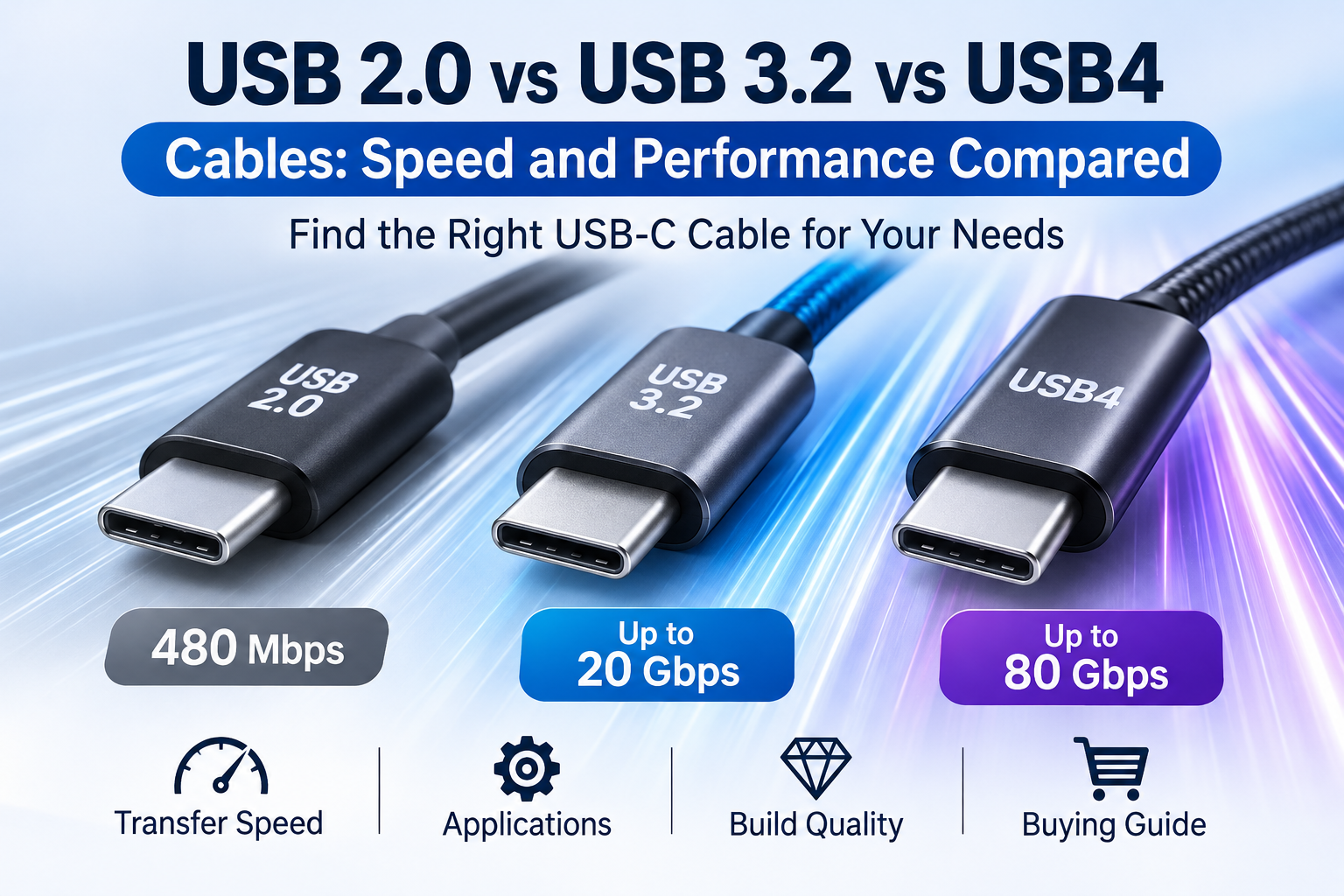
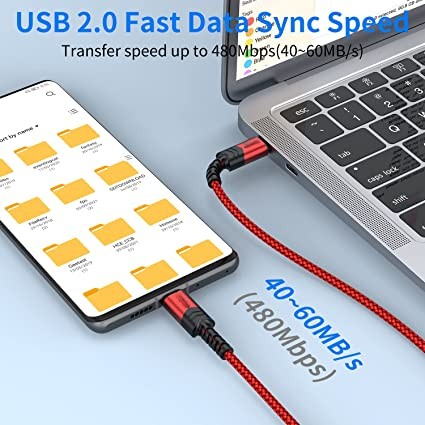
Yes. USB 2.0 describes data-transfer capability, not charging power. A USB-C cable can support USB 2.0 data transfer and up to 60W charging if it is designed and rated for that power level.
Does a 240W USB-C cable make every device charge faster?
No. A 240W cable provides a higher power capability, but actual charging speed depends on the charger, device, cable, and negotiated USB PD mode. A device designed for 30W charging will not automatically charge at 240W.
Conclusion
A USB-C cable may charge slowly because of insufficient power capability, high electrical resistance, missing or incorrect E-Marker identification, an underpowered charger, device limitations, damaged connectors, or excessive cable length for its construction.
For everyday users, checking the cable, charger, and device compatibility is the best way to identify the cause.
For importers, wholesalers, and private-label brands, the priority should be verifying the cable’s actual power rating, electrical resistance, charging performance, connector quality, and production consistency before bulk purchasing.
A well-designed USB-C cable should not only look good. It should deliver the charging performance stated in its product specifications.
USB cable.
Picture this: You’re sitting at your desk, engrossed in a project
Where Can I Buy a High-Quality Pd Fast Charging Cable?
FAQ
1 cable
USB-C cables certainly.
Share This Artcle:

Fast delivery
Fastest delivery within 22 days

Quick proofing
Fastest 3-day proofing cycle

After-sale protection
24-month long warranty

1V1Customer Service
Professional customer service follow-up
Lorem ipsum dolor sit amet, consectetur adipiscing elit. Ut elit tellus, luctus nec ullamcorper mattis, pulvinar dapibus leo.