
What Is a USB-C Cable? A Complete Guide for Buyers and Electronics Businesses
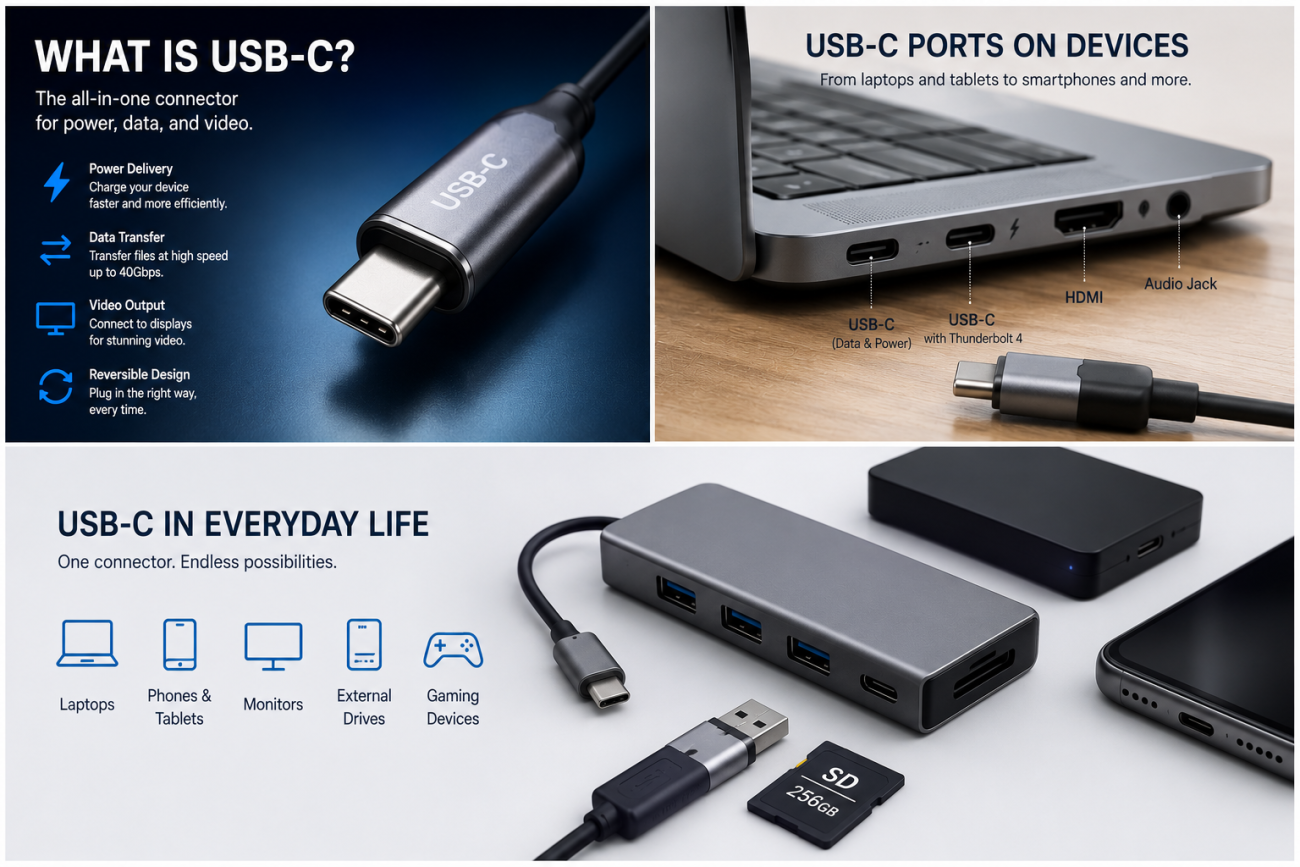
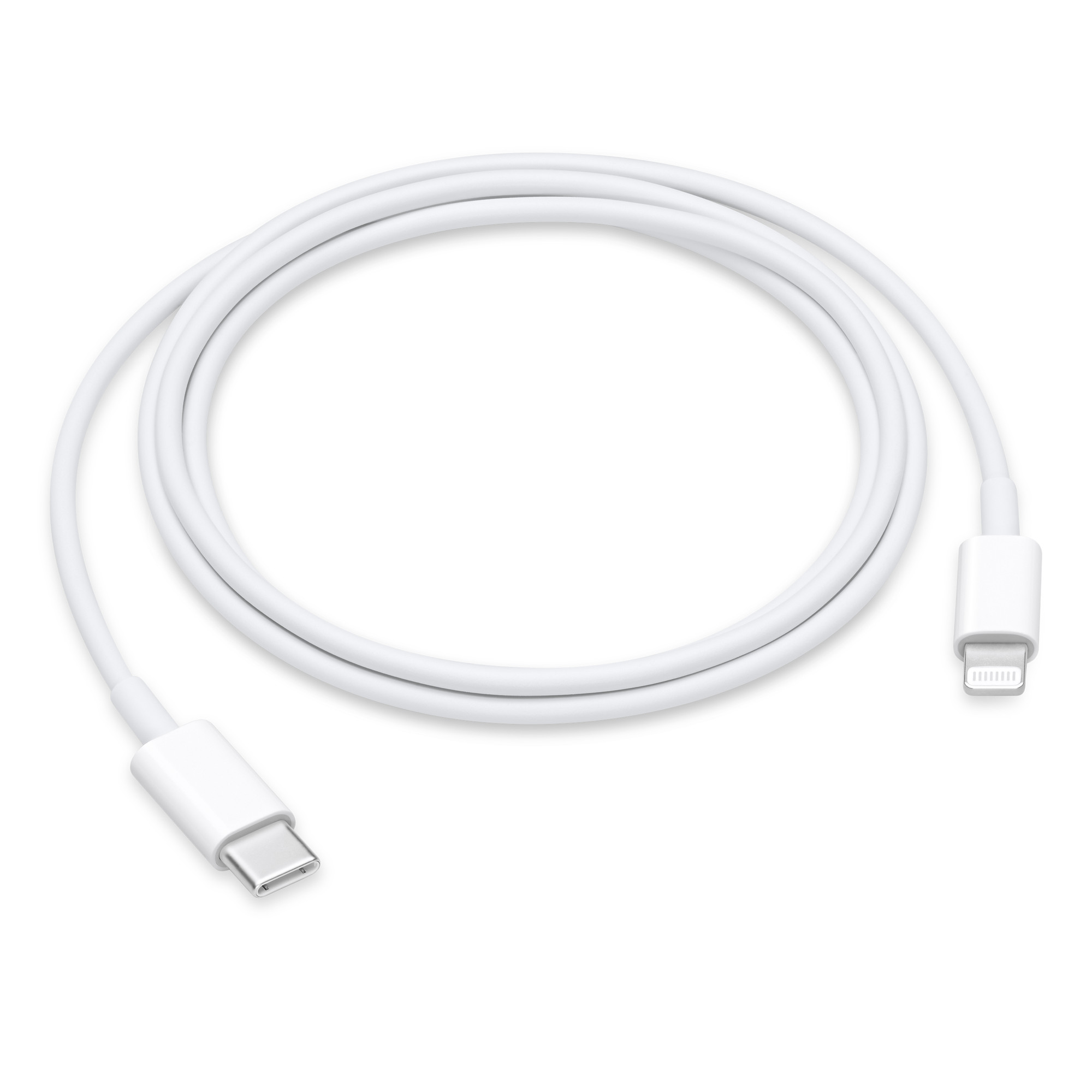
A USB-C cable is a universal charging and data transfer cable that uses a reversible USB Type-C connector to connect modern electronic devices such as smartphones, laptops, tablets, monitors, and accessories. It supports power delivery, fast charging, and high-speed data transmission depending on its design and specifications.
What Is a USB-C Cable and How Does It Work?
A USB-C cable is a cable designed with the USB Type-C connector standard, which was introduced to replace older USB connectors such as USB Type-A and Micro USB.
Unlike traditional USB cables, the USB-C connector is:
Reversible, meaning users can plug it in either direction
Smaller and more durable
Capable of carrying higher power
Designed for faster data transmission
Suitable for multiple device categories
Today, USB-C cables are widely used for:
Smartphones
Tablets
Laptops
Gaming devices
Power banks
External SSDs
Monitors
Docking stations
Industrial electronics
For manufacturers, distributors, and B2B buyers, understanding USB-C cable specifications is essential because not every USB-C cable supports the same charging speed or data performance.
Why Was USB-C Created?
What Problems Did USB-C Solve Compared With Older USB Cables?
Before USB-C, consumers mainly used different connectors:
| Connector Type | Common Applications | Main Problems |
|---|---|---|
| USB Type-A | Computers, chargers, accessories | Large size, one-direction plug |
| Micro USB | Android phones, small devices | Fragile connector, slow charging |
| Lightning | Apple devices | Limited compatibility |
| USB-C | Modern electronics | Designed for universal connection |
USB-C was developed to create a single connector standard that could handle:
Charging
Data transfer
Video output
Power delivery
For businesses producing charging accessories, USB-C reduces the need for multiple cable designs.
What Are the Main Components Inside a USB-C Cable?
How Is a USB-C Cable Constructed?
A professional USB-C cable contains several important layers:
- Outer jacket
- Shielding layer
- Power conductors
- Data signal wires
- Drain wire
- USB-C connector assembly
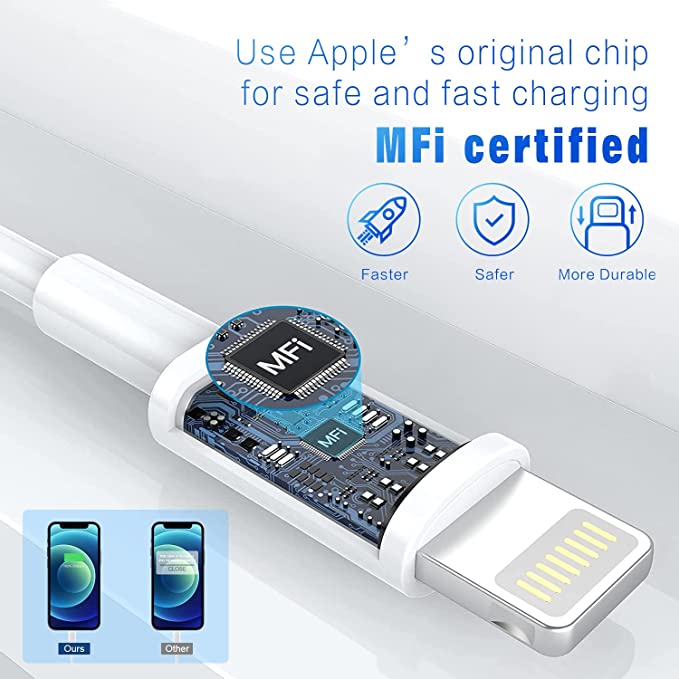
- E-marker chip (for high-power cables)
The internal structure determines:
Charging speed
Data speed
Heat generation
Durability
Signal stability
A low-cost cable may look identical externally but use thinner wires and lower-quality materials internally.
What Wires Are Inside a USB-C Cable?
A standard USB-C connector contains up to 24 pins.
The cable may include:
VBUS power lines
Ground lines
USB 2.0 data lines (D+ and D-)
SuperSpeed TX/RX lines
Configuration Channel (CC) lines
Sideband Use (SBU) lines
For example:
A USB-C cable supporting USB 3.2 or USB4 requires additional high-speed signal pairs compared with a basic charging cable.
What Is the Difference Between USB-C Charging Cables and Data Cables?
Do All USB-C Cables Support Fast Charging and Data Transfer?
No. A common misunderstanding is that every USB-C cable has the same capability.
USB-C cables can be divided into different categories:
| USB-C Cable Type | Charging Capability | Data Speed | Typical Use |
|---|---|---|---|
| USB-C Charging Cable | Up to 60W | USB 2.0 (480Mbps) | Phones, tablets |
| USB-C PD Cable with E-Marker | Up to 100W | USB 2.0/USB 3.x | Laptops, fast charging |
| USB-C 3.2 Cable | Up to 100W | Up to 20Gbps | SSDs, monitors |
| USB4 Cable | Up to 240W | Up to 40Gbps | High-performance devices |
When purchasing USB-C cables in bulk, buyers should clearly define:
Charging power requirement
Data transfer speed
Connector specification
Cable length
Device compatibility
How Does USB-C Power Delivery (PD) Work?
What Is USB PD 3.0 in USB-C Cables?
USB Power Delivery (USB PD) is a charging protocol that allows USB-C cables and chargers to negotiate higher power levels safely.
USB PD 3.0 supports:
Higher charging power
Intelligent power negotiation
Better device protection
Multiple voltage levels
Common USB PD profiles include:
| PD Version | Maximum Power | Typical Application |
|---|---|---|
| USB PD 2.0 | 100W | Laptops and tablets |
| USB PD 3.0 | 100W | Fast charging devices |
| USB PD 3.1 EPR | 240W | High-performance laptops |
A USB-C cable designed for 100W charging normally requires an E-marker chip.
The E-marker provides information about:
Maximum current capability
Cable performance
Power rating
USB-C specification compliance
Without an E-marker chip, many USB-C cables are limited to 3A current.
What Wire Gauge Should a High-Quality USB-C Cable Use?
Why Does AWG Wire Size Matter?
The internal copper wire size directly affects charging performance.
AWG (American Wire Gauge) is used to measure conductor thickness.
A smaller AWG number means a thicker conductor.
Common USB-C cable wire specifications:
| Cable Application | Recommended AWG | Current Capability |
|---|---|---|
| Basic charging cable | 28AWG | Around 1.5A–2A |
| Standard fast charging cable | 26AWG | Around 2A–3A |
| USB-C PD 60W cable | 24AWG–26AWG | Up to 3A |
| USB-C PD 100W cable | 22AWG–24AWG | Up to 5A |
| High-power USB-C cable | 20AWG–22AWG | Higher current applications |
Using thinner conductors can cause:
Voltage drop
Heat generation
Slow charging
Reduced cable lifespan
For premium USB-C cables, manufacturers usually use:
Pure copper conductors
Multi-layer shielding
Reinforced connectors
How Do Manufacturers Produce Reliable USB-C Cables?
What Quality Standards Should a USB-C Cable Factory Follow?
A professional USB-C cable manufacturer should have a structured quality management system.
Common factory certifications include:
ISO9001 Quality Management System
ISO9001 helps manufacturers control:
Raw material inspection
Production procedures
Quality records
Customer complaint handling
A reliable factory should maintain:
IQC (Incoming Quality Control)
IPQC (In-Process Quality Control)
OQC (Outgoing Quality Control)
What Soldering Process Is Used for USB-C Cable Production?
Most professional electronics manufacturers use lead-free solder processes.
A common lead-free solder material is SAC305 solder.
SAC305 composition:
Tin (Sn): 96.5%
Silver (Ag): 3.0%
Copper (Cu): 0.5%
Advantages:
RoHS compliant
Good mechanical strength
Stable electrical performance
Because lead-free solder requires higher temperatures, factories need accurate temperature control during assembly.
Typical soldering temperatures:
Melting point: approximately 217°C
Process temperature: around 240–260°C
Poor solder control may cause:
Weak connector joints
Signal failures
Increased resistance
Quality Inspector’s Advice:
“A reliable USB-C cable should not only pass electrical testing. Always check the wire gauge, copper material, solder process, connector strength, and production records. A good appearance does not always mean good internal quality.”
What Certifications Should a USB-C Cable Manufacturer Provide?
Are UL and RoHS Certifications Important for USB-C Cables?
Yes. For international markets, compliance documents are important.
Common certifications and standards include:
| Certification / Standard | Purpose |
|---|---|
| RoHS | Restricts hazardous substances including lead |
| REACH | Controls chemical substances in products |
| UL Certification | Improves safety acceptance in North America |
| ISO9001 | Factory quality management system |
| USB-IF Compliance | Confirms USB specification testing |
For B2B buyers, certification verification should include:
Certificate validity
Factory name matching
Product coverage
Testing organization information
How Are USB-C Cables Tested Before Shipping?
What Tests Should a USB-C Cable Manufacturer Perform?
Professional manufacturers normally perform:
Electrical Tests
Continuity test
Resistance test
Short circuit test
High voltage test
Insulation resistance test
Charging Tests
For PD cables:
PD 3.0 negotiation test
Voltage/current measurement
E-marker verification
Mechanical Tests
Including:
Connector pull test
Bending test
Plug insertion test
Cable tensile test
Premium USB-C cables may be tested for:
5,000–10,000 bending cycles
Thousands of connector insertions
How Should Businesses Choose a USB-C Cable Supplier?
What Questions Should Buyers Ask Before Ordering USB-C Cables?
Before choosing a manufacturer, ask:
Product Capability
Can you manufacture USB-C PD 100W cables?
Do you support USB4 cables?
Can you customize length, color, packaging, and logo?
Manufacturing Capability
Do you have ISO9001 certification?
What testing equipment do you use?
Do you control raw materials?
Quality Control
Can you provide RoHS reports?
Do you test every production batch?
How do you manage defective products?
What Are the Advantages of Working Directly With a USB-C Cable Manufacturer?
| Direct Manufacturer | Trading Supplier |
|---|---|
| Better cost control | Higher purchasing cost |
| Direct engineering support | Limited technical support |
| Custom product development | Fewer customization options |
| Better production visibility | Less manufacturing transparency |
| Faster problem solving | More communication steps |
For companies purchasing thousands or millions of USB-C cables, direct factory cooperation usually provides better long-term value.
Conclusion: Understanding USB-C Cables Before Buying
A USB-C cable is more than a simple charging cable. Its performance depends on internal materials, wire gauge, connector quality, USB protocol support, manufacturing processes, and testing standards.
For B2B buyers, the most important factors are:
Correct USB-C specification
Proper AWG wire selection
USB PD 3.0 capability
E-marker support for high power
RoHS compliance
ISO9001 manufacturing control
Reliable testing procedures
Choosing the right USB-C cable supplier helps reduce quality risks and ensures stable performance for customers.
FAQ About USB-C Cables
1. Are all USB-C cables the same?
No. USB-C cables may have different charging power, data speeds, internal structures, and certifications. Some support only basic charging, while others support 240W power delivery and high-speed data transfer.
2. Can a USB-C cable charge a laptop?
Yes. USB-C cables with USB PD support can charge many laptops. For high-power laptops, a cable with an E-marker chip and 5A current support may be required.
3. What is the best USB-C cable for fast charging?
A good fast-charging USB-C cable should use quality copper conductors, appropriate AWG wire size, USB PD support, and proper certification such as RoHS compliance.
4. How long does a quality USB-C cable last?
A high-quality USB-C cable can last several years depending on usage conditions. Cable lifespan depends on materials, connector design, bending resistance, and manufacturing quality.
USB cable.
Picture this: You’re sitting at your desk, engrossed in a project
Where Can I Buy a High-Quality Pd Fast Charging Cable?
FAQ
1 cable
USB-C cables certainly.
Share This Artcle:


Fast delivery
Fastest delivery within 22 days

Quick proofing
Fastest 3-day proofing cycle

After-sale protection
24-month long warranty

1V1Customer Service
Professional customer service follow-up
Lorem ipsum dolor sit amet, consectetur adipiscing elit. Ut elit tellus, luctus nec ullamcorper mattis, pulvinar dapibus leo.