
USB-C to USB-C vs. USB-A to USB-C: Which Cable Should You Choose?
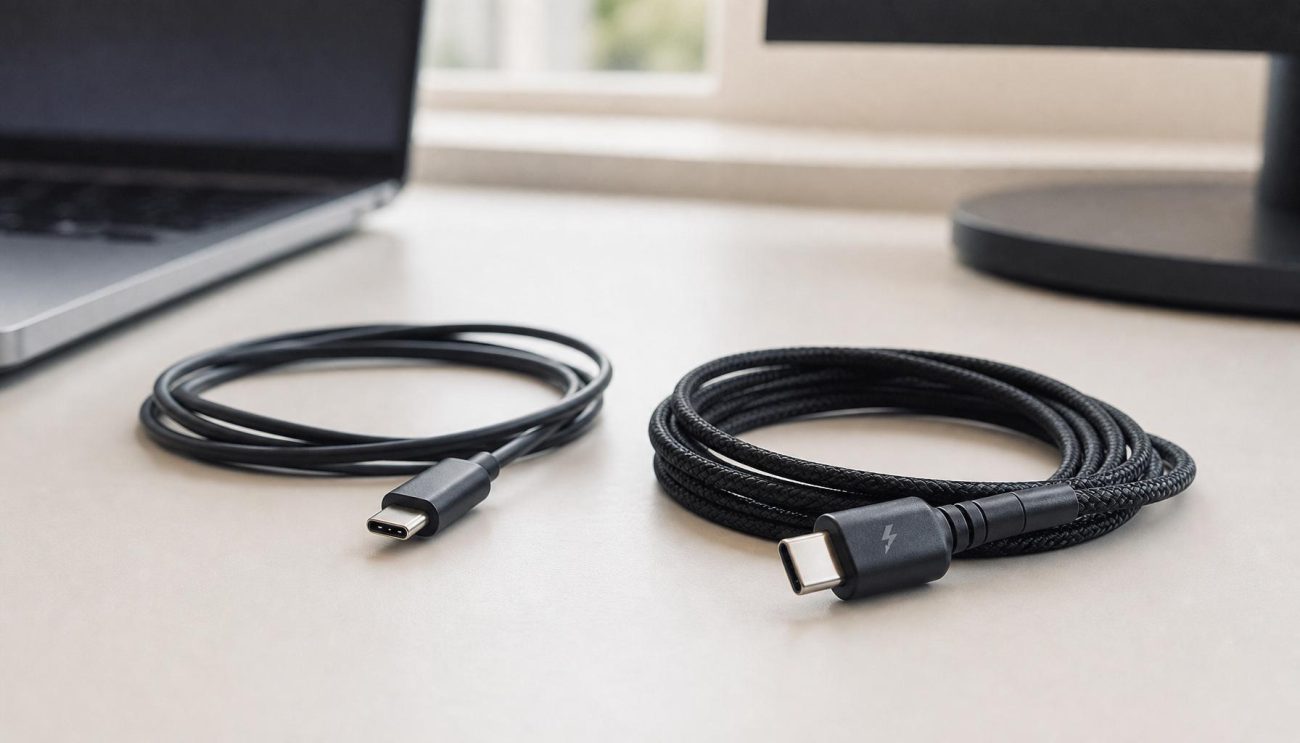
USB-C to USB-C cables are the better choice for modern devices that need USB Power Delivery (PD), higher charging power, or newer USB features. USB-A to USB-C cables are still useful for older chargers, computers, and devices with USB-A ports.
Both cable types connect to USB-C devices, but they are designed for different charging environments. For wholesalers, distributors, and private-label brands, understanding these differences helps you select the right products for your target market.
1. What Is the Difference Between USB-C to USB-C and USB-A to USB-C?
The main difference is the connector at the power-source end.
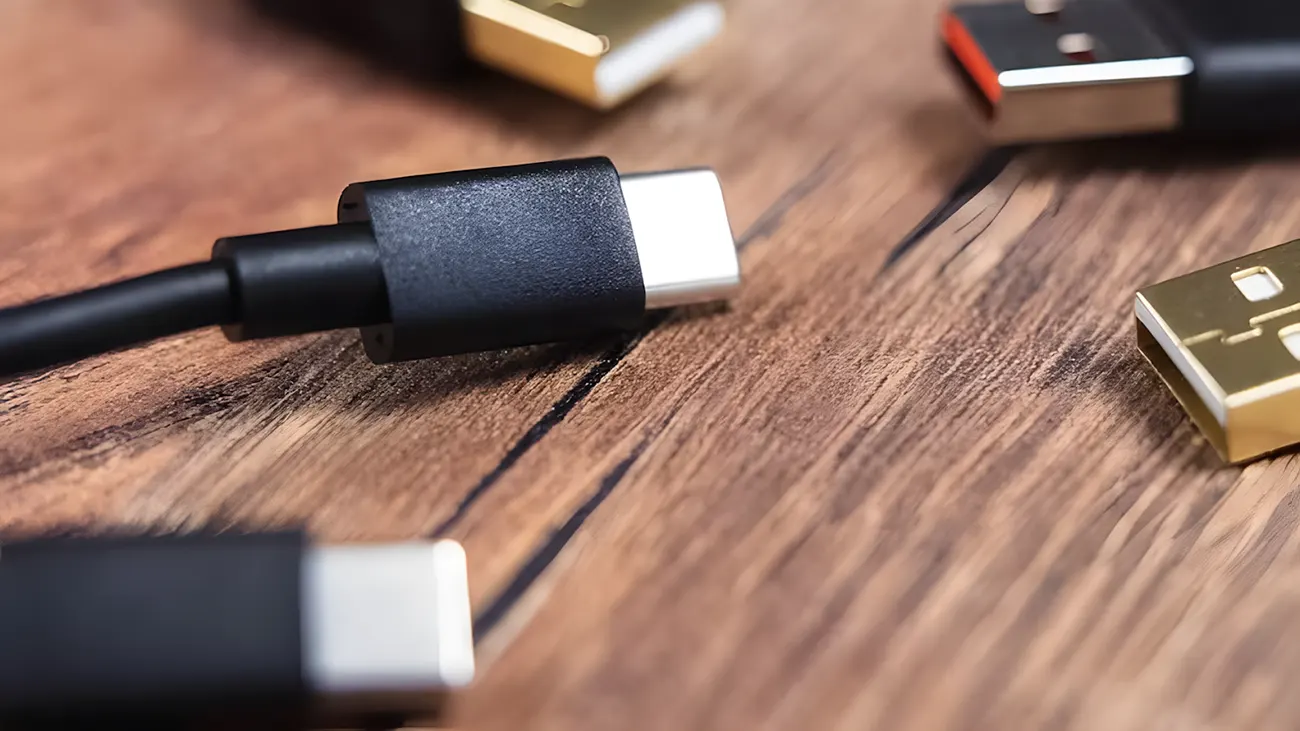
USB-C to USB-C cable: Has a USB-C connector at both ends. It is commonly used with modern USB-C wall chargers, laptops, tablets, and power banks.
USB-A to USB-C cable: Has a traditional rectangular USB-A connector at one end and a USB-C connector at the other. It is used with older USB-A chargers, computers, and power banks.
<AsyncImage query=”realistic product photography USB C to USB C cable and USB A to USB C cable side by side on clean neutral tabletop, clearly visible connector ends, natural studio lighting, commercial electronics product photo, no text no logos” aspectRatio=”16:9″ width=”100%” />
A USB-C connector is reversible, which means users can plug it in either way. USB-A connectors are not reversible.
However, connector shape alone does not tell you the cable’s charging power or data-transfer speed. Those capabilities depend on the cable design, internal wiring, electronic components, and connected devices.
2. USB-C to USB-C vs. USB-A to USB-C: Key Differences
| Feature | USB-C to USB-C | USB-A to USB-C |
|---|---|---|
| Connector ends | USB-C on both ends | USB-A on one end, USB-C on the other |
| Reversible connection | Both ends | USB-C end only |
| USB Power Delivery | Supports standard USB PD when the charger, device, and cable support it | Does not support standard USB PD negotiation |
| Charging power | Can support up to 240W with a suitable EPR system and cable | Depends on the USB-A charger and charging protocol |
| Data transfer | USB 2.0, USB 3.x, or USB4 depending on the cable | USB 2.0 or supported USB 3.x implementations |
| Common applications | Modern phones, tablets, laptops, power banks | Older chargers, PCs, car chargers, and legacy power banks |
| Typical market position | Modern and higher-performance applications | Broad compatibility with existing USB-A equipment |
Important: A USB-C to USB-C cable does not automatically support 100W, 240W, USB 3.2, or USB4. Buyers should check the actual power and data specifications before purchasing.
3. Which Cable Supports Faster Charging?
In general, USB-C to USB-C is the better option for high-power charging because it can use the USB Power Delivery protocol.
USB-C to USB-C: Better for USB Power Delivery
USB Power Delivery (USB PD) allows compatible chargers and devices to negotiate suitable voltage and current levels through the USB-C connection.
Depending on the complete charging system, USB-C to USB-C cables can support different power levels:
60W: Common for phones, tablets, and many lightweight laptops.
100W: A widely used commercial power rating for compatible USB-C charging products.
240W: Supported by USB PD 3.1 Extended Power Range (EPR) systems using compatible chargers, devices, and cables.
For cables designed for more than 3A, the appropriate electronic marking (E-Marker) is required. A 240W cable also needs to meet the relevant EPR requirements.
USB-A to USB-C: Suitable for Traditional Charging
USB-A to USB-C cables are commonly used with 5V USB-A chargers. Their actual charging performance depends on the charger’s output, cable construction, device compatibility, and supported charging protocol.
Some USB-A chargers support proprietary fast-charging technologies. However, this should not be confused with standard USB Power Delivery negotiation over a USB-C to USB-C connection.
For buyers, the practical difference is simple: choose USB-C to USB-C when standard USB PD and higher power are required. Choose USB-A to USB-C when the target customer still uses USB-A chargers.
4. Which Cable Provides Faster Data Transfer?
The connector type does not determine the data-transfer speed by itself.
A USB-C to USB-C cable may support only USB 2.0 data, while another USB-C to USB-C cable may support a much faster USB 3.x or USB4 connection.
USB-A to USB-C cables can also support different data rates, depending on the USB-A connector implementation and cable design.
| Cable configuration | Possible data capability | Typical use |
|---|---|---|
| USB-C to USB-C USB 2.0 | Up to 480 Mbps | Charging and basic file transfer |
| USB-C to USB-C USB 3.2 | Depends on the supported generation; up to 20 Gbps for USB 3.2 Gen 2×2 | External SSDs and high-speed peripherals |
| USB-C to USB-C USB4 | Up to 40 Gbps or higher for supported USB4 versions | High-performance computers and storage |
| USB-A to USB-C USB 2.0 | Up to 480 Mbps | Phones, accessories, and basic data transfer |
| USB-A to USB-C USB 3.x | Depends on the supported USB 3.x generation | Compatible computers and external devices |
These figures are signaling rates, not guaranteed real-world file-transfer speeds. Actual performance also depends on the host, device, protocol, and cable.
If your customers mainly use cables for charging smartphones, a USB 2.0 data specification may be sufficient. If they need external SSD connectivity or high-speed data transfer, you should specify and validate the required data standard.
5. Which Cable Should You Choose for Different Devices?
The right cable depends on the ports available on the charger and the device.
| Device or application | Recommended cable | Reason |
|---|---|---|
| New USB-C wall charger to USB-C phone | USB-C to USB-C | Supports USB PD when compatible |
| USB-C laptop charger to laptop | USB-C to USB-C | Suitable for higher-power charging |
| USB-A wall charger to USB-C phone | USB-A to USB-C | Matches the charger’s port |
| Older desktop or laptop USB-A port to phone | USB-A to USB-C | Compatible with legacy USB-A ports |
| USB-C power bank to USB-C phone | USB-C to USB-C | Supports compatible USB-C charging features |
| Older USB-A power bank to USB-C phone | USB-A to USB-C | Matches the power bank output |
| External SSD requiring high-speed data | A cable with the required USB data specification | Connector shape alone does not guarantee speed |
When Should You Choose USB-C to USB-C?
Choose USB-C to USB-C if your customers:
Use modern USB-C wall chargers.
Need USB PD fast charging.
Charge laptops, tablets, and high-power devices.
Want a cable for newer USB-C power banks.
Require higher data-transfer performance.
For B2B buyers, USB-C to USB-C is an important product category for modern charging accessories and laptop-related markets.
When Should You Choose USB-A to USB-C?
Choose USB-A to USB-C if your customers:
Still use USB-A wall chargers.
Need cables for older computers and car chargers.
Sell accessories in markets where USB-A chargers remain common.
Want an affordable replacement cable for existing devices.
Need to support customers who have not upgraded their charging equipment.
USB-A to USB-C remains a practical product for wholesale and retail channels because many customers still own USB-A charging accessories.
6. What Should Importers Check Before Buying in Bulk?
For wholesalers, distributors, and private-label brands, choosing the connector type is only the first step. You should also confirm the cable’s electrical performance, construction, and quality-control requirements.
1. Confirm the Charging Power
Do not rely on descriptions such as “fast charging” or “high power.”
Ask the supplier to specify:
Rated voltage and current.
Maximum supported power.
Whether USB PD is supported.
Whether an E-Marker is included when required.
Whether the cable has passed relevant power and temperature tests.
For example, a USB-C to USB-C cable rated at 60W is not equivalent to a cable designed for a 240W EPR system.
2. Check Wire Gauge and Cable Resistance
The conductor’s wire gauge affects electrical resistance and voltage drop.
For many charging cable designs, 24 AWG or 26 AWG power conductors may be selected depending on the required current, cable length, and construction.
A lower AWG number generally indicates a thicker conductor. However, wire gauge alone cannot prove that a cable meets its rated power. Resistance and temperature should also be tested.
3. Inspect Connector Quality
Check the following details:
Connector shell material and finish.
Plug insertion and retention performance.
Contact alignment and plating.
Housing strength.
Strain relief at both cable ends.
Consistency between production batches.
Poor connector assembly can lead to loose connections, intermittent charging, or early product failure.
4. Verify Data Performance
If the cable is advertised for data transfer, confirm its actual USB specification.
A charging-focused USB-C cable may support only USB 2.0 data. Do not advertise USB 3.2 or USB4 performance unless the cable is designed and tested for that capability.
5. Request Relevant Test Reports
Depending on the product specification and destination market, ask for applicable documents and test records.
These may include:
Electrical performance and resistance test results.
Charging and temperature test reports.
Data-transfer and signal-integrity test results, where applicable.
USB-IF certification information for the specific certified model, if claimed.
Applicable RoHS and REACH documentation.
ISO 9001 relates to a company’s quality management system. It is not, by itself, proof that an individual cable model has passed USB compliance testing.
7. Can a USB-C to USB-C Cable Replace a USB-A to USB-C Cable?
Not in every situation.
A USB-C to USB-C cable needs a USB-C port at both ends. If a customer’s charger has only a USB-A port, the cable cannot connect directly.
Likewise, a USB-A to USB-C cable cannot connect directly to a USB-C-only charger.
For this reason, both cable types can have a place in a product portfolio. A distributor serving both modern-device users and customers with older charging equipment may benefit from stocking both.
A practical B2B product strategy:
Stock USB-C to USB-C cables in different power ratings, such as 60W and 240W, where market demand supports them.
Offer USB-A to USB-C cables for traditional chargers and replacement-cable demand.
Separate charging-focused models from high-speed data models.
Provide clear packaging labels showing connector type, power rating, and data capability.
This helps reduce customer confusion and makes product selection easier.
8. Quality Control Checklist for USB-C Cable Buyers
Before approving a bulk order, use the following checklist:
| Inspection item | What to verify |
|---|---|
| Connector type | Correct USB-C to USB-C or USB-A to USB-C configuration |
| Power rating | Rated voltage, current, and wattage |
| E-Marker | Correct implementation for cable specifications that require it |
| Wire gauge | Matches the approved product specification |
| Electrical resistance | Within the agreed engineering limits |
| Temperature rise | Acceptable under the specified load and test conditions |
| Connector durability | Stable connection after insertion and removal tests |
| Flexibility | No abnormal damage after bending tests |
| Data performance | Meets the advertised USB data specification |
| Appearance | No scratches, deformation, loose parts, or inconsistent assembly |
| Packaging | Correct product description and technical labeling |
QC Inspector’s Note: Never approve a USB-C cable based on connector appearance or charging claims alone. Test the actual production sample under the specified voltage, current, and data conditions. The cable must perform consistently, not just pass a quick charging demonstration.
9. Frequently Asked Questions
Q1: Is USB-C to USB-C better than USB-A to USB-C?
For modern devices and USB PD fast charging, USB-C to USB-C is generally the better choice. USB-A to USB-C is still useful for older chargers, computers, and power banks with USB-A ports.
Q2: Can a USB-A to USB-C cable support fast charging?
Yes, it can support charging methods available from compatible USB-A chargers, including some proprietary fast-charging protocols. However, it does not provide standard USB Power Delivery negotiation in the same way as a USB-C to USB-C connection.
Q3: Does every USB-C to USB-C cable support 100W or 240W charging?
No. USB-C describes the connector type, not the cable’s power rating. Buyers should verify the rated current, power capability, E-Marker requirements, and compatibility with the charger and device.
Q4: Which cable should wholesalers stock?
Wholesalers should consider stocking both types. USB-C to USB-C serves modern charging and higher-power applications, while USB-A to USB-C supports customers who still use traditional USB-A chargers. The right product mix depends on the target market and customer demand.
Conclusion
USB-C to USB-C and USB-A to USB-C cables serve different customer needs. USB-C to USB-C is the stronger choice for modern USB PD charging and compatible high-performance applications. USB-A to USB-C remains relevant for traditional chargers and legacy equipment.
For importers and wholesalers, the best purchasing decision is not simply to choose the newer connector. It is to match the cable’s power rating, data capability, construction, and quality-control requirements to the devices your customers actually use.
Looking for a USB-C cable manufacturer for wholesale or OEM/ODM projects? APPHONECABLE can support product customization, cable specifications, connector options, and private-label requirements. Contact our team to discuss your project.
USB cable.
Picture this: You’re sitting at your desk, engrossed in a project
Where Can I Buy a High-Quality Pd Fast Charging Cable?
FAQ
1 cable
USB-C cables certainly.
Share This Artcle:

Fast delivery
Fastest delivery within 22 days

Quick proofing
Fastest 3-day proofing cycle

After-sale protection
24-month long warranty

1V1Customer Service
Professional customer service follow-up
Lorem ipsum dolor sit amet, consectetur adipiscing elit. Ut elit tellus, luctus nec ullamcorper mattis, pulvinar dapibus leo.