
What USB Cable Can Do USB-C to USB-C Video?
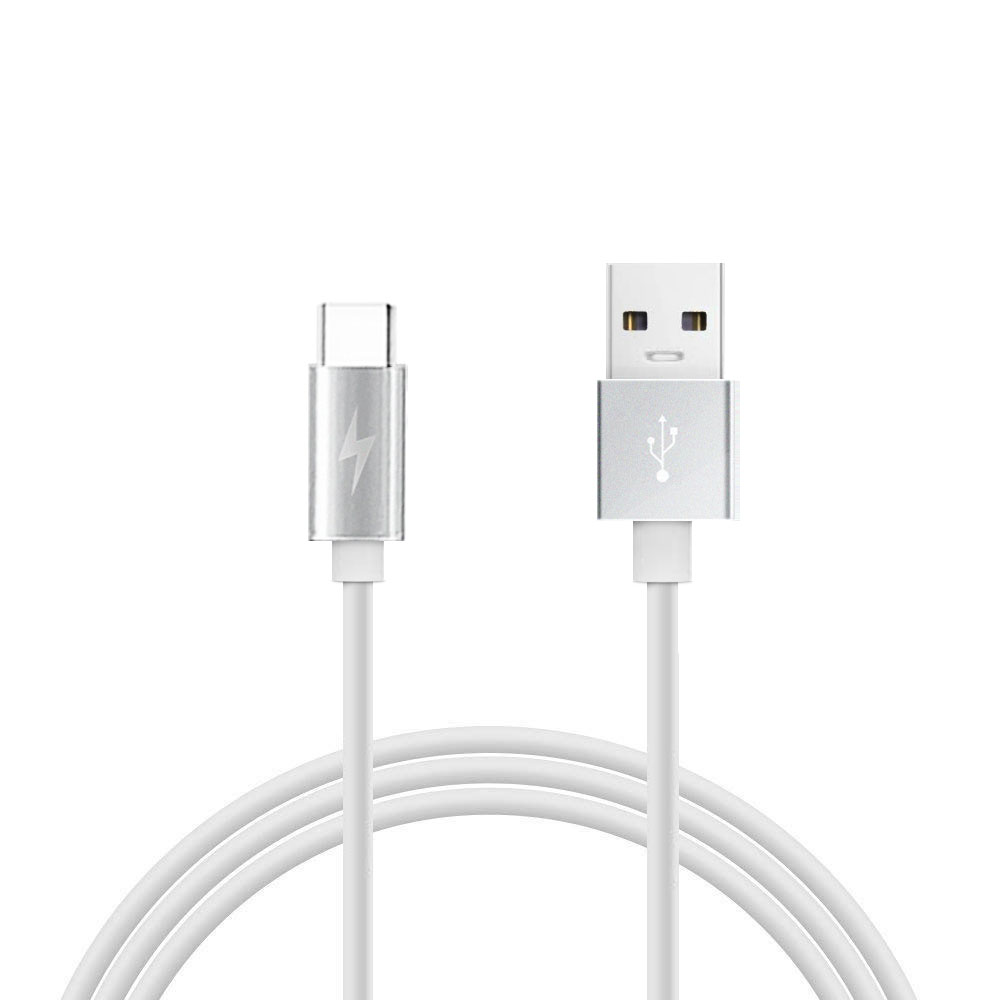
A full-featured USB-C to USB-C cable that supports DisplayPort Alt Mode, USB4, or compatible Thunderbolt functionality can carry video, but a basic USB 2.0 USB-C cable cannot transmit video through its USB-C connectors.
What USB-C to USB-C cable supports video?
The most important point for B2B buyers is that USB-C describes the connector, not the cable’s complete performance.
Two USB-C to USB-C cables may look almost identical but have completely different internal structures and capabilities.
A basic USB 2.0 Type-C cable can support charging and USB 2.0 data transfer up to 480 Mbps, but it does not support USB 3.2, USB4, or Alt Mode, so it cannot be used as a native USB-C video cable. (USB-IF)
For video applications, buyers should normally specify one of the following:
USB-C to USB-C full-featured cable with DisplayPort Alt Mode support
USB-C 3.2 Gen 1/Gen 2 cable with appropriate high-speed wiring
USB4 cable
Thunderbolt-compatible USB-C cable, where the host and display support the required Thunderbolt functionality
USB-IF documentation confirms that a full-featured USB-C to USB-C cable can carry DisplayPort lanes, while USB-C can also combine DisplayPort with USB data and USB Power Delivery. (USB-IF)
How does USB-C to USB-C video transmission actually work?
USB-C video output usually works through DisplayPort Alternate Mode (DP Alt Mode) rather than treating the video signal as ordinary USB data.
A compatible laptop, tablet, phone, dock, or other host detects the display connection and configures the USB-C interface for DisplayPort transmission.
A full-featured USB-C cable contains the high-speed conductors required for these signals.
Depending on the implementation, the cable can carry:
DisplayPort video
USB data
USB Power Delivery
Multiple functions simultaneously
For example, DisplayPort Alt Mode can use up to four DisplayPort lanes over a full-featured USB-C cable. It can also operate together with USB 3.2 data in supported configurations. (USB-IF)
This is why a USB-C cable can sometimes connect a laptop to a monitor while simultaneously supporting other functions through a compatible dock or display.
Can every USB-C to USB-C cable transmit video?
No.
This is one of the most important specifications for manufacturers, distributors, and importers to understand.
The USB Type-C connector itself does not guarantee video support. USB-IF specifically notes that USB Type-C, USB 3.2, USB4, and USB Power Delivery are different technologies and should not be treated as interchangeable terms. (USB-IF)
What is the difference between USB-C cable types?
| USB-C cable type | Typical data capability | Native USB-C video support | Typical application |
|---|---|---|---|
| USB 2.0 Type-C to C | Up to 480 Mbps | No | Charging, basic data |
| USB 3.2 Gen 1 | Up to 5 Gbps | Depends on host/device implementation | Data + compatible display applications |
| USB 3.2 Gen 2 | Up to 10 Gbps | Depends on DP Alt Mode support | Laptop, monitor, docking |
| USB 3.2 Gen 2×2 | Up to 20 Gbps | Depends on implementation | High-speed data systems |
| USB4 | Up to 40 Gbps / higher in newer USB4 implementations | Yes, where display tunneling/Alt Mode is supported | High-end laptops, docks, monitors |
| Thunderbolt-compatible USB-C | Up to the supported Thunderbolt generation | Yes, with compatible equipment | Professional displays, docks, workstations |
Important: Cable capability alone does not determine the final video performance. The USB-C port on the source device and the display or adapter must also support the required video function.
USB4 is designed to support multiple protocols, including display traffic, and USB-IF describes USB4 as capable of dynamically sharing bandwidth between data and display protocols. (USB-IF)
How can buyers tell if a USB-C cable supports video?
The safest approach is to check the actual cable specification, rather than judging by the connector appearance.
For B2B sourcing, ask the supplier for these specifications:
Does the cable support DisplayPort Alt Mode?
Look for explicit wording such as:
Supports DisplayPort Alt Mode
or:
USB-C to USB-C Full-Featured Cable
Do not accept only:
USB-C charging cable
A charging cable may have USB-C connectors while lacking the high-speed conductors required for video.
What USB data rate does the cable support?
Ask whether the cable is:
USB 2.0
USB 3.2 Gen 1
USB 3.2 Gen 2
USB 3.2 Gen 2×2
USB4
The USB-IF certification program distinguishes cables according to their intended capabilities and states that cables do not all have the same capabilities. (USB-IF)
Does the cable support 4K or 8K video?
Avoid simply putting “8K USB-C cable” on a product specification sheet without defining the conditions.
The achievable resolution depends on:
DisplayPort version
Number of DP lanes
Display refresh rate
Color depth
Compression
Host GPU
Monitor input
Cable signal integrity
Cable length
For B2B products, it is better to specify a tested configuration such as:
4K @ 60Hz, DP Alt Mode, USB 3.x data
rather than using a broad marketing statement.
Can a USB-C 2.0 cable carry video?
Generally, a USB 2.0 Type-C to Type-C cable does not provide native DisplayPort Alt Mode video.
USB-IF’s product guidance specifically states that a USB 2.0 Type-C to Type-C cable supports USB 2.0 operation and USB Power Delivery, but does not support USB 3.2, USB4, or Alt Mode capabilities. (USB-IF)
This creates an important distinction for cable buyers:
USB-C connector ≠ USB 3.2 ≠ USB4 ≠ video support.
The connector shape is only one part of the specification.
Can a USB-C to USB-C cable connect a laptop to a monitor?
Yes, if both the laptop and monitor support a compatible USB-C video mode and the cable has the required high-speed capabilities.
A common application is:
Laptop USB-C → USB-C cable → USB-C monitor
The USB-C connection can potentially carry:
DisplayPort video
USB data
USB Power Delivery
For example, a USB-C monitor may provide power to the laptop while receiving video through the same cable.
This is one reason full-featured USB-C cables are increasingly used in laptop docking and desktop setups.
However, the cable is only one part of the complete system.
If the laptop USB-C port supports charging and USB data but does not support DisplayPort Alt Mode or compatible display tunneling, changing to a more expensive cable will not create video output.
Can USB-C to USB-C support 4K video?
Yes, but 4K support is not guaranteed simply because both ends are USB-C.
A properly designed USB-C video cable can support 4K video when the host, cable, and display provide a compatible DisplayPort or USB4 configuration.
For B2B buyers, the specification should identify at least:
Maximum resolution
Maximum refresh rate
DisplayPort version or supported mode
USB data speed
Cable length
Passive or active construction
Power rating
E-Marker requirements
Test and compliance information
For example:
USB-C to USB-C Cable
Video: DisplayPort Alt Mode
Video: Up to 4K @ 60Hz
Data: USB 3.2 Gen 2, 10 Gbps
Power: 100W PD
Conductor: 24 AWG power conductors
Shielding: Individual pair + overall shielding
Connector: Full-featured USB-C
E-Marker: Yes, where required by the rated power/cable configuration
The exact specification must still be validated against the target devices.
Can USB4 USB-C cables carry video?
Yes.
USB4 is designed to support multiple protocols and display traffic over USB-C. USB-IF states that USB4 can dynamically share the available link between data and display protocols. (USB-IF)
The current USB-IF documentation also describes USB4 implementations supporting up to 80 Gbps operation over 80 Gbps certified cables, depending on the applicable USB4 version and product implementation. (USB-IF)
For a premium B2B cable, USB4 therefore provides a much broader performance platform than a basic USB 2.0 Type-C cable.
However, “USB4 cable” should not automatically be interpreted as “every USB4 cable supports every possible display configuration.”
The source and display devices still determine the actual operating mode.
Does cable length affect USB-C video performance?
Yes.
As cable length increases, maintaining high-speed signal integrity becomes more difficult.
This is particularly important for:
10 Gbps USB 3.2
20 Gbps USB 3.2
USB4
High-resolution DisplayPort signals
A longer passive cable generally requires more careful control of:
Conductor impedance
Pair skew
Insertion loss
Return loss
Crosstalk
Shielding
Connector performance
For example, two USB-C cables can use the same connector but have very different high-frequency performance because of differences in conductor construction, dielectric material, shielding, connector assembly, and manufacturing tolerances.
For B2B orders, the required length should therefore be specified before engineering validation, not added after the design is completed.
What cable construction is needed for USB-C video?
A video-capable USB-C cable normally requires a full-featured high-speed architecture rather than a simple USB 2.0 configuration.
Important construction factors include:
What conductor design should be used?
High-speed differential pairs require controlled electrical characteristics.
The manufacturer should control:
Conductor size
Pair geometry
Insulation thickness
Twist rate
Pair-to-pair relationship
Impedance
Resistance
Length matching
For power conductors, lower AWG numbers generally indicate larger conductors and lower resistance.
For example:
24 AWG power conductor → lower resistance than 28 AWG
under comparable conductor materials and construction.
However, AWG alone should not be used to claim a cable’s complete electrical performance.
What shielding does a USB-C video cable need?
High-speed cables commonly use combinations of:
Aluminum foil shielding
Drain wire
Tinned copper braid
Individual pair shielding
Overall shielding
Shielding helps reduce electromagnetic interference and crosstalk.
This becomes increasingly important as signal frequencies and data rates increase.
Why does impedance matter?
High-speed USB and DisplayPort signaling depends on controlled transmission-line characteristics.
If impedance is poorly controlled, reflections can increase and the eye diagram can degrade.
A production cable therefore needs more than a continuity test.
A professional cable manufacturer should perform electrical and signal-integrity validation appropriate to the claimed performance.
Callout Box — Quality Inspector’s Advice
“Never approve a USB-C video cable based only on the connector appearance or a charging test. Verify the cable’s high-speed wiring, impedance, signal integrity, DisplayPort Alt Mode behavior, and the exact source/display combination. A cable can charge perfectly and still fail video.”
What tests should a USB-C video cable manufacturer perform?
For B2B private-label or OEM production, buyers should ask for a test plan that matches the product’s claimed capabilities.
Typical quality-control items include:
What electrical tests are important?
Depending on the product specification:
DC resistance
Contact resistance
Insulation resistance
Hi-Pot
Continuity
Shield continuity
Voltage drop
Current-carrying capability
What high-speed tests are important?
For high-speed cables, manufacturers may need to evaluate:
Insertion loss
Return loss
Crosstalk
Differential impedance
Eye diagram
Bit error performance
Signal integrity
USB compliance
DisplayPort interoperability
USB-IF’s cable compliance program includes USB Type-C cable testing and signal-integrity requirements, and identifies approved Vector Network Analyzer vendors including Keysight and Rohde & Schwarz. (USB-IF)
This is especially relevant when sourcing 10 Gbps, 20 Gbps, USB4, or video-capable USB-C cables.
Should a B2B buyer require USB-IF certification?
It depends on the target market and product positioning.
USB-IF certification is not simply another way of saying that a cable has a USB-C connector.
USB-IF operates a compliance program covering USB Type-C cables and different capability classes. Its current guidance also specifies power and data-rate marking requirements for compliant USB-C-to-USB-C cables. (USB-IF)
For B2B sourcing, buyers should distinguish between:
“Manufacturer tested”
and
“USB-IF compliant/certified product.”
If a customer requires USB-IF certification, the manufacturer should provide the appropriate certification information rather than using general statements such as “USB certified.”
What should you specify when ordering USB-C video cables from a factory?
A professional RFQ should contain more than:
USB-C to USB-C cable, 100W, 4K.
A better B2B specification includes:
| Parameter | Example requirement |
|---|---|
| Cable type | USB-C to USB-C full-featured |
| Video | DisplayPort Alt Mode |
| Resolution | Up to 4K @ 60Hz |
| USB data | USB 3.2 Gen 2 / 10 Gbps |
| Power | 100W PD |
| E-Marker | Required if applicable to rated power |
| Length | 1 m / 1.5 m / 2 m |
| Conductor | Tinned copper |
| Power wire | 24 AWG |
| Shielding | Foil + braid |
| Jacket | TPE / PVC / Nylon braided |
| Connector | USB-C full-featured |
| Compliance | RoHS / REACH |
| Quality system | ISO 9001 |
| Testing | Electrical + high-speed validation |
| Packaging | OEM/private label |
This type of specification reduces misunderstandings between the buyer, engineering team, and factory.
What are the most common reasons a USB-C to USB-C video cable does not work?
Is the cable only USB 2.0?
This is one of the first things to check.
A USB 2.0 Type-C cable may charge and transfer basic data but does not provide USB-C DisplayPort Alt Mode capability. (USB-IF)
Does the laptop USB-C port support video?
Not every USB-C port provides display output.
Check the manufacturer’s specification for:
DisplayPort Alt Mode
USB4
Thunderbolt
Display output
USB-C display support
Does the monitor support USB-C video input?
A monitor can have a USB-C connector without necessarily accepting DisplayPort video.
Is the cable long or poorly constructed?
High-speed signal loss can become a problem with longer cables or poor-quality construction.
Is the required video mode compatible?
A cable may support a certain bandwidth while the complete system requires a different resolution, refresh rate, color depth, or DisplayPort configuration.
How should a B2B buyer choose between USB 2.0, USB 3.2 and USB4 USB-C cables?
The answer depends on the product application.
When is USB 2.0 enough?
Choose USB 2.0 when the main requirements are:
Charging
Basic synchronization
Low-cost consumer products
Keyboard/mouse peripherals
Simple USB devices
It is generally unsuitable when native USB-C video is part of the product specification.
When should you choose USB 3.2?
USB 3.2 is appropriate when customers need:
Faster data transfer
External storage
USB-C docking
Some video-capable applications
A balance between cost and performance
When is USB4 appropriate?
USB4 is more suitable for premium products requiring:
High-speed data
Advanced docking
Multiple protocols
High-performance external storage
Modern laptop connectivity
High-bandwidth display applications
USB-IF describes USB4 as an architecture capable of carrying multiple data and display protocols over USB-C. (USB-IF)
What should a USB-C cable manufacturer provide for OEM buyers?
For an OEM or private-label project, a capable manufacturer should be able to provide more than a product sample.
Ask for:
- Detailed cable specification
- Conductor and shielding construction
- USB protocol capability
- Video capability
- Power rating
- E-Marker information when applicable
- Cable length options
- Connector drawings
- Electrical test reports
- Signal-integrity validation
- RoHS and REACH documentation
- USB-IF information if certification is claimed
- Production QC procedures
- OEM packaging options
- Sample approval before mass production
For products sold under a customer’s own brand, the factory should also maintain consistent control of materials, connector suppliers, wire construction, tooling, and production testing.
FAQ: What USB Cable Can Do USB-C to USB-C Video?
1. Can every USB-C to USB-C cable transmit video?
No. A USB-C connector does not automatically mean video support. Basic USB 2.0 Type-C to Type-C cables do not support DisplayPort Alt Mode. (USB-IF)
2. What USB-C cable do I need for 4K 60Hz?
Use a cable whose specification explicitly supports the required DisplayPort Alt Mode or compatible USB4 video configuration, with sufficient bandwidth for the target resolution and refresh rate. The laptop and monitor must also support the same video function.
3. Does a 100W USB-C cable support video?
Not necessarily. 100W describes power capability, not video capability. A cable can support high-power charging while only supporting USB 2.0 data. For video, verify DisplayPort Alt Mode, USB4, or the applicable high-speed specification separately.
4. What should a B2B buyer ask a USB-C cable manufacturer?
Ask for the exact USB data rate, DisplayPort/video capability, supported resolution and refresh rate, power rating, E-Marker status, cable length, conductor construction, shielding design, compliance documents, and test reports. This gives the buyer a much clearer basis for comparing suppliers than simply asking whether the cable is “USB-C.”
Conclusion
The key point for B2B buyers is simple: USB-C is a connector format, not a guarantee of video transmission.
For USB-C to USB-C video applications, the cable needs the appropriate high-speed architecture and the source device and display must support a compatible video protocol such as DisplayPort Alt Mode or USB4 display tunneling.
When sourcing these cables, do not evaluate the product only by 100W, 240W, USB-C, or braided cable marketing claims. Specify the complete electrical, data, video, power, mechanical, and compliance requirements before approving samples.
For manufacturers and private-label buyers, this approach also makes product positioning clearer: a basic charging cable, a USB 3.2 data cable, a 4K video cable, and a USB4 high-performance cable should be treated as different products with different engineering and testing requirements.
USB cable.
Picture this: You’re sitting at your desk, engrossed in a project
Where Can I Buy a High-Quality Pd Fast Charging Cable?
FAQ
1 cable
USB-C cables certainly.
Share This Artcle:


Fast delivery
Fastest delivery within 22 days

Quick proofing
Fastest 3-day proofing cycle

After-sale protection
24-month long warranty

1V1Customer Service
Professional customer service follow-up
Lorem ipsum dolor sit amet, consectetur adipiscing elit. Ut elit tellus, luctus nec ullamcorper mattis, pulvinar dapibus leo.