
What Uses a Type-C USB Cable? Devices, Applications, and B2B Sourcing Guide
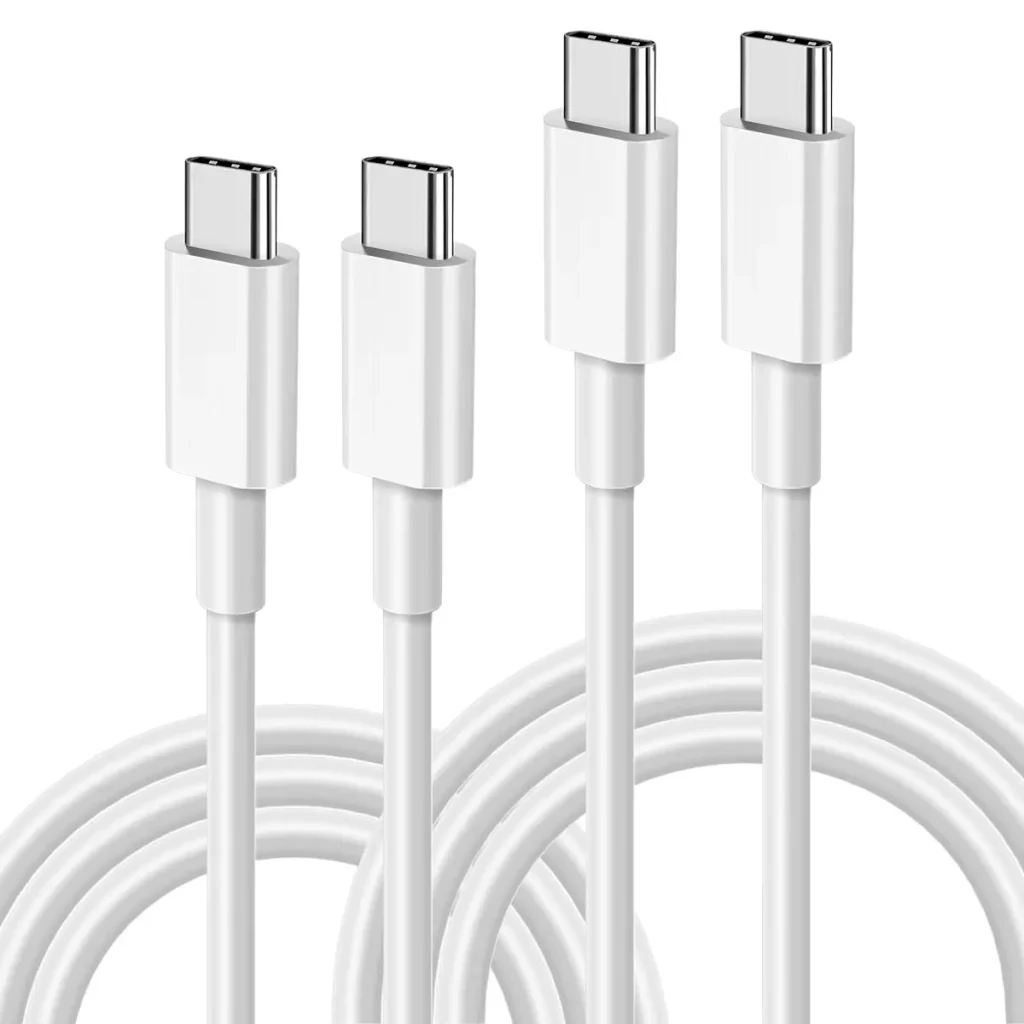
Type-C USB cables are used with smartphones, tablets, laptops, power banks, headphones, monitors, docking stations, cameras, gaming devices, and other electronics for charging, data transfer, and sometimes video output. The exact capability depends on the USB-C cable, port, device, and supported protocol.
What Devices Use Type-C USB Cables?
USB Type-C has become common across consumer electronics because the connector is compact, reversible, and supports multiple functions through the same physical interface.
Common devices include:
Smartphones
Tablets
Laptops
Desktop accessories
Power banks
Wireless headphones
Bluetooth speakers
Digital cameras
Gaming consoles and controllers
Portable monitors
External SSDs
Docking stations
USB hubs
Printers and other peripherals
However, USB-C does not mean that every device supports the same functions. One USB-C port may support charging only, while another may support charging, USB 3.2 data, DisplayPort Alt Mode, or USB4.
Why Do Smartphones Use Type-C USB Cables?
What Can USB-C Do on a Smartphone?
Many modern smartphones use USB-C for:
Battery charging
Computer data transfer
File synchronization
USB accessories
Audio connections
External displays on supported models
For charging, USB Power Delivery (USB PD) can negotiate voltage and current between the charger, device, and cable.
A USB-C cable may therefore be used for anything from basic 5V charging to high-power USB PD applications.
What Uses USB-C for Fast Charging?
Can USB-C Cables Support 100W or More?
Yes. USB-C supports USB Power Delivery, and modern USB PD systems can provide substantially more power than traditional USB charging.
Typical examples include:
| Application | Typical Power | Common Cable Requirement |
|---|---|---|
| Earbuds / Accessories | 5W–15W | Basic USB-C cable |
| Smartphone | 15W–45W | Standard USB-C charging cable |
| Tablet | 20W–60W | 3A USB-C cable |
| Laptop | 45W–100W | Often 5A cable + E-Marker |
| High-performance Laptop | 100W–140W | USB PD 3.1 EPR + E-Marker |
| High-power equipment | Up to 240W | USB PD 3.1 EPR + E-Marker |
A cable designed for high-power charging requires appropriate conductor sizing, connector construction, and cable identification.
For example, E-Marker ICs are used in many 5A USB-C cables to communicate the cable’s capabilities to the connected equipment.
What Uses USB-C for Data Transfer?
Can USB-C Transfer Files?
Yes, but data speed depends on the USB specification supported by both the device and cable.
| USB Standard | Maximum Signaling/Data Rate | Typical Applications |
|---|---|---|
| USB 2.0 | 480 Mbps | Phones, keyboards, basic accessories |
| USB 3.2 Gen 1 | 5 Gbps | SSDs, cameras, computers |
| USB 3.2 Gen 2 | 10 Gbps | High-speed storage |
| USB 3.2 Gen 2×2 | 20 Gbps | High-performance storage |
| USB4 | Up to 40 Gbps | Premium computers and docks |
| USB4 Version 2.0 | Up to 80 Gbps | Advanced high-bandwidth systems |
This is an important point for B2B buyers:
USB-C describes the connector, not the data-transfer speed.
A USB-C cable with only USB 2.0 wiring cannot deliver 10 Gbps simply because both ends use Type-C connectors.
What Uses USB-C for External Displays?
Can USB-C Connect a Laptop to a Monitor?
Yes, if the device and cable support the required video technology.
Many USB-C display systems use DisplayPort Alt Mode (DP Alt Mode).
Applications include:
USB-C monitors
Portable monitors
Laptop docking stations
USB-C to DisplayPort adapters
Multi-display workstations
High-speed video applications require appropriate high-speed signal pairs and controlled cable construction.
A basic charging cable may physically fit into a USB-C monitor but still fail to transmit video.
Do External SSDs Use Type-C USB Cables?
Why Are USB-C Cables Popular for External Storage?
External SSDs commonly use USB-C because the interface can support high data rates while maintaining a small connector size.
For an external SSD, the cable must support the required USB specification.
For example:
USB 2.0 → 480 Mbps
USB 3.2 Gen 2 → 10 Gbps
USB 3.2 Gen 2×2 → 20 Gbps
USB4 → up to 40 Gbps
If an SSD supports 10 Gbps but the supplied cable is only USB 2.0, the drive will not reach its expected transfer rate.
Do Gaming Devices Use USB-C?
What Gaming Products Use Type-C?
USB-C is increasingly common in gaming equipment.
Examples include:
Game controllers
Handheld gaming consoles
VR headsets
Gaming laptops
Wireless gaming accessories
Portable gaming monitors
Some applications require both charging and high-speed data transmission.
For example, a VR headset may require a cable capable of simultaneously supporting power and high-speed data communication. A basic charging-only cable may not work correctly.
Do Cameras Use Type-C USB Cables?
What Is USB-C Used for in Cameras?
Digital cameras and professional imaging equipment may use USB-C for:
Charging
Battery power
File transfer
Tethered shooting
Connecting external storage
Connecting to computers
Professional camera applications can benefit from higher-speed USB connections because image and video files can be large.
For B2B cable manufacturers, this creates demand for different cable specifications rather than one universal USB-C cable.
Do Wireless Headphones Use USB-C?
What Does USB-C Do on Bluetooth Headphones?
USB-C is commonly used for charging wireless headphones and earbuds.
Some products also support:
Firmware updates
USB audio
Computer connections
However, most basic wireless headphones do not require high-speed USB data transmission.
This means a simple USB-C charging cable may be sufficient for many headphone applications.
Do Power Banks Use USB-C Cables?
Can USB-C Be Used for Both Input and Output?
Yes.
Modern power banks may use USB-C for:
Battery charging input
Power output
USB PD fast charging
Some USB-C power banks support USB PD at 20W, 30W, 65W, 100W, or higher.
High-output power banks require cables with suitable current ratings.
For a 5A USB PD application, the cable typically requires an appropriate E-Marker and sufficiently low-resistance power conductors.
What Makes One USB-C Cable Different From Another?
Why Don’t All Type-C Cables Work the Same Way?
The biggest differences are inside the cable.
Important specifications include:
Conductor gauge
Copper quality
Data pair configuration
Shielding
E-Marker IC
Connector design
Insulation material
Power rating
USB protocol
For example, common power conductors may range from approximately 28 AWG to 22 AWG depending on the cable design and current requirement.
A lower AWG number indicates a thicker conductor.
Thicker conductors generally provide lower resistance and better current-carrying capability, although the complete cable design determines final performance.
Why Does Shielding Matter in High-Speed USB-C Cables?
Do USB-C Cables Need Shielding?
High-speed USB-C cables generally require careful shielding and signal-integrity design.
Manufacturers may use:
Aluminum foil
Copper braid
Individual pair shielding
Dual-layer shielding
Shielding helps control:
Electromagnetic interference
Crosstalk
Signal loss
Data errors
For USB 3.2 and USB4 products, cable construction becomes significantly more demanding than for basic USB 2.0 charging cables.
What Materials Are Used in Type-C USB Cable Manufacturing?
Which Jacket Material Is Best for Different Applications?
Common materials include:
| Material | Main Advantage | Common Application |
|---|---|---|
| PVC | Low cost and easy processing | Standard charging cables |
| TPE | Flexible and soft | Consumer charging cables |
| TPU | Good abrasion resistance | Heavy-duty cables |
| Nylon Braid | Better surface durability | Premium cables |
| PC | Strong and heat resistant | Connector housing |
| LCP | Excellent high-temperature performance | High-performance connectors |
For premium OEM products, manufacturers may combine a TPE or TPU inner jacket with a nylon braided outer layer.
What Quality Standards Should USB-C Cable Manufacturers Follow?
Does ISO9001 Matter When Sourcing USB-C Cables?
For B2B buyers, factory quality management is important because USB-C cables contain multiple components that must remain consistent during mass production.
An ISO9001 quality management system can control:
Supplier qualification
Incoming material inspection
Production procedures
Process records
Final inspection
Corrective actions
Product traceability
A professional factory normally uses:
IQC → IPQC → OQC
to control incoming materials, production processes, and finished products.
Are UL, RoHS, and REACH Important for USB-C Cables?
Which Compliance Documents Should B2B Buyers Request?
Depending on the target market and product requirements, buyers may request:
RoHS compliance documentation
REACH compliance documentation
UL certifications or recognized material documentation
USB-IF compliance/certification where applicable
Material declarations
Third-party laboratory reports
For connector plastics and other polymer components, buyers may also specify UL94-V0 flame-retardant materials.
Quality Inspector’s Advice:
“Never specify a USB-C cable only by the connector type. Before mass production, define the required power rating, data speed, E-Marker, shielding, conductor gauge, connector specification, and compliance requirements.”
How Should B2B Buyers Specify a USB-C Cable?
What Information Should Be Included in an RFQ?
A professional USB-C cable RFQ should include at least:
- Connector configuration
USB-C to USB-C, USB-A to USB-C, USB-C to Lightning, etc. - Power requirement
3A, 5A, 60W, 100W, 140W, 240W, etc. - Data speed
USB 2.0, 5 Gbps, 10 Gbps, 20 Gbps, USB4, etc. - Video requirement
DP Alt Mode, resolution, refresh rate, if applicable. - Cable construction
PVC, TPE, TPU, nylon braid, shielding structure. - Conductor specification
Copper type and AWG. - Electronic components
E-Marker IC requirements. - Compliance
RoHS, REACH, UL, USB-IF, and other applicable requirements.
This specification prevents suppliers from quoting a visually similar but technically different product.
Conclusion
USB-C cables are used across smartphones, tablets, laptops, power banks, headphones, cameras, gaming devices, external SSDs, monitors, docking stations, and many other electronics.
However, not every Type-C cable has the same capabilities. The connector only defines the physical interface. Power delivery, data speed, video output, and compatibility depend on the internal cable design and the capabilities of the connected devices.
For B2B sourcing, buyers should evaluate the complete specification—including AWG, power rating, USB protocol, E-Marker, shielding, materials, certifications, and testing—rather than purchasing based on the USB-C connector alone.
FAQ
1. What devices use Type-C USB cables?
Smartphones, tablets, laptops, power banks, headphones, cameras, gaming devices, monitors, docking stations, external SSDs, and many other modern electronics use USB-C cables.
2. Can any USB-C cable charge any USB-C device?
Not necessarily. Most USB-C cables can provide basic charging, but maximum charging power depends on the cable’s current rating, E-Marker configuration, charger, and device.
3. Can all USB-C cables transfer data?
No. Some USB-C cables are designed primarily for charging and may not support data transfer. Data speed also varies from USB 2.0 at 480 Mbps to much faster USB 3.2 and USB4 implementations.
4. What should businesses consider when buying Type-C USB cables?
B2B buyers should specify the connector type, power rating, USB data speed, conductor gauge, E-Marker requirement, shielding, jacket material, durability requirements, and applicable RoHS, REACH, UL, or USB-IF compliance.
USB cable.
Picture this: You’re sitting at your desk, engrossed in a project
Where Can I Buy a High-Quality Pd Fast Charging Cable?
FAQ
1 cable
USB-C cables certainly.
Share This Artcle:

Fast delivery
Fastest delivery within 22 days

Quick proofing
Fastest 3-day proofing cycle

After-sale protection
24-month long warranty

1V1Customer Service
Professional customer service follow-up
Lorem ipsum dolor sit amet, consectetur adipiscing elit. Ut elit tellus, luctus nec ullamcorper mattis, pulvinar dapibus leo.