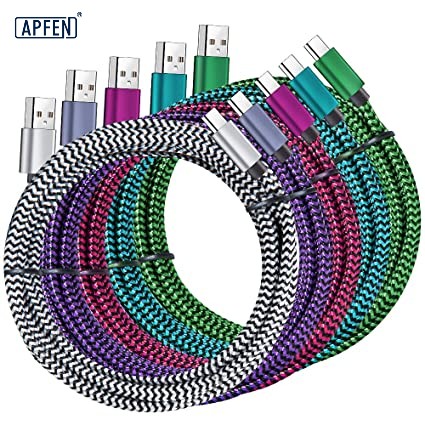
Meet High-Performance USB Type C Cables- Apphone Charger & Adapter

usb type c

When most people look at a USB cable, they only see three things:

The connector

The cable jacket

The charging plug

However, hidden inside many modern USB-C, Lightning, and fast-charging cables is an important component that most users never notice:

PCB (Printed Circuit Board)

Although it is small enough to fit inside the connector shell, the PCB plays a critical role in modern charging cables.

In many high-performance cables, the PCB acts as a control center that helps manage:

Power transmission

Fast charging communication

Data transfer

E-Marker chip operation

Signal integrity

Safety protection

Without a properly designed PCB, many modern USB-C cables would not be able to support fast charging, high-speed data transmission, or intelligent power management.

In this article, we’ll explain what a PCB is, how it works inside a USB cable, and why it has become one of the most important components in modern charging cables.

What Is a PCB?

PCB stands for:

Printed Circuit Board

A PCB is a flat board made of insulating material and conductive copper traces.

Its purpose is to connect and support electronic components.

You can think of a PCB as:

The Road System of Electronics

Just as roads connect cities, PCB traces connect electronic components and allow electrical signals to travel where they need to go.

Without a PCB, electronic components would not be able to communicate efficiently.

Image

Why Do USB Cables Need a PCB?

Years ago, charging cables were relatively simple.

Most cables only carried:

5V charging power

Basic USB 2.0 data

In those days, many cables did not require advanced circuitry.

Today, USB-C technology has become much more sophisticated.

Modern cables may support:

60W charging

100W charging

140W charging

240W charging

USB4

Thunderbolt 4

Thunderbolt 5

These advanced functions require intelligent control and communication.

That’s where the PCB becomes essential.

Where Is the PCB Located Inside a USB Cable?

In most USB-C cables, the PCB is located inside the connector housing.

The structure usually looks like this:

Connector Shell
↓
PCB Board
↓
E-Marker Chip
↓
Connector Pins
↓
Wire Core

Because space inside the connector is extremely limited, manufacturers often use:

Miniature PCBs

that are specially designed for compact applications.

What Does a PCB Do Inside a USB Cable?

Many people assume that the PCB simply connects wires.

In reality, it performs several important tasks.

1. Connecting Internal Components

The first function of the PCB is to provide organized electrical connections between:

Connector pins

Wire conductors

E-Marker chips

Control circuits

Without a PCB, these connections would be difficult to manufacture consistently.

2. Supporting Fast Charging Communication

Modern fast charging technologies require constant communication between:

The charger

The cable

The device

For example:

USB Power Delivery (PD)

PPS Fast Charging

Quick Charge

all rely on digital communication.

The PCB helps route these communication signals properly.

Image

3. Hosting the E-Marker Chip

Many high-power USB-C cables contain:

E-Marker Chips

The E-Marker chip is usually mounted directly onto the PCB.

Together, they allow the cable to report:

Current capacity

Voltage capability

Charging specifications

Data transmission support

to connected devices.

4. Managing Signal Integrity

High-speed data standards such as:

USB 3.2

USB4

Thunderbolt

operate at extremely high frequencies.

At these speeds, signal quality becomes critical.

A well-designed PCB helps:

Maintain Signal Integrity

by reducing:

Signal loss

Crosstalk

Reflection

Electromagnetic interference

This helps ensure stable and accurate data transmission.

Image

5. Supporting Safety Functions

Modern USB-C cables are expected to handle significant power levels.

Some cables now support:

240W USB-C Charging

At this power level, safety becomes extremely important.

The PCB can help support:

Overcurrent protection

Voltage monitoring

Communication verification

Safe power negotiation

These features help protect both the cable and connected devices.

Image

Why PCB Quality Matters

Not all PCBs are manufactured equally.

The quality of the PCB directly affects cable performance.

Premium PCBs typically feature:

Precision copper traces

High-quality substrate materials

Better soldering quality

Improved electrical performance

Poor-quality PCBs may cause:

Charging instability

Data transfer errors

Connection failures

Excessive heat generation

What Materials Are Used in USB Cable PCBs?

Most USB cable PCBs are made using:

FR-4 Material

FR-4 is a fiberglass-reinforced epoxy laminate.

It offers:

Electrical insulation

Mechanical strength

Heat resistance

This makes it ideal for USB cable applications.

Copper Traces

Copper traces serve as the pathways that carry electrical signals.

High-quality PCBs often use thicker copper layers to improve conductivity and reliability.

How PCBs Help Enable 100W and 240W Charging

Modern USB Power Delivery standards require complex communication.

When a USB-C cable is connected:

The charger identifies the cable.

The PCB routes communication signals.

The E-Marker chip reports cable capabilities.

The charger adjusts output power.

Only after successful communication will the charger unlock higher power levels.

Without a properly designed PCB, this process would not work reliably.

Image

PCB and Data Transfer Performance

A cable may look identical from the outside, but internal PCB design can significantly affect performance.

For example:

A premium USB4 cable may support:

40Gbps transmission

80Gbps transmission

while a low-quality cable may struggle to maintain stable signals.

PCB layout plays a major role in determining signal quality.

Why Cheap USB Cables Often Have Problems

To reduce costs, some manufacturers use:

Smaller PCBs

Thinner copper traces

Lower-quality materials

Poor soldering processes

As a result, users may experience:

Unstable charging

Slow data transfer

Frequent disconnections

Reduced cable lifespan

This is one reason premium cables typically cost more.

The Future of USB Cable PCB Technology

As USB technology continues to evolve, PCB designs will become even more advanced.

Future USB-C cables may support:

Higher charging power

Faster transmission speeds

Smarter communication systems

Improved thermal management

As these requirements increase, PCB technology will remain at the center of cable innovation.

Conclusion

Although it is hidden inside the connector, the:

PCB (Printed Circuit Board)

is one of the most important components in a modern USB cable.

It serves as the foundation for:

Fast charging communication

Data transmission

E-Marker chip operation

Signal management

Safety protection

Without a PCB, modern USB-C cables would not be able to deliver the charging speeds, data performance, and safety features that users expect today.

The next time you purchase a USB-C cable, remember that one tiny circuit board hidden inside the connector may be responsible for most of the cable’s intelligence and performance.

USB cable.

Picture this: You’re sitting at your desk, engrossed in a project

Where Can I Buy a High-Quality Pd Fast Charging Cable?

FAQ

USB-C cables certainly.

Share This Artcle:

Fast delivery

Fast delivery

Fastest delivery within 22 days

Quick proofing

Quick proofing

Fastest 3-day proofing cycle

After-sale protection

After-sale protection

24-month long warranty

1V1Customer Service

1V1Customer Service

Professional customer service follow-up

Lorem ipsum dolor sit amet, consectetur adipiscing elit. Ut elit tellus, luctus nec ullamcorper mattis, pulvinar dapibus leo.

Scroll to Top