
USB C to Lightning Cable for iPhone: Charging, Data Transfer and B2B Buying Guide
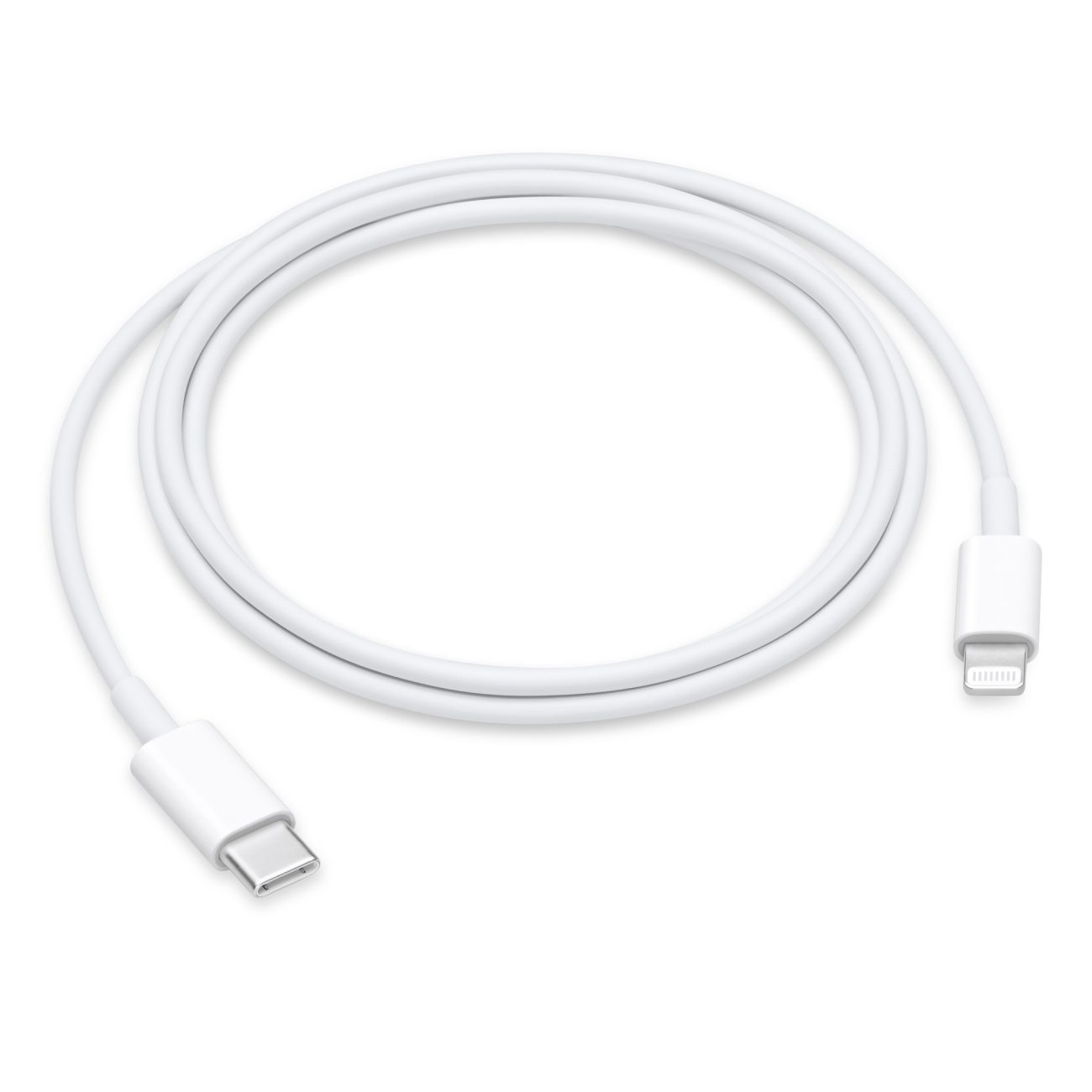
A USB-C to Lightning cable for iPhone connects a Lightning-equipped iPhone to a USB-C power adapter, computer, or compatible accessory for charging and data synchronization, with fast charging available on supported iPhone models and power adapters.
Although newer iPhone models use USB-C, USB-C to Lightning cables remain relevant for older Lightning-equipped iPhone models and other Apple accessories. Apple states that USB-C to Lightning cables can be used with compatible iPhone, iPad, iPod touch, AirPods, and other Lightning accessories for charging and synchronization.
For B2B buyers, however, this product is more than a cable with two different connectors. Lightning connector requirements, MFi considerations, charging performance, data transfer, conductor design, shielding, strain relief, and production testing all affect the final product.
Why Do iPhone Users Still Need USB-C to Lightning Cables?
Which iPhones use a USB-C to Lightning cable?
The answer depends on the iPhone’s connector generation.
iPhones with a Lightning port can use USB-C to Lightning cables.
Newer iPhone generations use USB-C directly, so those devices normally use a USB-C to USB-C cable instead.
This creates two distinct accessory markets:
| iPhone Connector | Recommended Cable Type | Typical Application |
|---|---|---|
| Lightning | USB-C to Lightning | Charging/data |
| USB-C | USB-C to USB-C | Charging/data |
| Lightning + USB-A charger | USB-A to Lightning | Legacy charging |
| USB-C power adapter + Lightning iPhone | USB-C to Lightning | Fast charging |
For B2B buyers, the target device generation should therefore be defined before developing the cable SKU.
What Is a USB-C to Lightning Cable Used For?
Can a USB-C to Lightning cable charge an iPhone?
Yes.
A USB-C to Lightning cable can connect a Lightning-equipped iPhone to a USB-C power adapter.
Apple states that older Lightning-equipped iPhones can use a USB-C to Lightning cable together with an Apple 18W-or-higher USB-C power adapter or a compatible third-party USB Power Delivery adapter for fast charging.
The charging system includes three important components:
USB-C power adapter → USB-C to Lightning cable → iPhone
The cable is only one part of the charging system.
Can a USB-C to Lightning Cable Fast Charge an iPhone?
How fast can an iPhone charge with a USB-C to Lightning cable?
Supported Lightning-equipped iPhones can use USB-C Power Delivery charging through a USB-C to Lightning cable.
Apple states that iPhone 8 and later models can reach up to approximately 50% battery capacity in around 30 minutes under its specified fast-charging conditions. For Lightning-equipped iPhones, Apple specifies a compatible USB-C to Lightning cable together with an appropriate USB-C power adapter.
However, actual charging performance depends on:
iPhone model
Battery condition
Power adapter
USB Power Delivery capability
Cable quality
Cable resistance
Temperature
Charging conditions
Therefore, B2B product descriptions should avoid guaranteeing a specific charging time unless the complete charging system has been tested.
Does the USB-C End Make the Cable Faster?
Not by itself.
The USB-C connector provides access to modern USB-C power sources, but the cable’s performance also depends on its internal design and the Lightning-side implementation.
A cable with:
Better conductor construction
Lower resistance
High-quality connectors
Reliable Lightning-side electronics
Proper assembly
Appropriate compliance/certification
can provide a more consistent charging and synchronization experience.
For B2B buyers, USB-C connector ≠ automatic fast charging.
The entire system must be compatible.
Can a USB-C to Lightning Cable Transfer Data?
Yes.
USB-C to Lightning cables can be used for data synchronization and transferring information between compatible Apple devices and computers.
Apple specifically lists USB-C to Lightning cables for connecting compatible iPhone, iPad, and iPod touch devices to USB-C ports on Mac or Windows computers for synchronization and importing photos.
However, B2B buyers should distinguish between:
Charging capability
and
Data synchronization capability.
A cable designed and tested for charging should not automatically be marketed as a high-performance data cable.
What Is the Data Speed of a USB-C to Lightning Cable?
Can a USB-C to Lightning cable transfer data at USB 3 speeds?
The answer depends on the device and cable implementation.
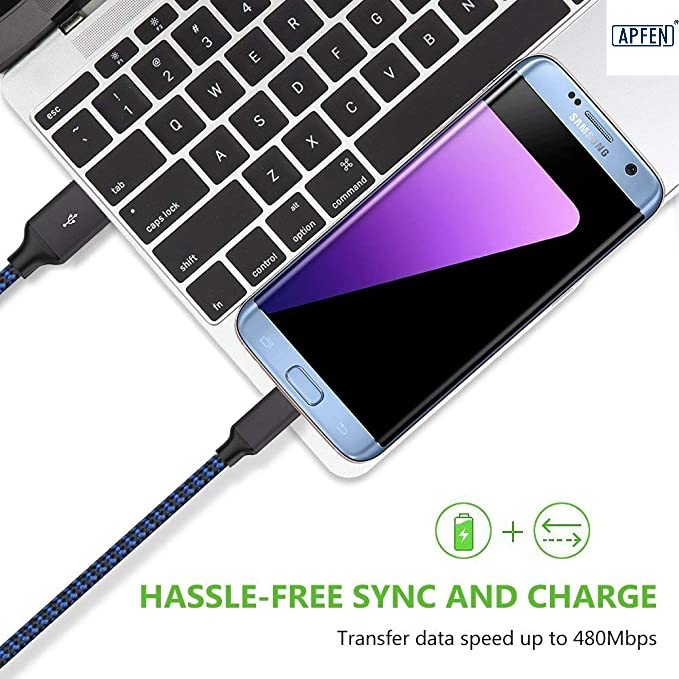
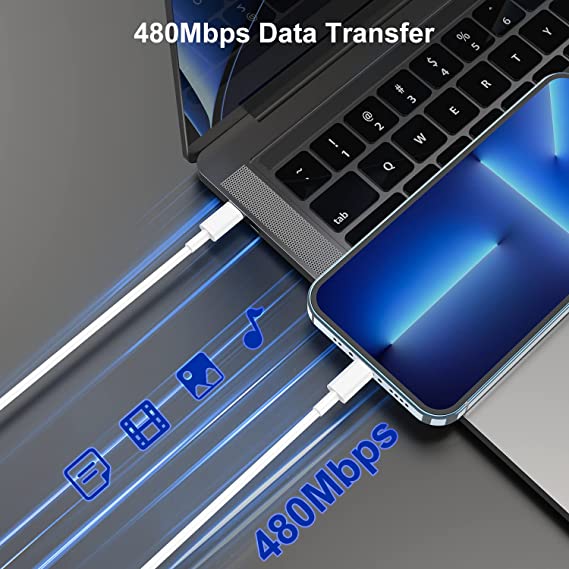
Apple’s Lightning ecosystem has historically been associated with USB 2-class data transfer for many Lightning accessories. Apple’s USB-C to Lightning adapter documentation, for example, specifies up to 480 Mbps (USB 2) for data transfer through its Lightning connection.
For B2B product development, the safest approach is to specify the actual tested data capability instead of using vague terms such as:
“Super Speed Data Cable”
A product specification should clearly state the supported data protocol and tested performance.
What Is the Difference Between a USB-C to Lightning Charging Cable and a Data Cable?
The physical cable may look almost identical, but the intended electrical design and product validation can be different.
| Parameter | Charging-Focused Cable | Charging + Data Cable |
|---|---|---|
| Charging | Yes | Yes |
| Data synchronization | May be limited depending on design | Yes |
| Conductor design | Optimized for power | Power + data |
| Lightning implementation | Application-dependent | Data-capable implementation |
| Shielding | Application-dependent | More important |
| Testing | Charging/electrical | Charging + data |
| Target customer | Basic charging | Charging + synchronization |
| Product positioning | Entry-level | More functional |
For an OEM project, the buyer should define whether the product needs charging only or charging + data synchronization.
Does a USB-C to Lightning Cable Need MFi Certification?
Why is MFi important for USB-C to Lightning cables?
This is one of the most important questions for B2B manufacturers.
Apple’s MFi Program provides access to Apple-licensed technologies, technical specifications, hardware components, certification tools, and related resources for companies developing accessories that connect electronically to Apple products using licensed technologies. Apple’s MFi documentation specifically lists Lightning connectors and receptacles among its licensed components.
Apple also states that companies developing or manufacturing electronic accessories using MFi-licensed technology need to join the MFi Program, subject to the program’s requirements.
Therefore, a B2B manufacturer should not simply describe a Lightning cable as:
“MFi certified”
unless the specific product and certification status support that claim.
The buyer should request product-specific documentation.
What Does MFi Certification Mean for a Cable Manufacturer?
For a manufacturer, an MFi project can involve several stages:
- Product planning
- Product development
- Component sourcing
- Engineering testing
- Certification
- Production approval
- Mass production
Apple describes its MFi process as including product planning, development, certification, and mass production after certification approval.
This means a factory producing standard USB charging cables is not automatically qualified to manufacture every Lightning cable specification.
For B2B buyers, supplier selection should therefore include Lightning/MFi project experience where applicable.
What Materials Are Used in a USB-C to Lightning Cable?
A typical cable may include:
Copper power conductors
Data conductors
Insulation
Shielding
Drain wire
USB-C connector
Lightning connector
Connector housing
Strain relief
Outer jacket
Optional braided sleeve
What conductor should a B2B buyer choose?
Copper conductors are commonly used because low electrical resistance is important for charging performance.
Typical design parameters include:
AWG
Conductor material
Number of cores
Resistance
Cable length
Insulation thickness
A lower AWG number generally indicates a larger conductor.
For example:
24 AWG is thicker than 28 AWG.
However, the appropriate conductor size depends on the final cable design.
How Does Cable Length Affect iPhone Charging?
Cable length directly affects conductor resistance.
For example, a 2-meter cable generally has more conductor resistance than a 1-meter cable if the conductor construction is otherwise similar.
Higher resistance can result in:
Greater voltage drop
Higher power loss
More heat generation
Potentially reduced charging efficiency
The basic relationship is:
Power Loss = I² × R
This is why cable manufacturers should not use exactly the same conductor design for every length and expect identical electrical performance.
Common commercial lengths include:
0.5 m
1 m
1.2 m
1.5 m
2 m
3 m
For B2B projects, length should be defined together with the target charging and data requirements.
Is a Braided USB-C to Lightning Cable Better Than a PVC Cable?
Not automatically.
What are the advantages of a braided cable?
Nylon-braided cables can provide:
Better abrasion resistance
Premium appearance
Improved surface durability
Different color options
Stronger retail presentation
What are the advantages of PVC or TPE?
PVC and TPE cables can provide:
Lower manufacturing cost
Good flexibility
Easy processing
Multiple hardness options
Efficient mass production
The external jacket does not determine whether the cable is MFi-compliant or whether it can provide reliable charging.
The internal electrical design and Lightning-side implementation remain critical.
Callout Box — Expert Quality Inspector
“For a USB-C to Lightning cable, I do not approve a product based only on charging one iPhone successfully. Production approval should cover connector quality, resistance, continuity, charging stability, data synchronization where required, mechanical strength, strain relief, and the applicable Apple/MFi requirements.”
What Connector Quality Should B2B Buyers Check?
The connectors are among the most frequently stressed parts of a charging cable.
Important inspection points include:
Contact quality
Plating
Connector dimensions
Housing strength
Solder quality
Crimping
Strain relief
Plug insertion
Plug extraction
Mechanical durability
Corrosion resistance
The Lightning side deserves particular attention because it involves Apple’s proprietary connector ecosystem.
For a B2B project, the supplier should be able to identify the connector/component source and provide appropriate documentation for the agreed product configuration.
How Important Is Strain Relief?
Strain relief protects the cable-to-connector transition.
This area experiences significant mechanical stress when users bend or pull the cable.
Poor strain relief can cause:
Broken conductors
Intermittent charging
Data disconnection
Jacket cracking
Connector separation
A professional cable design should consider:
Bend radius + overmold length + material hardness + conductor layout + mechanical testing.
For retail products, this can have a major effect on customer returns.
What Testing Should a USB-C to Lightning Cable Manufacturer Perform?
A professional manufacturer should use multiple quality-control stages.
Incoming Material Inspection
Check:
USB-C connectors
Lightning components
Copper wire
Insulation
Shielding
Jacket materials
Molded parts
In-Process Inspection
Check:
Wire stripping
Crimping
Soldering
Connector assembly
Shielding
Overmolding
Cable length
Final Product Testing
Typical tests include:
Continuity
Short circuit
Resistance
Charging test
Data synchronization test
Connector pull test
Bending test
Plug/unplug testing
Appearance inspection
For an MFi product, the supplier should also follow the applicable Apple certification and production requirements.
Apple states that MFi certification uses Apple’s certification tools and production-ready samples and packaging materials as part of the certification process.
What Compliance Documents Should a B2B Buyer Request?
Depending on the target market and product specification, buyers may request:
MFi documentation where applicable
RoHS
REACH
Product-specific test reports
Material declarations
Factory ISO 9001 certification
Safety documentation
Customer-specific compliance documents
These documents serve different purposes.
For example:
ISO 9001 → quality management system
RoHS → restricted substances
REACH → chemical regulatory compliance
MFi → Apple’s licensed accessory ecosystem and applicable certification requirements
A supplier should not use one certificate as evidence of all four.
How Should a B2B Buyer Create a USB-C to Lightning Cable RFQ?
A detailed RFQ helps different suppliers quote comparable products.
A professional RFQ can include:
| Parameter | Example Requirement |
|---|---|
| Product | USB-C to Lightning Cable for iPhone |
| Function | Charging + Data |
| Length | 1.0 m |
| Charging | Fast charging compatible |
| Data | USB 2.0-class data requirement if applicable |
| Conductor | Copper |
| Power Wire | Specified AWG |
| Shielding | Foil + braid if required |
| Jacket | TPE / PVC / Nylon |
| USB-C Connector | Custom housing |
| Lightning Side | Applicable licensed/MFi configuration |
| Color | Black / White / Custom |
| Logo | Customer logo |
| Compliance | MFi / RoHS / REACH as required |
| Packaging | Custom retail box |
| MOQ | Customer requirement |
| Testing | Electrical + mechanical + functional |
The exact electrical specifications should be finalized according to the target device and certification requirements.
What Are the Most Common USB-C to Lightning Cable Buying Mistakes?
Mistake 1: Assuming Every Lightning Cable Is MFi Certified
The presence of a Lightning connector does not by itself prove MFi certification.
Ask for product-specific documentation.
Mistake 2: Using “Fast Charging” Without Defining the Test Conditions
Charging speed depends on:
iPhone model
Adapter
Cable
Battery state
Temperature
Charging conditions
Mistake 3: Choosing a Cable Only by Appearance
A braided jacket or metal connector shell does not prove charging reliability.
Mistake 4: Ignoring Data Capability
Some customers need charging only. Others need charging and synchronization.
These should be specified separately.
Mistake 5: Comparing Suppliers Only by Price
A cheaper quote may involve different:
Lightning components
Copper content
AWG
Shielding
Jacket
Testing
Certification status
Compare the complete product specification.
How Can a USB-C to Lightning Cable Manufacturer Support OEM and ODM?
A professional B2B cable manufacturer can customize:
Cable length
Cable color
Jacket material
Nylon braid
Connector housing
Connector appearance
Logo
Custom mold
Cable thickness
Packaging
Retail box
Barcode
Label
Product documentation
For example:
1 m + USB-C to Lightning + charging/data + white TPE + custom logo + retail packaging
is a much more useful OEM specification than:
“iPhone charging cable.”
For Lightning products, the supplier should also clarify which Apple/MFi requirements apply before mass production.
How Should You Compare USB-C to Lightning Cable Suppliers?
A B2B purchasing team should compare suppliers using both commercial and technical criteria.
| Supplier Evaluation | Basic Supplier | Professional B2B Supplier |
|---|---|---|
| Lightning experience | Unclear | Documented experience |
| MFi capability | Unclear | Applicable certification process |
| Conductor specification | Basic | AWG + material defined |
| Charging testing | Basic | Controlled test procedure |
| Data testing | Limited | Functional data testing |
| Connector quality | Generic | Controlled component source |
| Mechanical testing | Limited | Pull + bending + durability |
| Compliance | Generic documents | Product-specific documentation |
| OEM customization | Limited | Mold + logo + packaging |
| Mass production | Variable | Controlled QC process |
For a private-label brand, product consistency and certification status can be as important as the initial unit price.
What Makes a Reliable USB-C to Lightning Cable Supplier?
A reliable supplier should be able to answer questions such as:
- Is the product designed for charging only or charging + data?
- What Lightning components are used?
- What is the MFi status of the product?
- What conductor material and AWG are used?
- What is the cable resistance?
- What cable lengths are available?
- What charging tests are performed?
- What data tests are performed?
- What mechanical tests are performed?
- What RoHS/REACH documentation is available?
- Can the supplier provide product-specific certification documentation?
- Can the supplier support OEM packaging and custom molding?
Apple’s MFi program specifically allows accessory developers, manufacturers, brand owners, contract manufacturers, and ODMs to participate where the applicable licensed technologies are involved.
What Applications Are Suitable for USB-C to Lightning Cables?
iPhone Charging
The primary application remains wired charging for Lightning-equipped iPhones.
iPhone Data Synchronization
USB-C to Lightning cables can connect compatible iPhones to computers for data synchronization and photo transfer.
AirPods and Apple Accessories
Apple lists USB-C to Lightning cables for charging AirPods, AirPods Pro, and other Lightning accessories.
OEM Consumer Electronics
B2B brands can develop customized cables for:
Mobile accessories
Travel kits
Retail charging kits
Promotional products
Private-label electronics
Automotive accessories
Charging stations
Is USB-C to Lightning Still a Good B2B Product?
The answer depends on the target customer and device population.
USB-C is now the connector used on newer iPhone generations, while Lightning remains relevant for older iPhones and a large installed base of Lightning accessories.
Apple’s current support documentation distinguishes between USB-C iPhones and Lightning-equipped products, and specifically continues to document USB-C to Lightning cables for compatible Lightning devices and accessories.
For B2B brands, this means USB-C to Lightning should generally be treated as a specific compatibility product, rather than as a universal iPhone cable.
What Is the Future of USB-C to Lightning Cables?
The long-term direction of Apple’s iPhone connector ecosystem is increasingly centered on USB-C.
Apple’s current documentation states that iPhone 15 and later models use USB-C, while USB-C to Lightning cables remain relevant to Lightning-equipped accessories and earlier iPhone models.
For cable suppliers, this creates two product categories:
USB-C to Lightning
→ Existing Lightning-device market
USB-C to USB-C
→ Newer USB-C iPhone and Apple device market
For B2B product planning, brands should therefore consider both product lines rather than treating USB-C to Lightning as the only long-term iPhone cable category.
Conclusion: What Should B2B Buyers Know About USB-C to Lightning Cables?
A USB-C to Lightning cable for iPhone is designed to connect Lightning-equipped Apple devices with USB-C power adapters and computers for charging and data synchronization.
For B2B buyers, the most important factors are not just cable length and appearance.
You should evaluate:
Lightning component + MFi requirements + charging capability + data capability + conductor + AWG + resistance + shielding + connector quality + mechanical durability + compliance + testing.
For a basic charging product, the electrical design may be relatively simple.
For a charging + data + MFi/OEM product, the engineering and certification requirements become much more important.
A professional supplier should be able to provide a clear product specification, appropriate certification documentation, controlled production, and test results that match the final product.
For brands selling to overseas markets, this approach also helps reduce customer complaints caused by unstable charging, intermittent connections, poor connector durability, or incorrect MFi claims.
FAQ: USB-C to Lightning Cable for iPhone
1. What is a USB-C to Lightning cable used for?
A USB-C to Lightning cable connects a Lightning-equipped iPhone or other Lightning accessory to a USB-C power adapter, computer, or compatible device for charging and data synchronization.
2. Can a USB-C to Lightning cable fast charge an iPhone?
Yes. Supported Lightning-equipped iPhones can use a USB-C to Lightning cable with a compatible USB-C Power Delivery adapter for fast charging. Apple states that iPhone 8 and later can reach up to approximately 50% charge in around 30 minutes under specified conditions.
3. Is every USB-C to Lightning cable MFi certified?
No. MFi is an Apple program covering accessories using applicable Apple-licensed technologies. Buyers should verify the specific product’s MFi status and documentation rather than assuming that every Lightning cable is MFi certified.
4. How should I choose a USB-C to Lightning cable manufacturer?
For B2B sourcing, check the supplier’s Lightning/MFi experience, connector components, charging and data performance, conductor specification, cable resistance, mechanical testing, RoHS/REACH documentation, OEM capability, and product-specific certification documentation.
USB cable.
Picture this: You’re sitting at your desk, engrossed in a project
Where Can I Buy a High-Quality Pd Fast Charging Cable?
FAQ
1 cable
USB-C cables certainly.
Share This Artcle:

Fast delivery
Fastest delivery within 22 days

Quick proofing
Fastest 3-day proofing cycle

After-sale protection
24-month long warranty

1V1Customer Service
Professional customer service follow-up
Lorem ipsum dolor sit amet, consectetur adipiscing elit. Ut elit tellus, luctus nec ullamcorper mattis, pulvinar dapibus leo.